
This how-to reads a player's Operations in the Web Console to track in-game purchases and balance changes.
Prerequisites
- A Player that has either started a session at least once, or been created manually in the Player Manager.
What Are Operations?
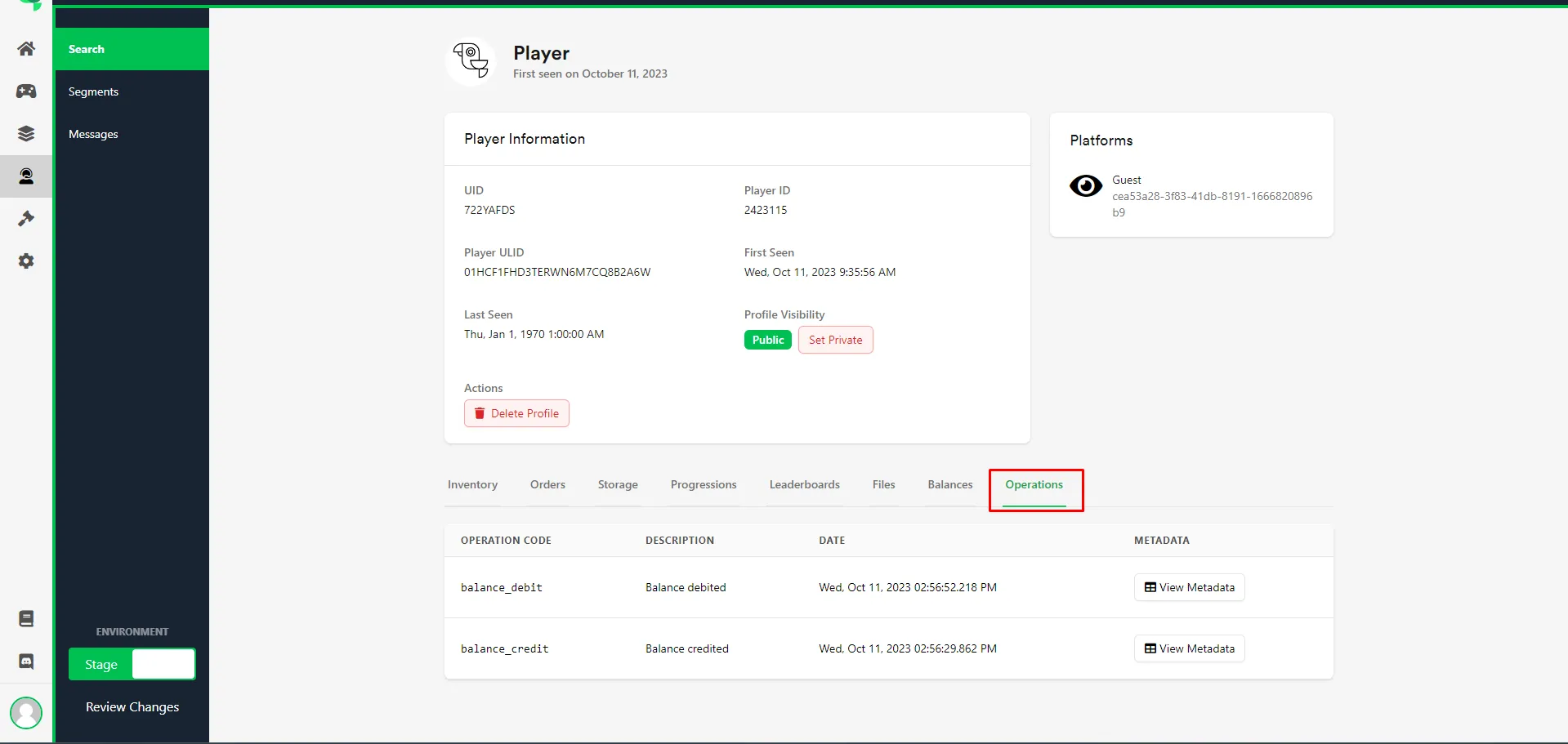
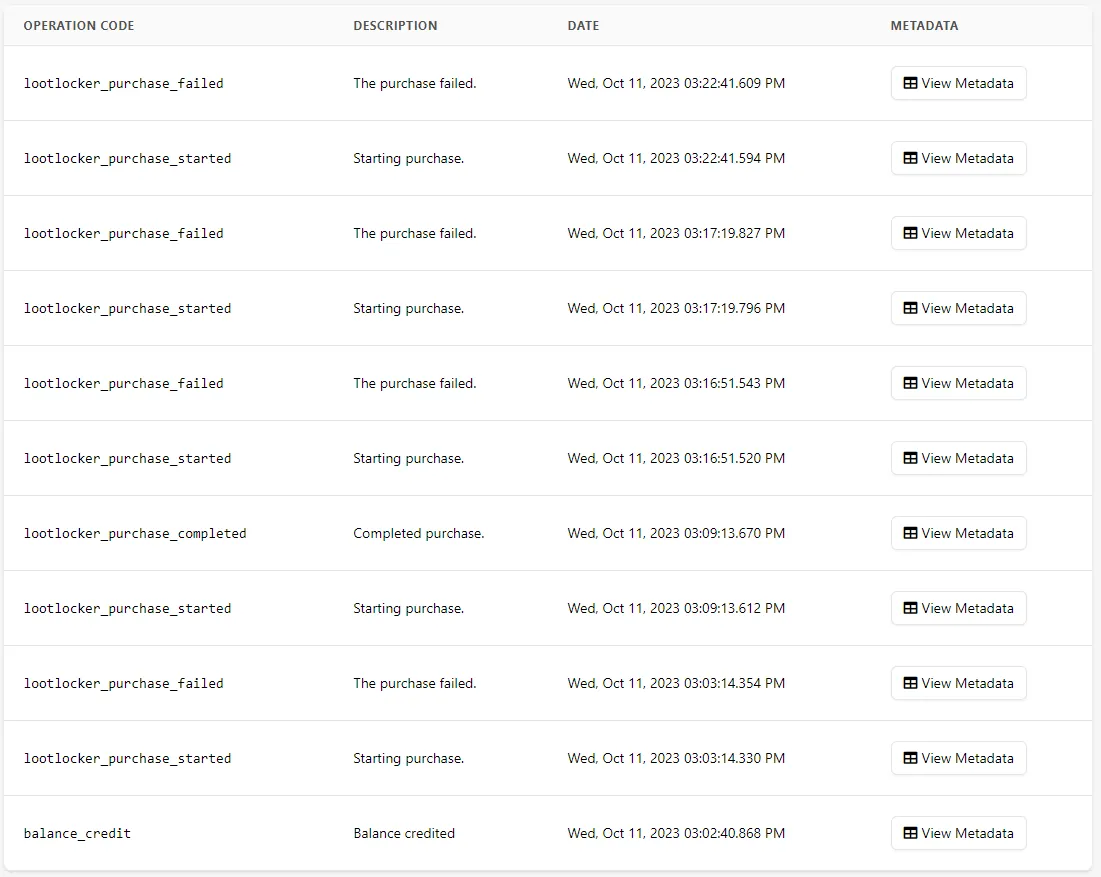
Every player that has started a session has Operations, which help you keep track of in-game purchases and balance changes. Search for or select the player from the recent players list in the Player Manager and open their profile to view their Operations. You can see when a purchase started and its result.
Metadata
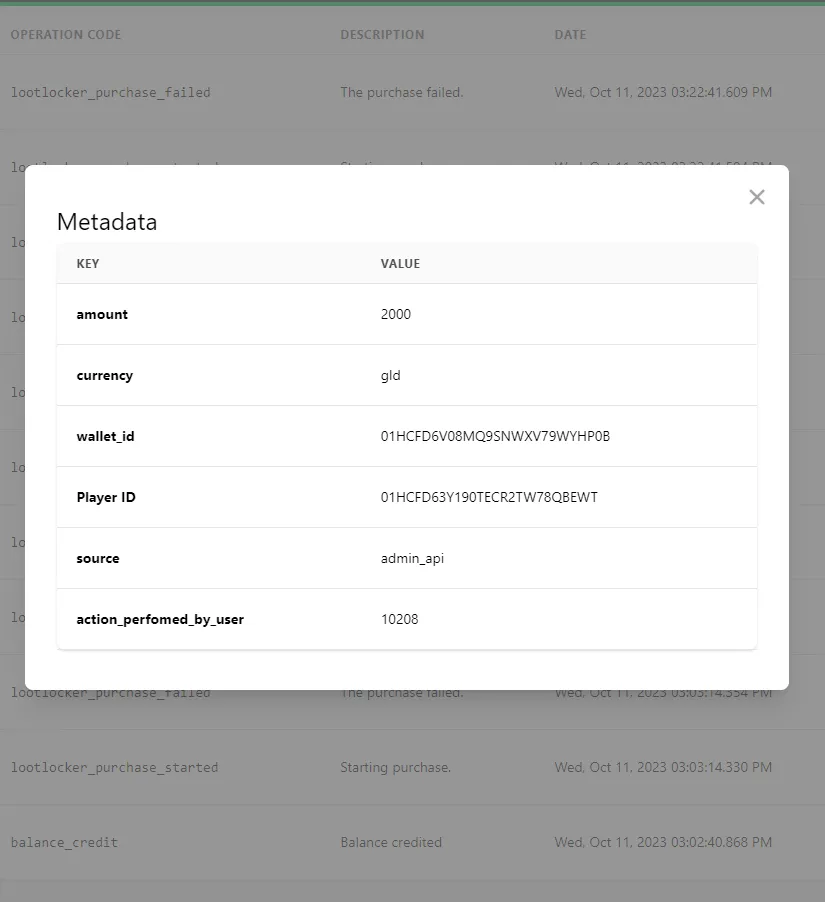
The content of an Operation varies depending on its Operation Code. For example, balance_credit includes data such as the amount credited, which currency was credited, to which wallet, and for which player. Source shows where the Operation came from.
Conclusion
You can now read a player's Operations in the Web Console to track their in-game purchases and balance changes.