
This how-to walks you through configuring Meta / Oculus sign-in and starting a session from your game.
Prerequisites
Section titled “Prerequisites”- Unity, Unreal, or Godot SDK installed and configured in your project (not required for REST).
- A Meta developer account with access to the Meta Dashboard.
Configuration
Section titled “Configuration”Configure your integration in the platform settings.
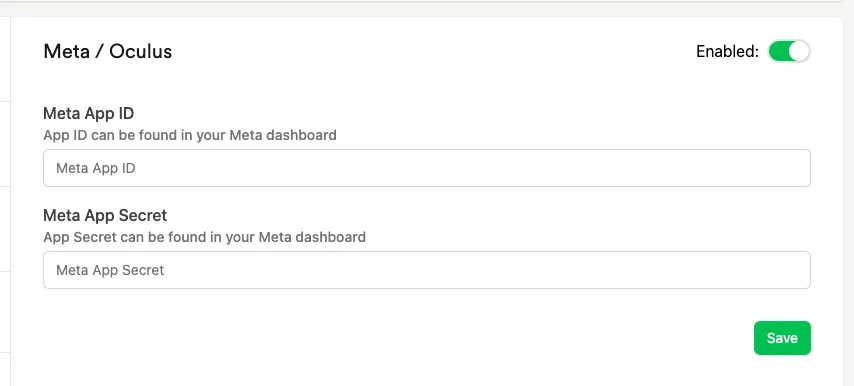
Meta App ID / App Secret: retrieve these from the Meta Dashboard, in the API section for your app.
Start Session
Section titled “Start Session”Fetch the User ID and Nonce using the Oculus SDK provided by Meta — see the Unity or Unreal documentation. Then pass the User ID and Nonce to LootLocker. The response includes a refresh token, which lets you refresh the session without repeating the full sign-in flow.
string userID = "user_id";string nonce = "nonce";
LootLockerSDKManager.StartMetaSession(userID, nonce, (response) =>{    if (!response.success)    {        Debug.Log("error starting LootLocker session");
        return;    }
    Debug.Log("session started successfully");
    // Store these to be able to refresh the session without using the full sign in flow    string refreshToken = response.refresh_token;});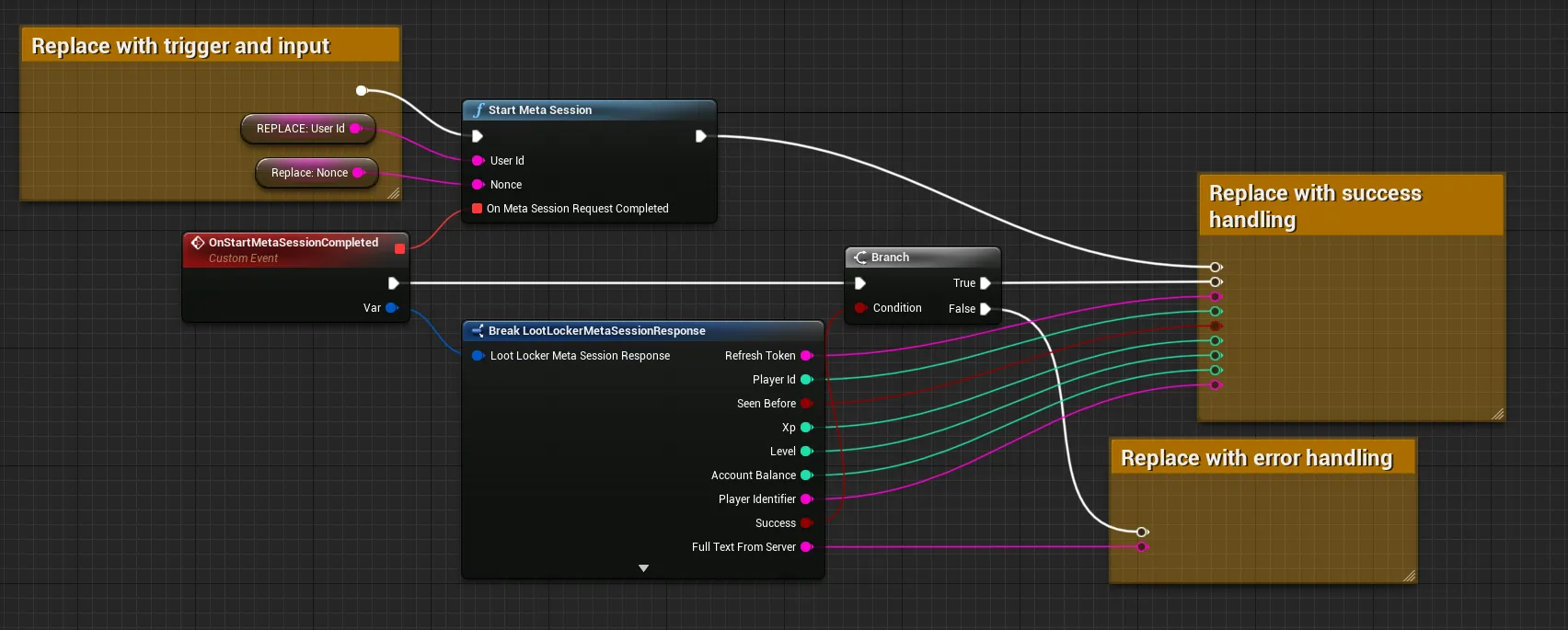
Coming soon — this sample hasn't been written yet.
curl -X POST "https://api.lootlocker.io/game/session/meta" \ -H "LL-Version: 2021-03-01" \ -H "Content-Type: application/json" \ -d "{\"game_key\": \"your_game_key\", \"user_id\": \"1234567890\", \"nonce\": \"0987654321\", \"game_version\": \"1.0.0.0\" }"Example response:
{ "session_token": "eb13a7bf17efg36cb8481a8ds18809c7e85686e6", "player_id": 9358, "public_uid": "J72YP6MS", "player_name": null, "player_created_at": "2023-02-21T15:33:25+00:00", "check_grant_notifications": false, "check_deactivation_notifications": false, "seen_before": true, "refresh_token": "eyJh............................."}Refresh Session
Section titled “Refresh Session”Refresh the session instead of having the player go through the full sign-in flow every time. The request returns a 401 (Unauthorized) if the refresh token has expired, in which case start a new session instead.
LootLockerSDKManager.RefreshMetaSession((response) =>{    if (!response.success)    {        if (response.statusCode == 401) {            // Refresh token has expired, use StartMetaSession        }        else {            Debug.Log("error starting LootLocker session");        }
        return;    }
    Debug.Log("session started successfully");});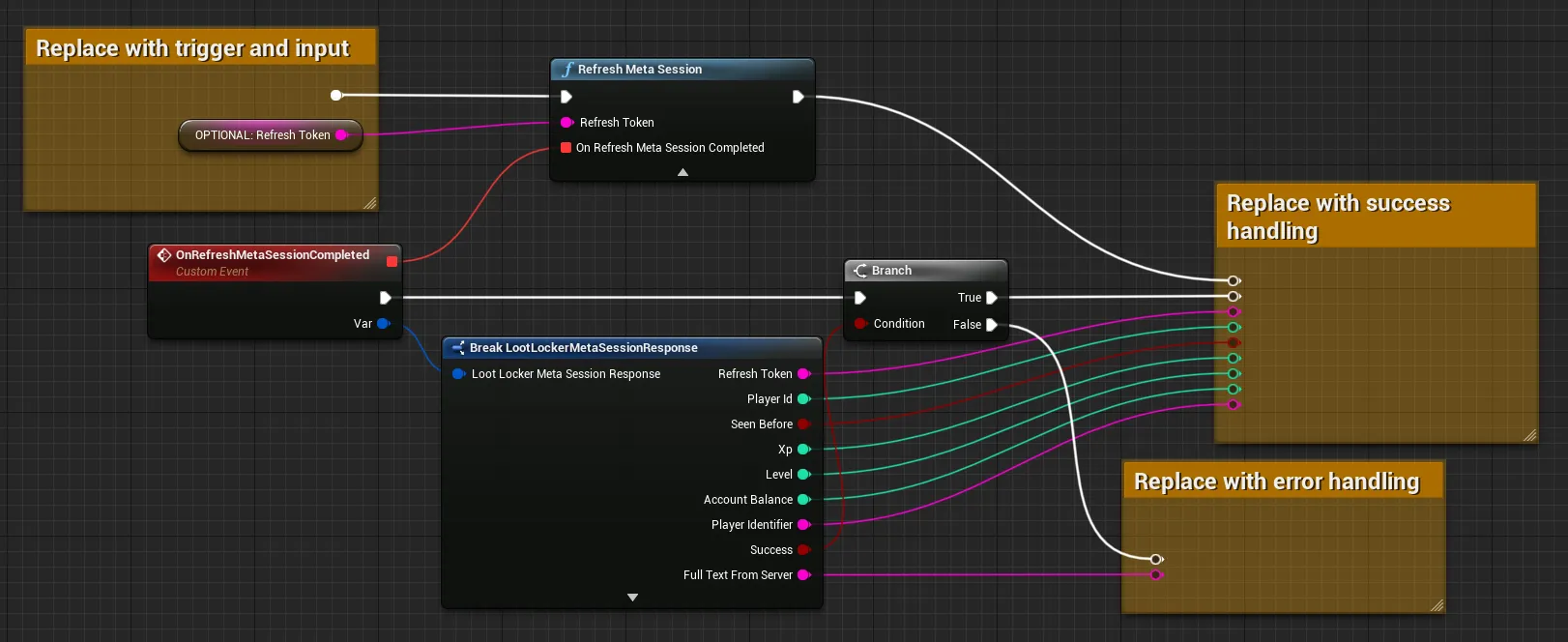
Coming soon — this sample hasn't been written yet.
curl -X POST "https://api.lootlocker.io/game/session/meta" \ -H "LL-Version: 2021-03-01" \ -H "Content-Type: application/json" \ -d "{\"game_key\": \"your_game_key\", \"refresh_token\": \"748b....\", \"game_version\": \"1.0.0.0\" }"Example response:
{ "session_token": "eb13a7bf17efg36cb8481a8ds18809c7e85686e6", "player_id": 9358, "public_uid": "J72YP6MS", "player_name": null, "player_created_at": "2023-02-21T15:33:25+00:00", "check_grant_notifications": false, "check_deactivation_notifications": false, "seen_before": true, "refresh_token": "eyJh............................."}Conclusion
Section titled “Conclusion”You've started using LootLocker in your game with Meta / Oculus authentication. Next, review LootLocker's full feature set to decide which other features to implement.