
This how-to creates a Platform Keys campaign in the Web Console and distributes and redeems keys through Discord. Redemptions are automatically linked to authenticated Player accounts.
Prerequisites
Section titled “Prerequisites”- Enabled platforms in Unified Player Accounts settings.
- Squire invited and configured in your Discord server.
Create a Platform Keys Campaign
Section titled “Create a Platform Keys Campaign”Platform Keys are distributed through campaigns. Each campaign is platform-specific and contains its own set of keys. For example:
- Steam Early Access
- PlayStation North America
- PlayStation Europe
Create a Campaign
Section titled “Create a Campaign”In the Web Console, select Platform Keys from the Content Management menu.
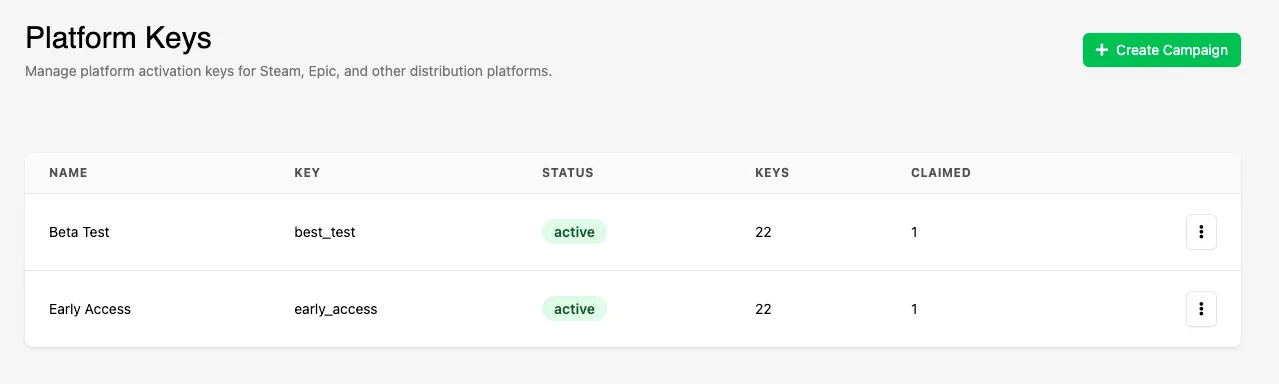
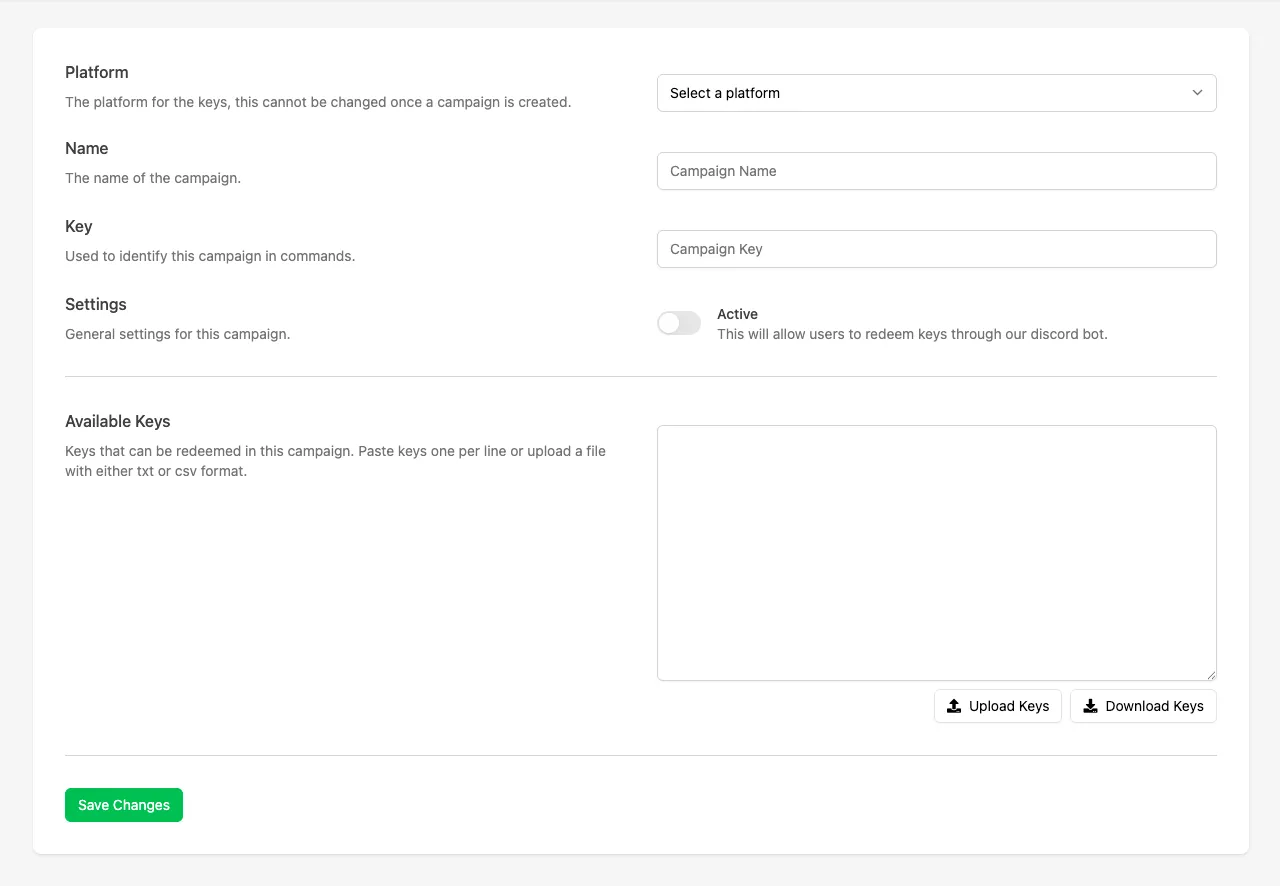
Click Create Campaign and fill in the following fields:
- Platform: Select the platform the keys apply to (Steam, Xbox, PlayStation, etc.).
- Name: The campaign name displayed to Discord users when selecting a campaign.
- Key: A unique identifier used when referencing the campaign in Discord commands.
- Status: Toggle whether the campaign is active or inactive.
- Available Keys: Paste keys (one per line) or upload a
.txtor.csvfile. These keys are used exclusively for this campaign.
Distribute Keys in Discord
Section titled “Distribute Keys in Discord”Once a campaign is active and keys have been uploaded, you can distribute keys through Discord.
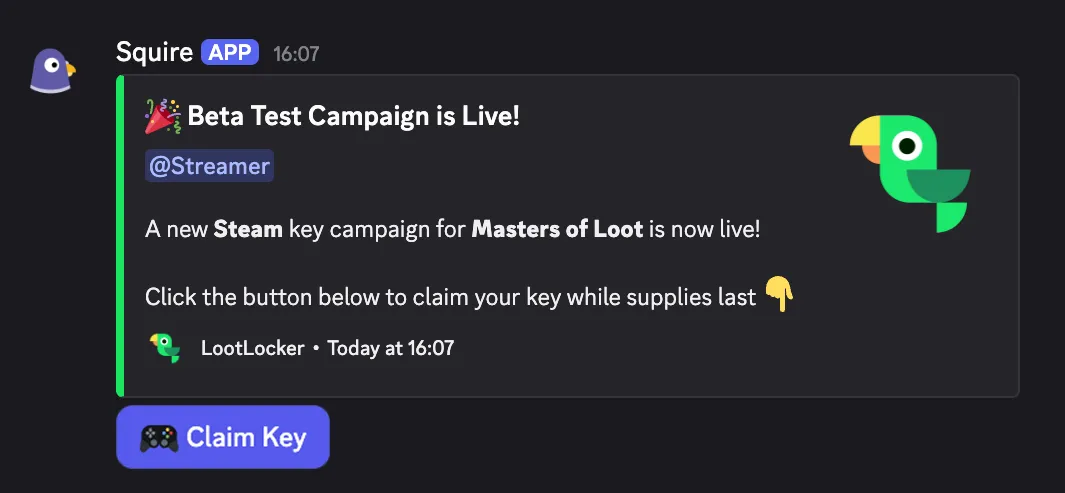
You can announce a campaign in any Discord channel to notify users that keys are available.
Announce via LootLocker
Section titled “Announce via LootLocker”Click Announce Campaign when viewing the campaign in the Web Console and select which channel to announce the campaign in. You can click this as many times as you want — every time you click Announce, Squire announces the campaign in the selected Discord channel.
Announce via Discord
Section titled “Announce via Discord”In the desired Discord channel, use:
/campaign announce <campaign_key>
Claiming a Key in Discord
Section titled “Claiming a Key in Discord”Players can redeem a key either by clicking the Claim button in the campaign announcement, or by using the /redeem <platform> command.
Redemption Flow
Section titled “Redemption Flow”Once a player clicks Claim or runs /redeem, the following happens:
- If multiple games exist in the same LootLocker organization, the player selects which game they want a key for.
- If multiple campaigns exist for the selected game, the player selects a campaign.
- The player is prompted to log in using their chosen platform via QR code or link.
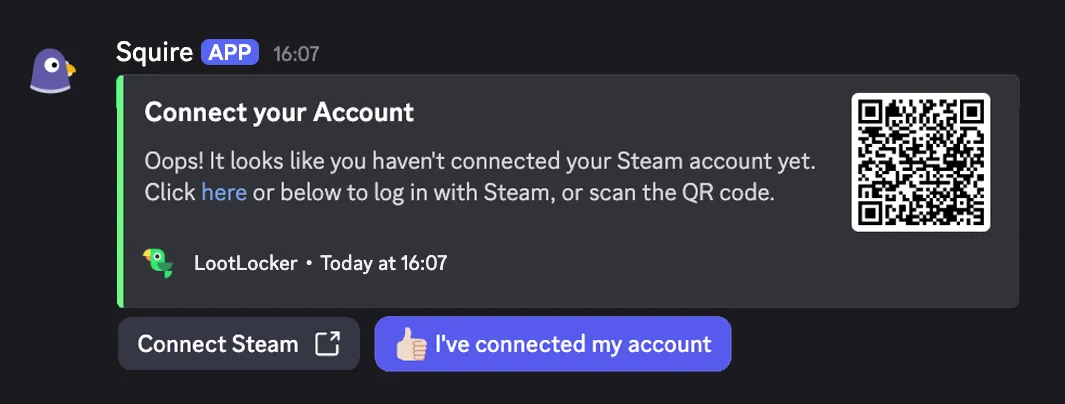
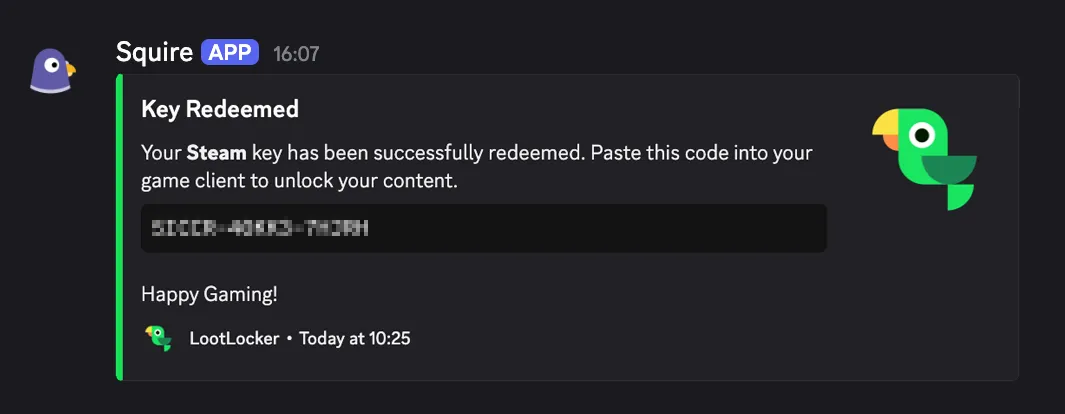
Once authenticated, a key is generated and sent to the user as a Discord whisper. Each user can redeem one key per campaign.
Redemptions
Section titled “Redemptions”The Redemptions tab shows all redeemed keys and player activity.
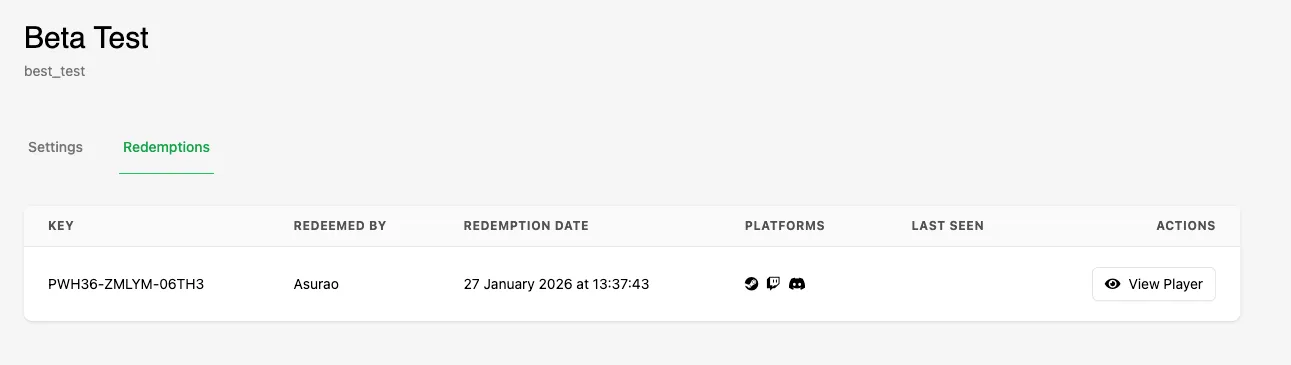
For each redemption, you can see:
- Which key was redeemed
- The redemption date
- Last Seen status (the Player's most recent session start)
- The full Player profile (via View Player)
This lets you track not just who received keys, but who actually played your game.
Discord Commands
Section titled “Discord Commands”Available to Users with the Redemption Role
Section titled “Available to Users with the Redemption Role”/redeem <platform>: Start the key redemption flow. If multiple campaigns are active, the user selects one./keys: View all keys previously redeemed by the Discord user.
Admin-Only Commands
Section titled “Admin-Only Commands”/campaign enable <campaign_key>: Enable a campaign./campaign disable <campaign_key>: Disable a campaign./campaign announce <campaign_key>: Announce a campaign in the current channel.
Conclusion
Section titled “Conclusion”You've created a Platform Keys campaign and distributed keys to your players through Discord. Next, add the LootLocker SDK to your game to track which players have actually played the game they received a key for and how long they've played.