
This how-to creates a Claimable Reward and publishes it to your Discord server.
Prerequisites
Section titled “Prerequisites”- Enabled platforms in Unified Player Accounts settings (only needed if you want to require platform linking when claiming a reward).
- Squire invited and configured in your Discord server.
Create a Trigger
Section titled “Create a Trigger”Claimable Rewards uses the same Triggers system as the rest of LootLocker, allowing you to connect Discord reward campaigns directly to your existing economy, progression, and asset systems.
In the Web Console, create a new Trigger and configure it as you normally would, including:
- A name and key
- Any claim limits or usage restrictions
- The Reward that should be granted
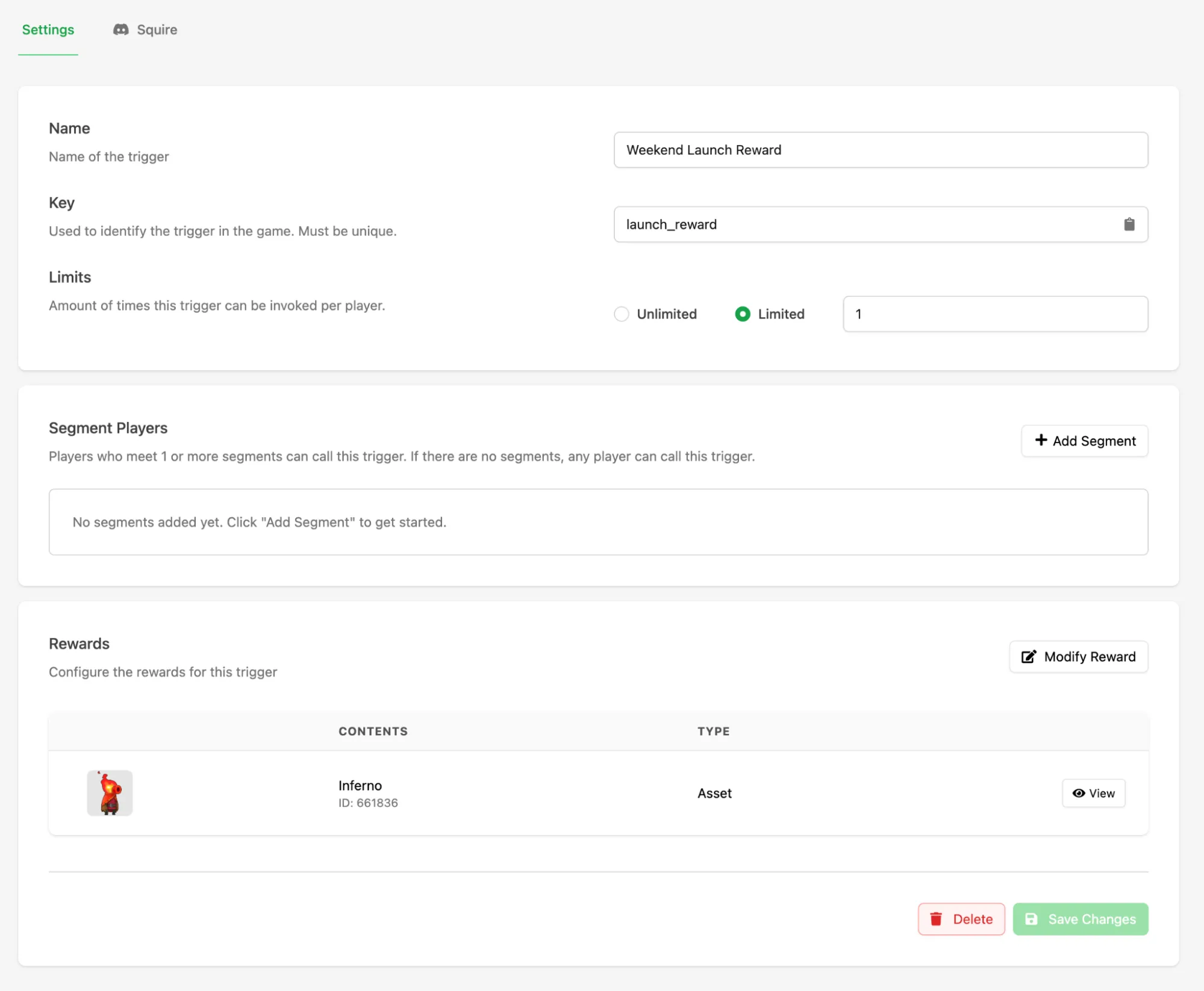
Click Save to save the Trigger.
Configure Squire Settings
Section titled “Configure Squire Settings”Once the Trigger has been saved, reopen it and select the new Squire tab. This is where you configure how the Claimable Reward announcement will appear in Discord.
Add a title and body text using plain text or markdown, and add a custom image to make the reward post more visually engaging.
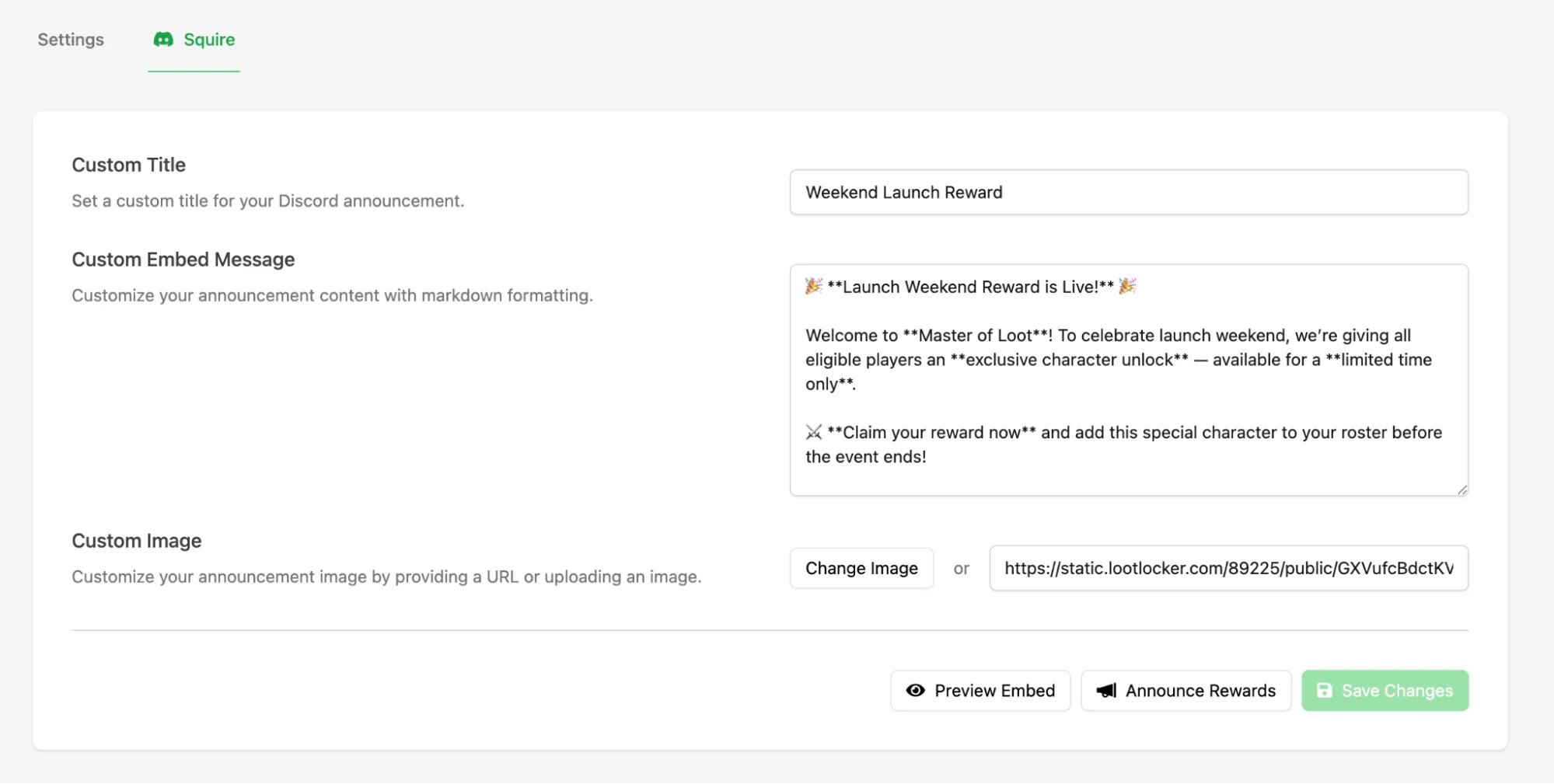
Use the Preview Embed button to see exactly how the post will appear in Discord before publishing.
Publish to Discord
Section titled “Publish to Discord”When you're ready to launch the campaign, click Announce Rewards, select the Discord channel where you want the reward campaign to appear, then click Announce Rewards again to publish the post in Discord.
Squire creates a message in the selected channel with a Claim Reward button that players can interact with directly inside Discord.
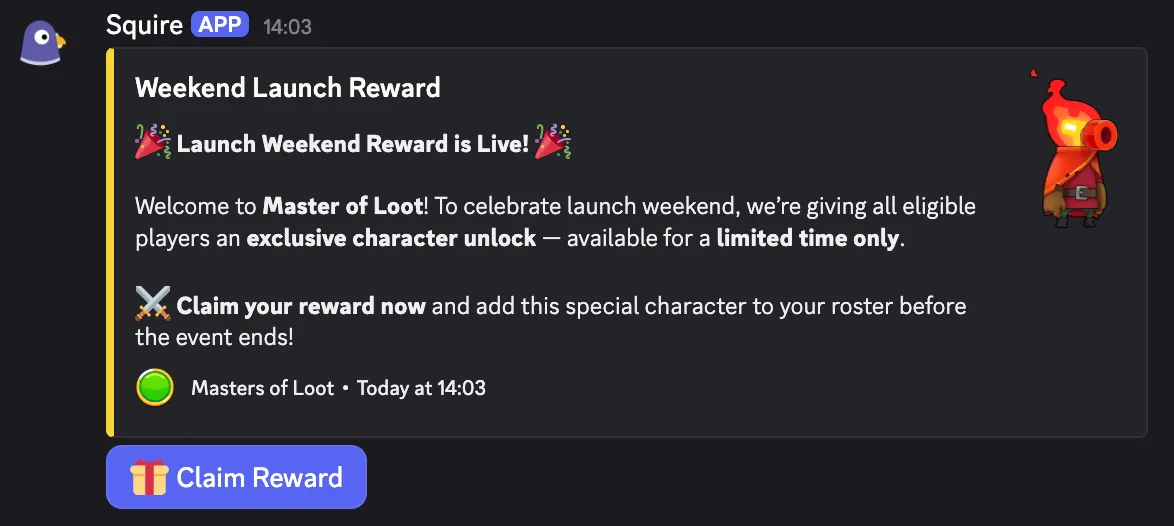
Claiming a Reward
Section titled “Claiming a Reward”By default, when a player clicks Claim Reward, the Reward is granted to a Player profile associated with that user's Discord ID. If a profile with that Discord ID doesn't already exist in LootLocker, one is created automatically and transparently.
This is useful when:
- You want to start building player identity from Discord
- Your game isn't live yet
- You want to run pre-launch campaigns without requiring a game integration
- You want players to claim rewards before they choose a platform
Require Platform Linking When Claiming a Reward
Section titled “Require Platform Linking When Claiming a Reward”If you want the Reward connected directly to a player's in-game platform account, you can require platform authentication as part of the claim flow.
This is done by adding a Segment to the Trigger.

In the Trigger configuration menu, click Add Segment and add the following settings:
- Condition: Have linked
- Operator: One of
- Select the platforms you want to allow players to use during claiming
When this Segment is present, the claim flow prompts the player to sign in with one of the allowed platforms.
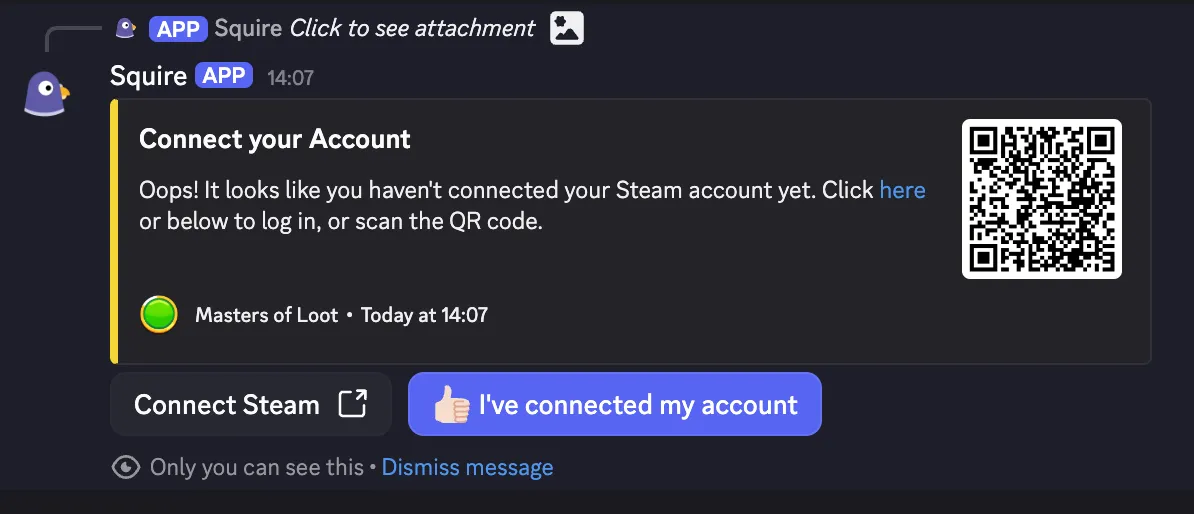
This results in:
- The player's Discord ID being linked to their platform ID
- The Reward being associated with the correct Player profile
- Future reward claims becoming easier, because the player is already recognized
This only needs to happen once. After the player has linked their platform account, future Squire interactions can recognize them automatically.
Conclusion
Section titled “Conclusion”You've created and published a Claimable Reward in Discord. Whether you're rewarding your community, running a pre-launch campaign, or driving platform account linking, Claimable Rewards gives you a simple way to connect Discord engagement directly to your game's player identity and reward systems. When your game is ready, integrating the LootLocker SDK allows these rewards to be surfaced directly in-game for players who have already claimed them.