
This how-to creates a Catalog Listing offer and publishes it to your Discord server.
Prerequisites
Section titled “Prerequisites”- A configured Stripe integration in your LootLocker account.
- Squire invited and configured in your Discord server.
Create a Catalog Listing
Section titled “Create a Catalog Listing”Discord Commerce uses the same Catalog Listings system as the rest of LootLocker, allowing you to connect Discord purchase offers directly to your existing economy, progression, and asset systems.
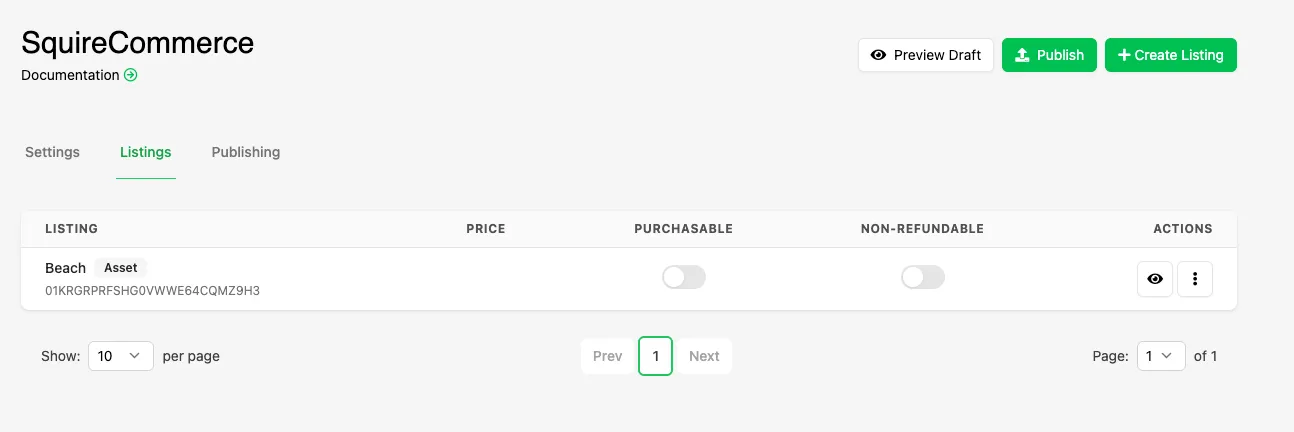
In the Web Console, create a new Catalog and Catalog Listing and configure it as you normally would, including:
- A name and key
- The item being sold (Progression, Currency, or Asset/cosmetic)
- The Currency price (optional)
Click Save to save the Catalog Listing.
Configure Stripe Settings
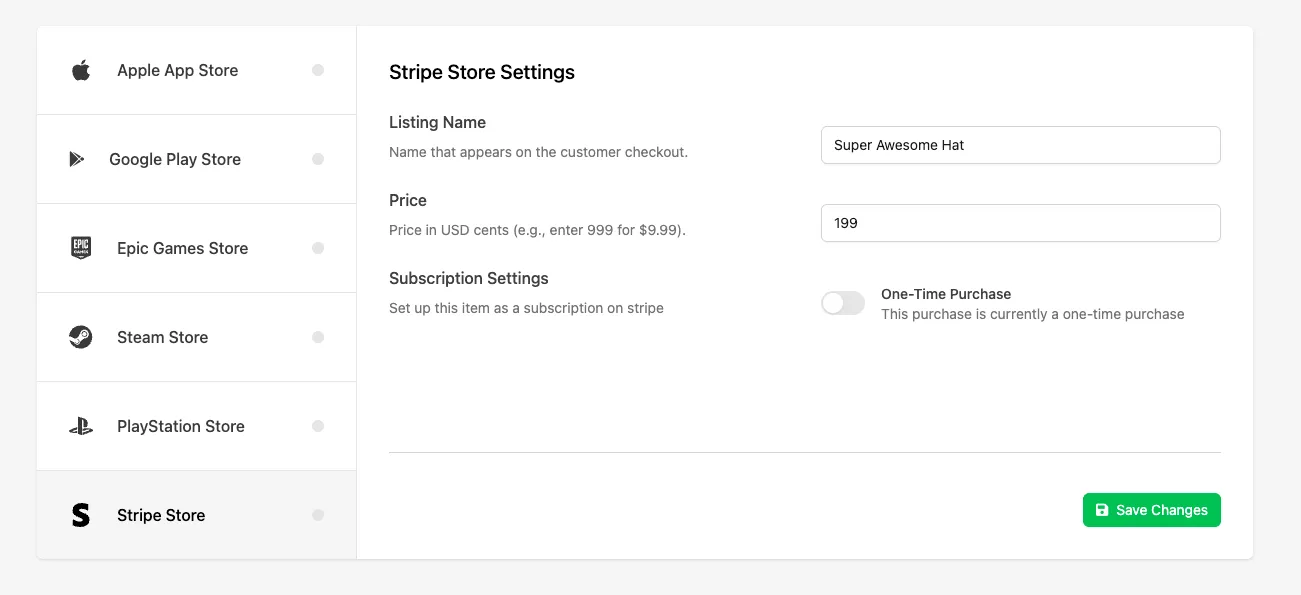
Section titled “Configure Stripe Settings”Once the Catalog Listing has been saved, inspect the listing by clicking View Listing in the Actions column, and open the IAP tab. Select Stripe Store from the list of available providers and fill in the following information:
- Listing Name: The name that appears in the purchase flow and receipt. If left blank, LootLocker uses the Catalog Listing name instead.
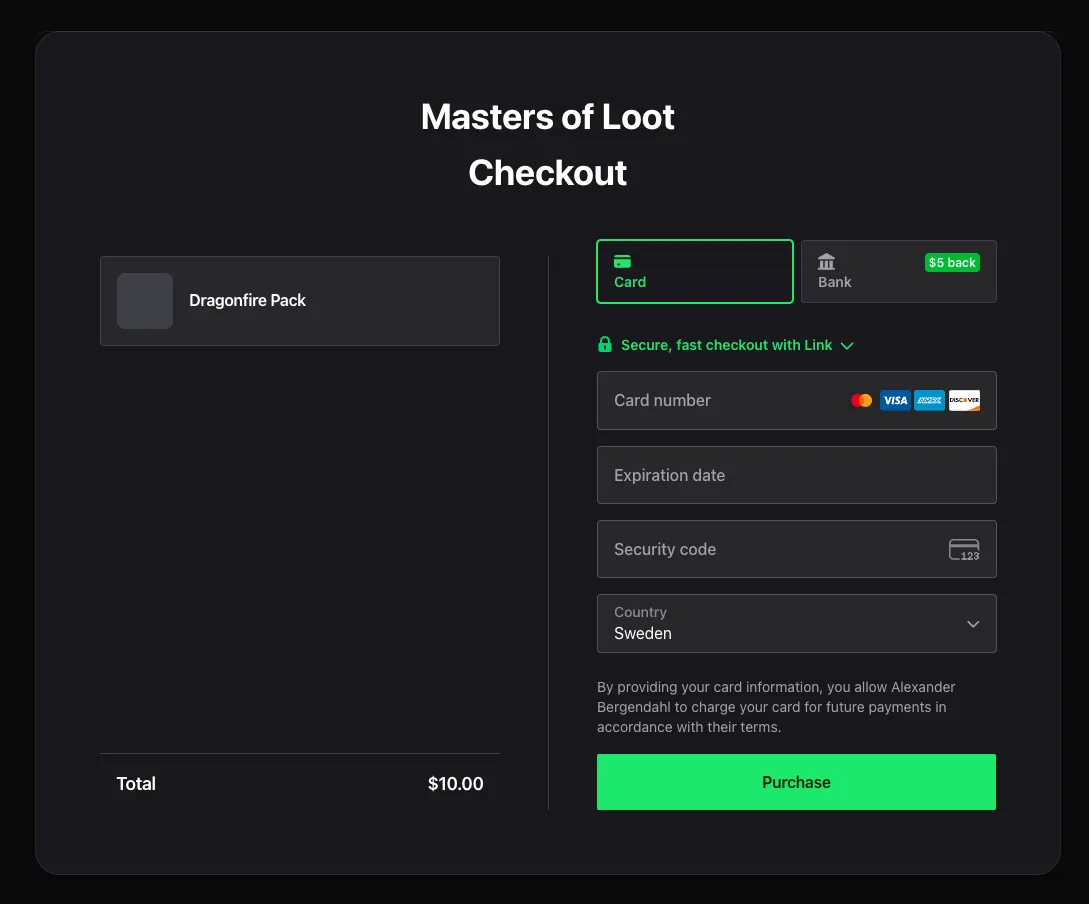
- Price: The price of the listing in USD, entered in cents. For example, enter 999 for $9.99 USD.
- Subscriptions Settings: Either Disabled for one-time purchases, or enabled for a Subscription.
Configure Squire Settings
Section titled “Configure Squire Settings”Next, open the Squire tab to configure how the purchase offer announcement will appear in Discord.
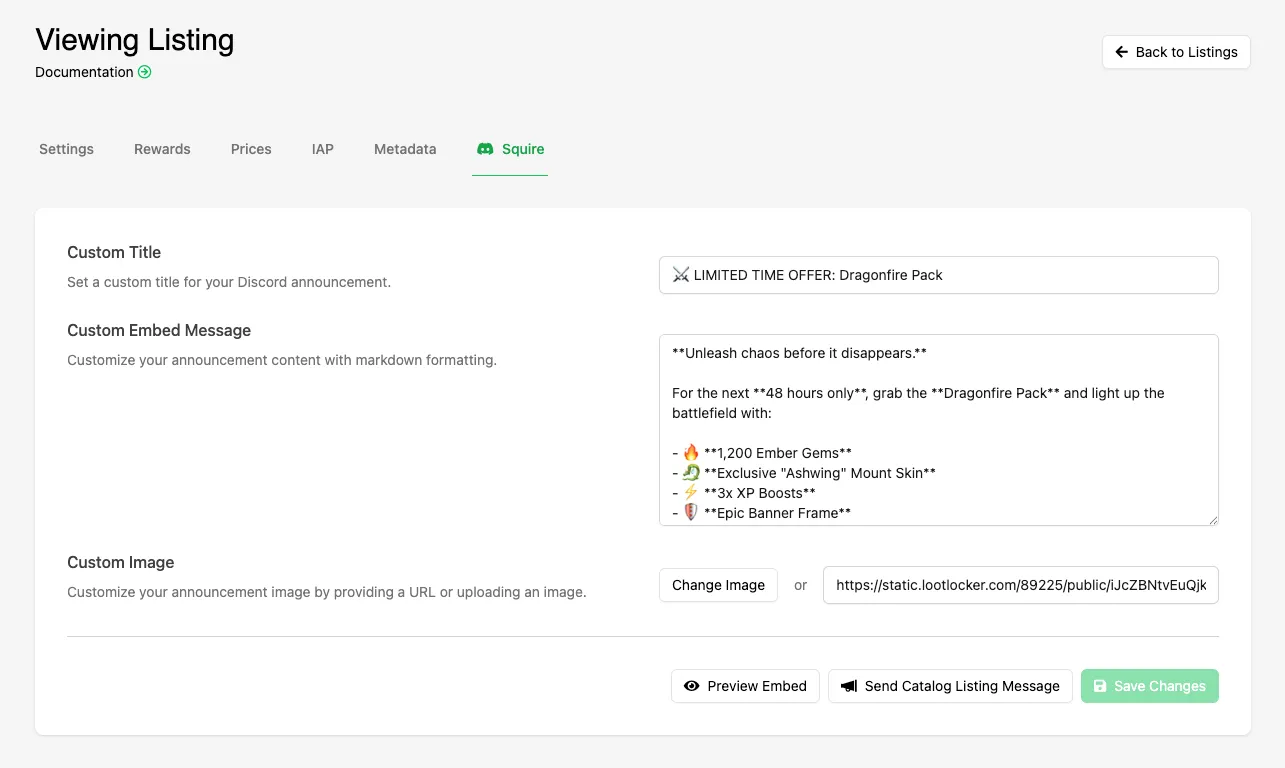
Add a title and body text using plain text or markdown, and add a custom image to make the offer post more visually engaging.
Use the Preview Embed button to see exactly how the post will appear in Discord before publishing.
Publish to Discord
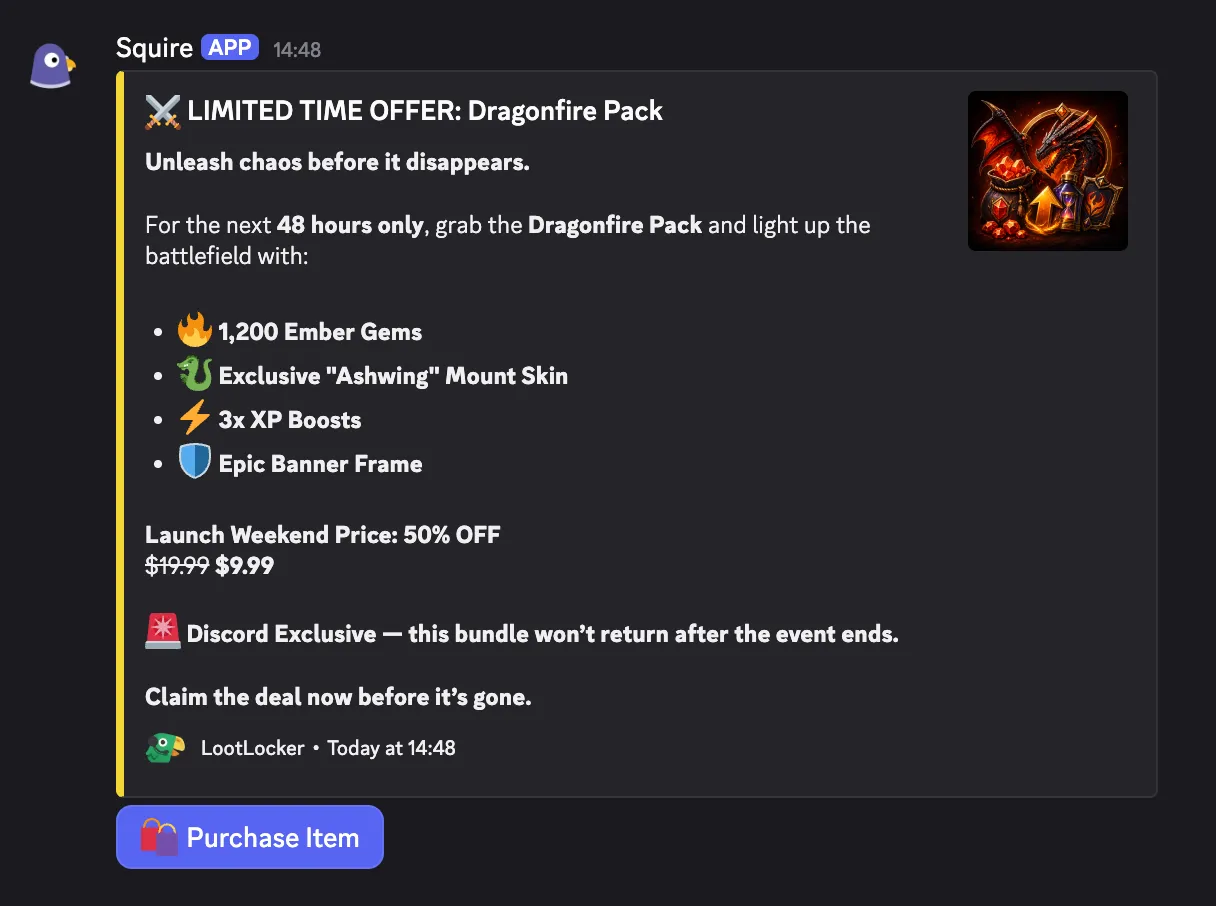
Section titled “Publish to Discord”When you're ready to launch the offer, click Send Catalog Listing Message, select the Discord channel where you want the offer to appear, then click Send Catalog Listing Message again to publish the post in Discord.
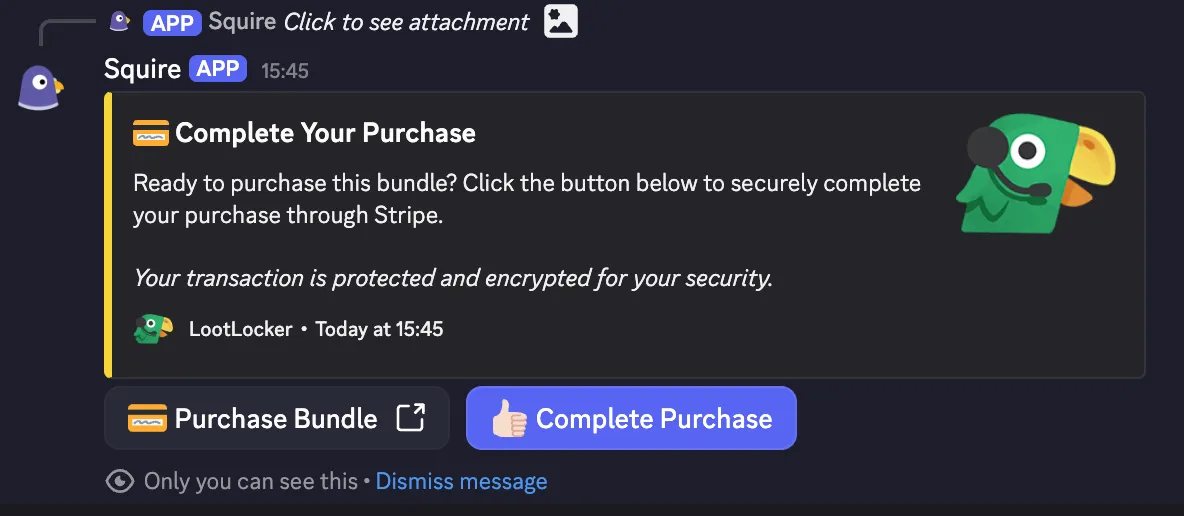
Squire creates a message in the selected channel with a Purchase Item button that players can interact with directly inside Discord.
Purchasing a Listing
Section titled “Purchasing a Listing”When a player clicks Purchase Item, they're taken through a secure Stripe-powered checkout flow. The purchased content is then granted to the Player profile associated with that user's Discord ID. If a profile with that Discord ID doesn't already exist in LootLocker, one is created automatically and transparently.
Conclusion
Section titled “Conclusion”You've created and published a Catalog Listing offer in Discord. Whether you're selling cosmetics, virtual Currency bundles, or Progression unlocks, Discord Commerce gives you a simple way to connect Discord engagement directly to your game's economy and monetization systems. When your game is ready, integrating the LootLocker SDK allows purchased content to be surfaced and applied directly in-game for players who have already bought it through Discord.