
This how-to checks for Assets granted to a Player from outside sources, such as Loot Boxes, including which source granted them.
Prerequisites
Section titled “Prerequisites”- Unity, Unreal, or Godot SDK installed and configured in your project (not required for REST).
- An active Player session (see Authentication).
Check Grant Notifications
Section titled “Check Grant Notifications”Periodically call the check grant notifications endpoint to see which Assets have been granted to the Player, along with the source they were granted from.
LootLockerSDKManager.GetAssetNotification((response) =>{ if (response.success) { Debug.Log("Successfully checked asset notifications"); } else { Debug.Log("Error checking asset notifications"); }});See the Reference Documentation for the full response.
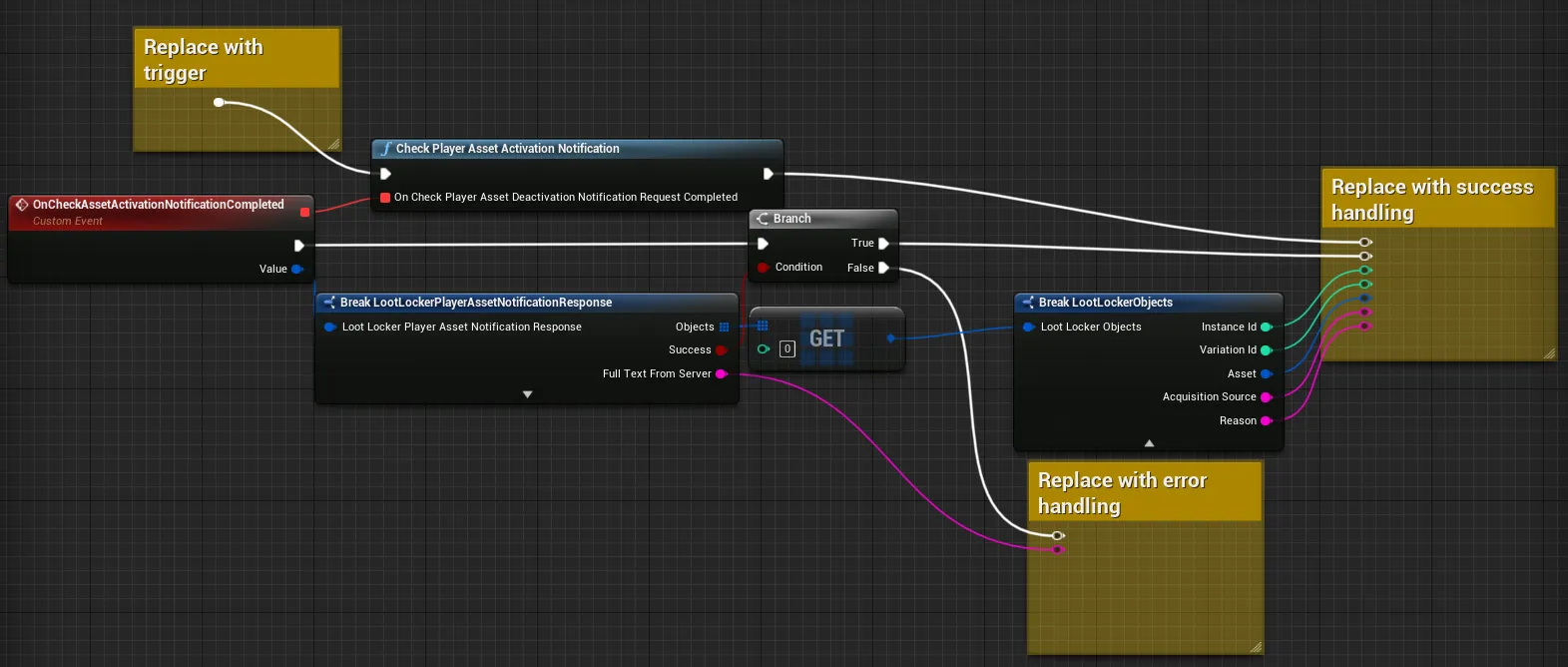
Coming soon — this sample hasn't been written yet. In the meantime, refer to the Reference Documentation for this endpoint.
Coming soon — this sample hasn't been written yet. In the meantime, refer to the Reference Documentation for this endpoint.
Conclusion
Section titled “Conclusion”You've checked for Assets granted to a Player from outside sources, along with which source granted them.