
This how-to creates a Platform Key campaign, so you can distribute game keys to players as a reward or through Squire in Discord.
Prerequisites
Section titled “Prerequisites”- Game keys obtained from the relevant platform (Steam, Xbox, PlayStation, etc.) to upload to the campaign.
Create a Campaign
Section titled “Create a Campaign”Platform Keys are managed through campaigns. Each campaign is platform-specific and contains its own set of keys, for example:
- Steam Early Access
- PlayStation North America
- PlayStation Europe
In the Web Console, go to the Content Management section and select Platform Keys.
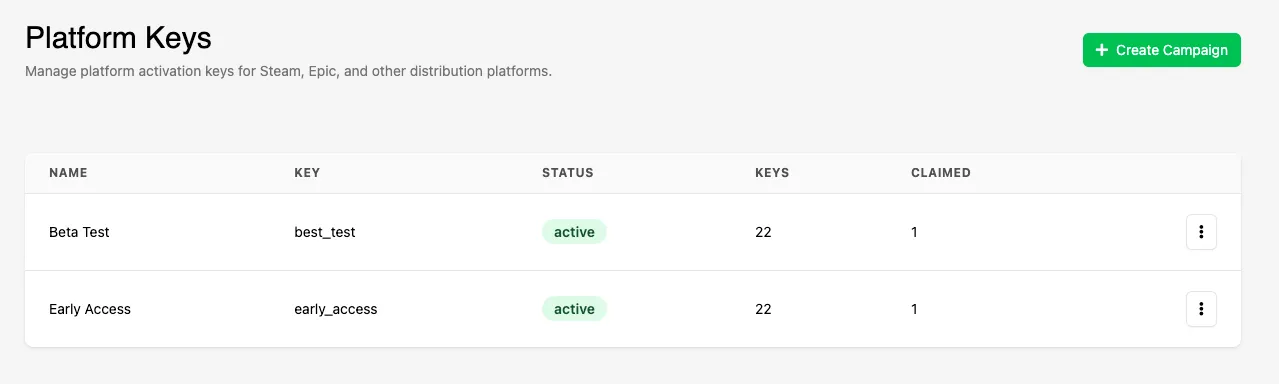
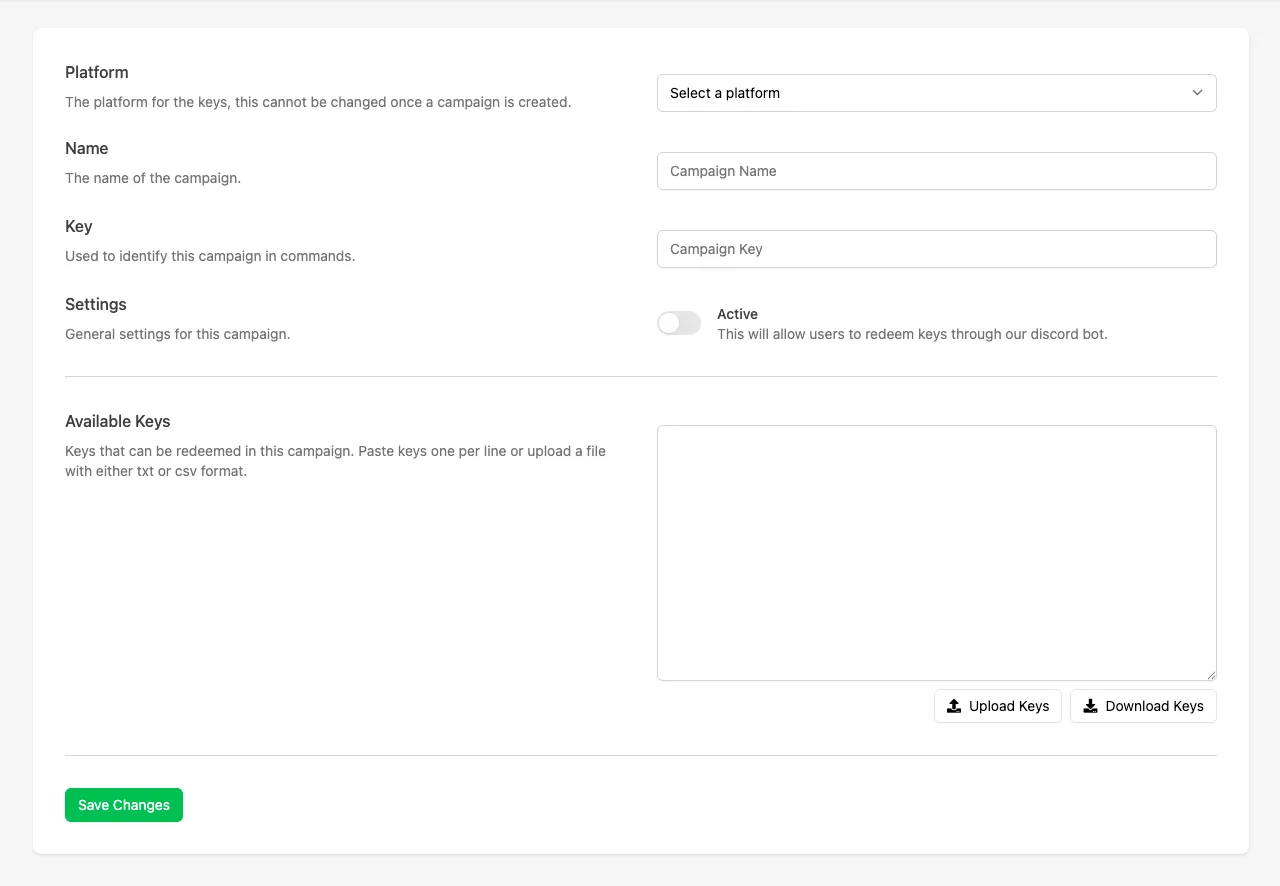
Click Create Campaign and fill in the following fields:
- Platform: Select the platform the keys apply to (Steam, Xbox, PlayStation, etc.).
- Name: The campaign name displayed to Discord users when selecting a campaign.
- Key: A unique identifier used when referencing the campaign in Discord commands.
- Status: Toggle whether the campaign is active or inactive.
- Available Keys: Paste keys (one per line) or upload a .txt or .csv file. These keys are used exclusively for this campaign.
Conclusion
Section titled “Conclusion”You've created a Platform Key campaign and can now add Platform Keys as a reward or distribute keys to your players with Squire.