
This how-to views and interprets Presence data in the LootLocker Web Console.
Prerequisites
Section titled “Prerequisites”- Presence implemented in your game.
- At least one online player.
Understanding Presence
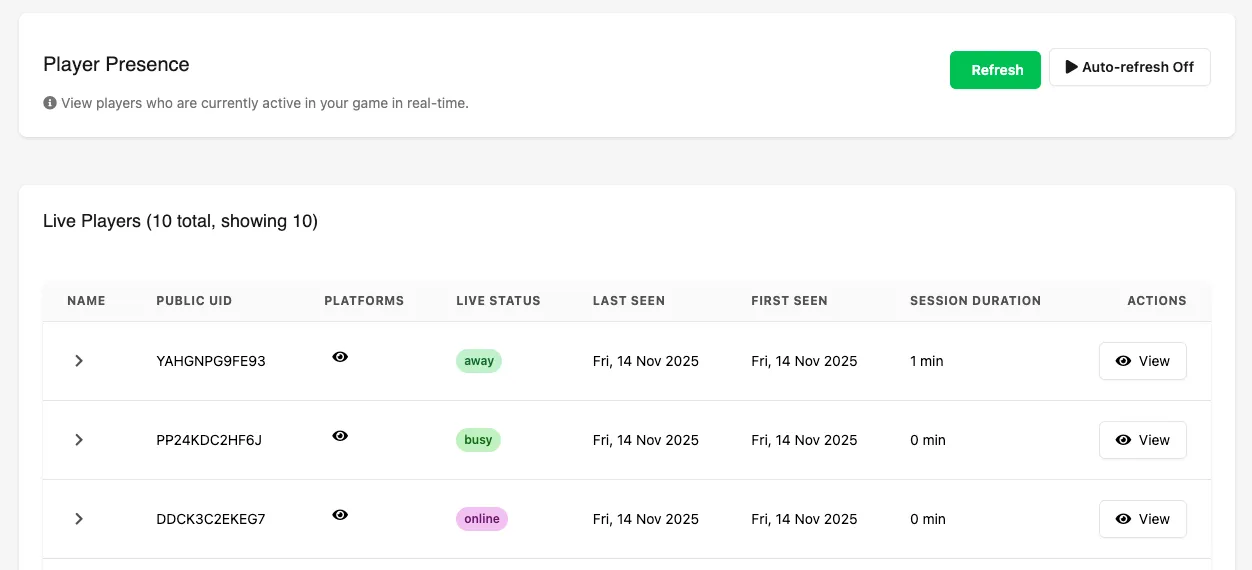
Section titled “Understanding Presence”Navigate to Player Operations → Search → Presence to see a list of all players currently online and actively connected to your game.
Refreshing Presence Data
Section titled “Refreshing Presence Data”- Manual Refresh: click Refresh to reload Presence data, updating session durations, statuses, and timelines.
- Auto-Refresh: toggle Auto-refresh to automatically update data every 10 seconds.
Basic Presence (No Rich Presence Enabled)
Section titled “Basic Presence (No Rich Presence Enabled)”You'll see the following details for each online player:
- Name: the player's name, if set.
- Public UID: the player's unique LootLocker identifier.
- Platforms: platforms linked to the player's account.
- Live Status: shows only that the player is online, unless Rich Presence is enabled.
- Last Seen: the last time the player had an active session.
- First Seen: when the player first connected to your game.
Rich Presence Enabled
Section titled “Rich Presence Enabled”Click the chevron next to a player's name to expand their entry and view the Session Status Timeline.
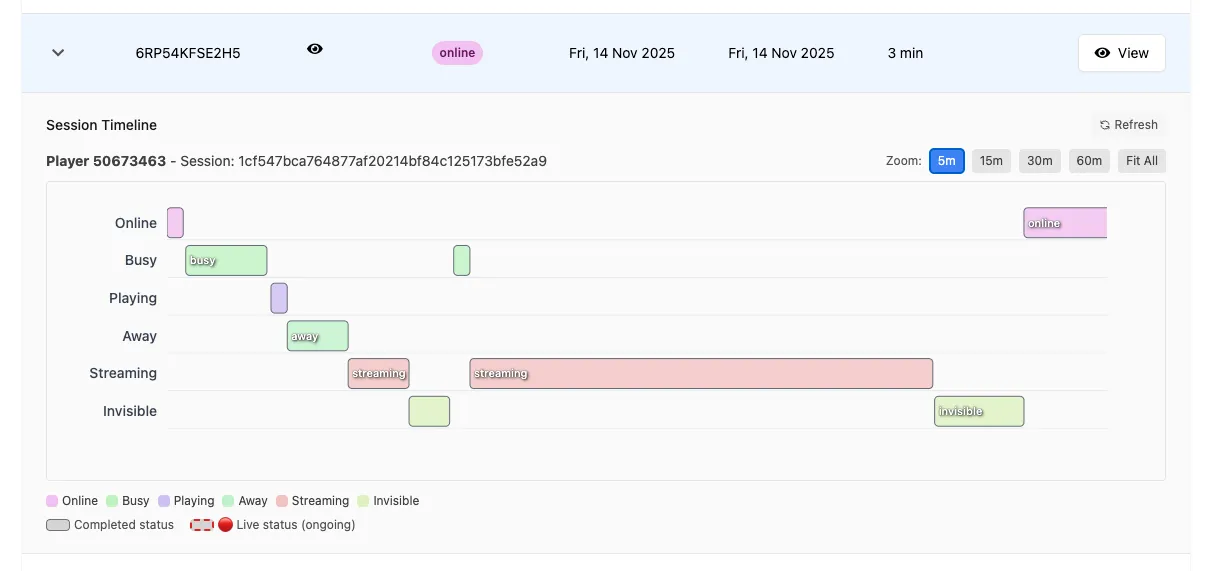
- Session Status Timeline: a live, visual breakdown of a player's current session, showing each state the player has been in and how long they spent there.
- Player Journey Visualization: a chronological view of the player moving through menus, levels, or gameplay states defined by your implementation.
- Hover for Metadata: if you attach custom key–value data to a status, it appears when hovering over the timeline segment.
- Zoom Controls: adjust the timescale to zoom in or out depending on how much detail you want to inspect.
- Status Merging: when a player sends the same status consecutively, LootLocker automatically merges the entries for clarity.
- Offline Handling: if a player disconnects, LootLocker keeps the session open for 10 minutes to allow for reconnection (e.g., network dropouts or device restarts). These offline periods appear directly on the timeline.
Conclusion
Section titled “Conclusion”You've learned how to read player Presence information in the LootLocker Web Console.