
Sometimes you or the player want to disconnect an identity provider from their account. This how-to disconnects a provider from a player's account in a safe manner.
Prerequisites
Section titled “Prerequisites”- Unity, Unreal, or Godot SDK installed and configured in your project (not required for REST).
- An active LootLocker session with multiple connected providers. To connect providers to a player's account first, see Connect Identity Provider to Player.
List Connected Accounts
Section titled “List Connected Accounts”First, get a list of connected accounts to see which providers are connected to the player's account.
LootLockerSDKManager.ListConnectedAccounts((response) =>{    // Optional handling of case where only 1 provider is left on the player    if (response.connected_accounts.Length == 1)    {        Debug.Log("Player has only 1 account connected. Disconnecting this provider will leave the player without any connected providers.");        return;    }
    Debug.Log("Player has " + response.connected_accounts.Length.ToString() + " accounts connected.");
    // Log all connected accounts to the console    foreach (var account in response.connected_accounts)    {        Debug.Log("Connected with: " + account.provider_name);    }});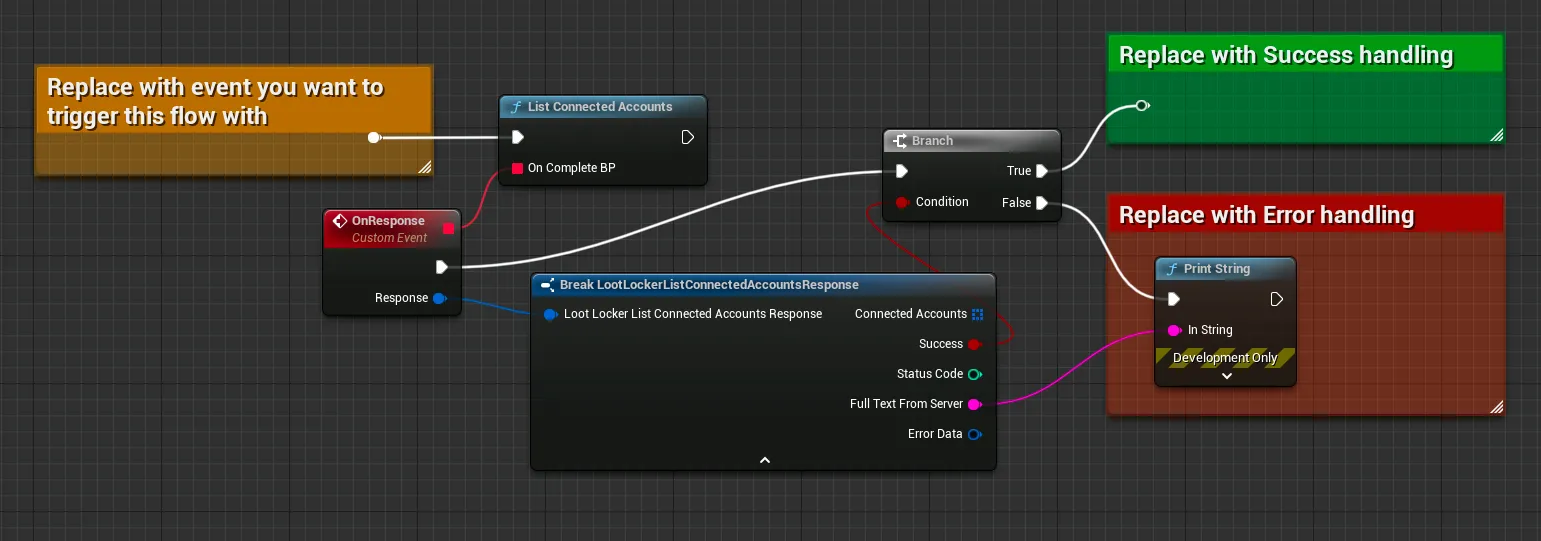
Coming soon — this sample hasn't been written yet.
See the reference documentation for this call.
curl -X GET "https://api.lootlocker.io/game/v1/connected-accounts" \ -H "x-session-token: your_token_here"Disconnect Account
Section titled “Disconnect Account”With a list of connected accounts, disconnect one of them.
// The following providers are supported:// LootLocker.LootLockerEnums.LootLockerAccountProvider.guest;// LootLocker.LootLockerEnums.LootLockerAccountProvider.google;// LootLocker.LootLockerEnums.LootLockerAccountProvider.apple;
// Using Apple for this examplevar account = LootLocker.LootLockerEnums.LootLockerAccountProvider.apple;
LootLockerSDKManager.DisconnectAccount(account, (response) =>{    if(!response.success)    {        Debug.Log("Could not disconnect account");        return;    }
    Debug.Log("Successfully disconnected account");});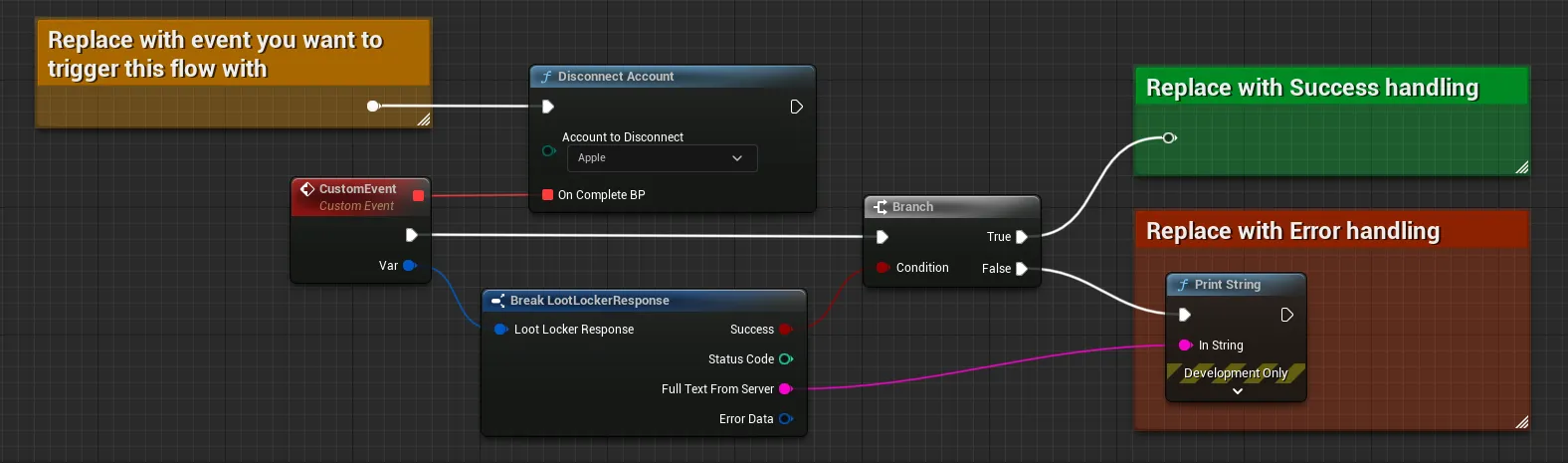
Coming soon — this sample hasn't been written yet.
See the reference documentation for this call.
curl -X DELETE "https://api.lootlocker.io/game/v1/connected-accounts/apple" \ -H "x-session-token: your_token_here"Conclusion
Section titled “Conclusion”You've disconnected an identity provider from a player. To learn more, read about how to connect a provider or the general Unified Player Accounts documentation.