
This page explains the Default Character Class, how Context Configuration ties Assets to Classes, and how Detachable Contexts and Feature Unlocks behave.
Default Character Class
Section titled “Default Character Class”The Default Character Class is the Class a Player is assigned when they start your game.
Context Configuration
Section titled “Context Configuration”Contexts are categories you assign Assets to in order to give them a Complexity and other relevant information. Contexts determine which Classes can use an Asset, and whether that Asset can be detached or must be replaced by another one.
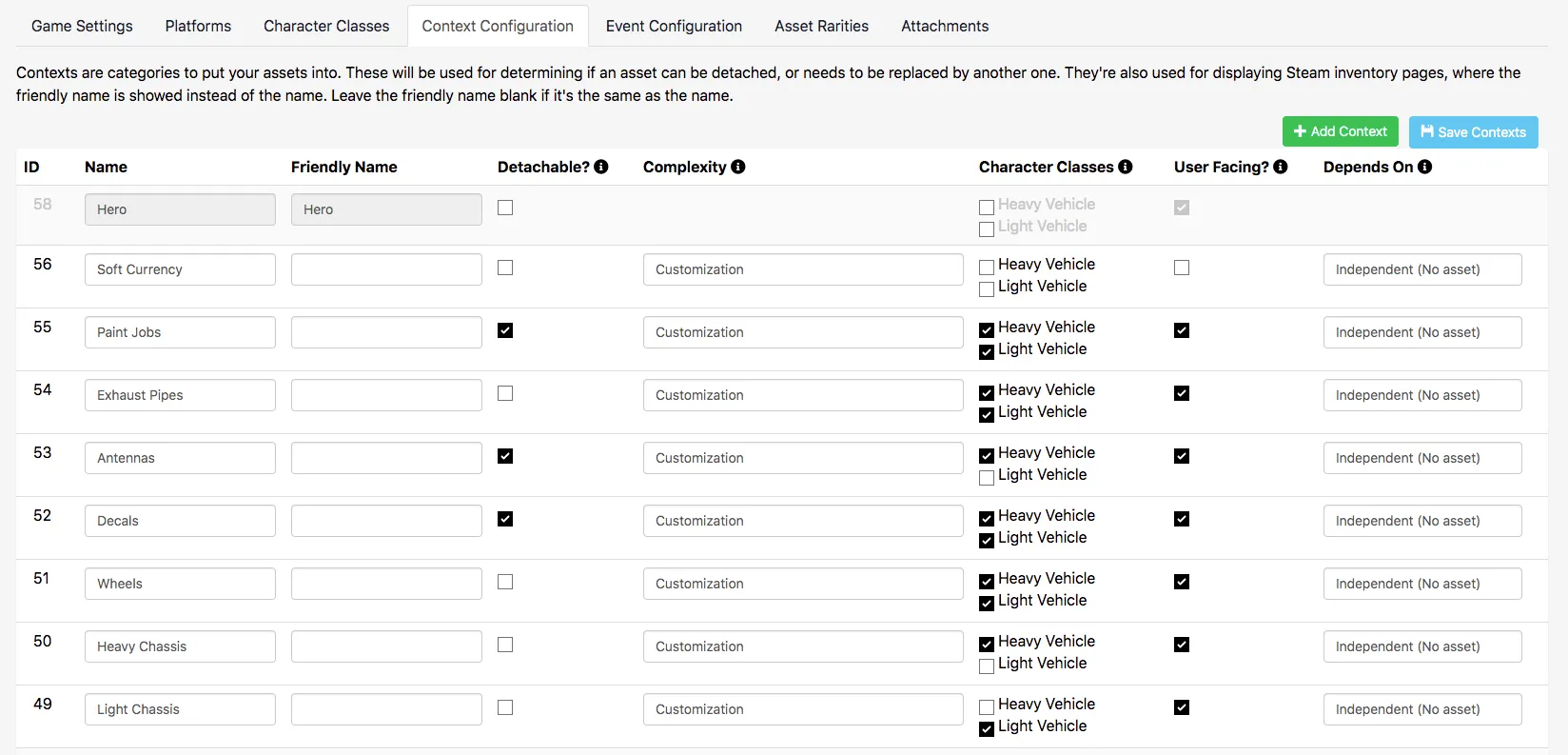
Context Settings
Section titled “Context Settings”Before creating Assets, create a Context for that Asset type and provide the following information:
- Name: A simplified version of the Friendly Name, with no spaces or special characters.
- Friendly Name: A display-friendly version of the Name.
- Detachable?: Whether this Context can be unequipped from a Player's loadout — see Detachable below.
- Complexity: The Complexity this Context should have.
- Character Classes: Which Character Classes can equip this Context.
- User Facing?: Whether this Context is visible to Players through First Party platforms, like Steam Inventories. Required for Steam Marketplace to work.
- Depends On: A Feature Unlock dependency for this Context, if any — see Feature Unlocks below.
Detachable
Section titled “Detachable”Contexts marked as Detachable can be unequipped from a Player's loadout. If a Context isn't Detachable, its loadout slot must always have an Asset equipped in it.
Feature Unlocks
Section titled “Feature Unlocks”Feature Unlocks is a default Context that can't be edited. Assign an Asset to this Context to use it as a Depends On dependency in Context Configuration — a Player must own that Asset to access the dependent Context.
Conclusion
Section titled “Conclusion”Now that you understand Context Configuration and how it connects Assets to Classes, see Base Classes to configure your first Class.