
Configure a Catalog Listing to be purchasable using Steam.
Prerequisites
- Steam Store IAP settings configured for your game
- At least one rewardable item, such as an Asset, Currency, or Progression
- A Catalog with at least one Catalog Listing
Add Steam to a Catalog Listing
In the LootLocker Web Console, go to the Economy tab (under Content), open your Catalog, and select the Catalog Listing you want to configure. In the Actions column, click View Listing.
Open the IAP tab and select Steam from the list of available providers.
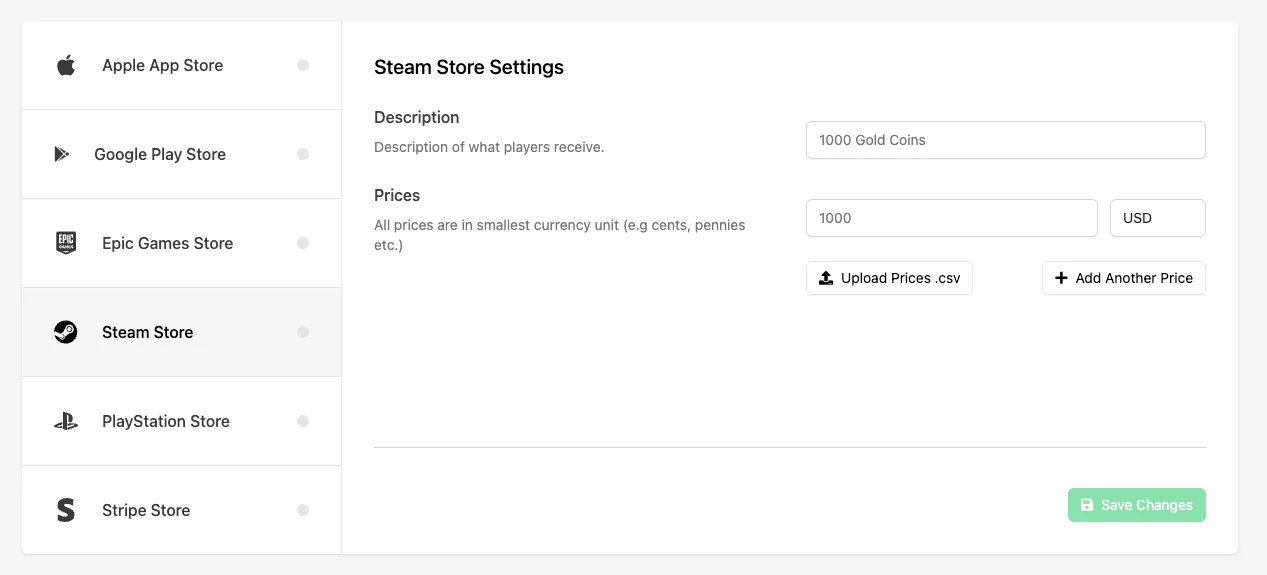
Fill in the following fields:
- Description: a description of the item being purchased. This is used when communicating with Steam and should clearly describe what the player receives.
- Prices: the price(s) for the item in the smallest currency unit (for example, cents for USD, pence for GBP). Steam supports regional pricing, so you can define multiple custom prices for different currencies — enter them manually or upload them using a
.csvfile. If you only set one price, Steam automatically converts it for regional currencies.
Click Save Changes to save your Steam IAP configuration.
Enable the Listing for Purchase
Open the Settings tab for the Catalog Listing and enable the Purchasable toggle to allow the listing to be purchased.
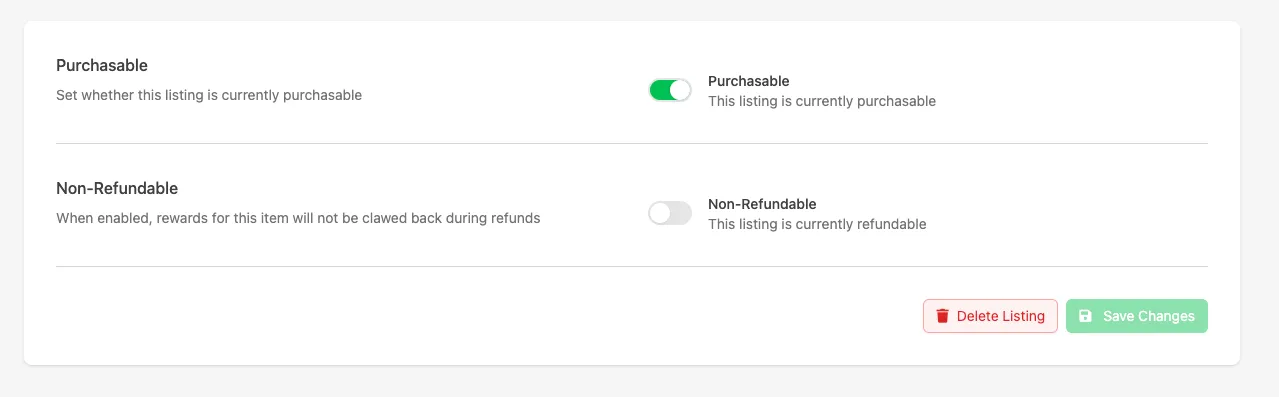
Click Save Changes again.
Conclusion
Your Catalog Listing is now configured to support purchases using Steam. Once your game is integrated with the purchase flow, players can purchase this listing through Steam and receive the configured rewards.