
This how-to configures Discord for LootLocker's Unified Player Accounts, letting your users authenticate with Discord on https://auth.game to start remote sessions or link their accounts to other accounts.
Prerequisites
Section titled “Prerequisites”Add a Redirect URL
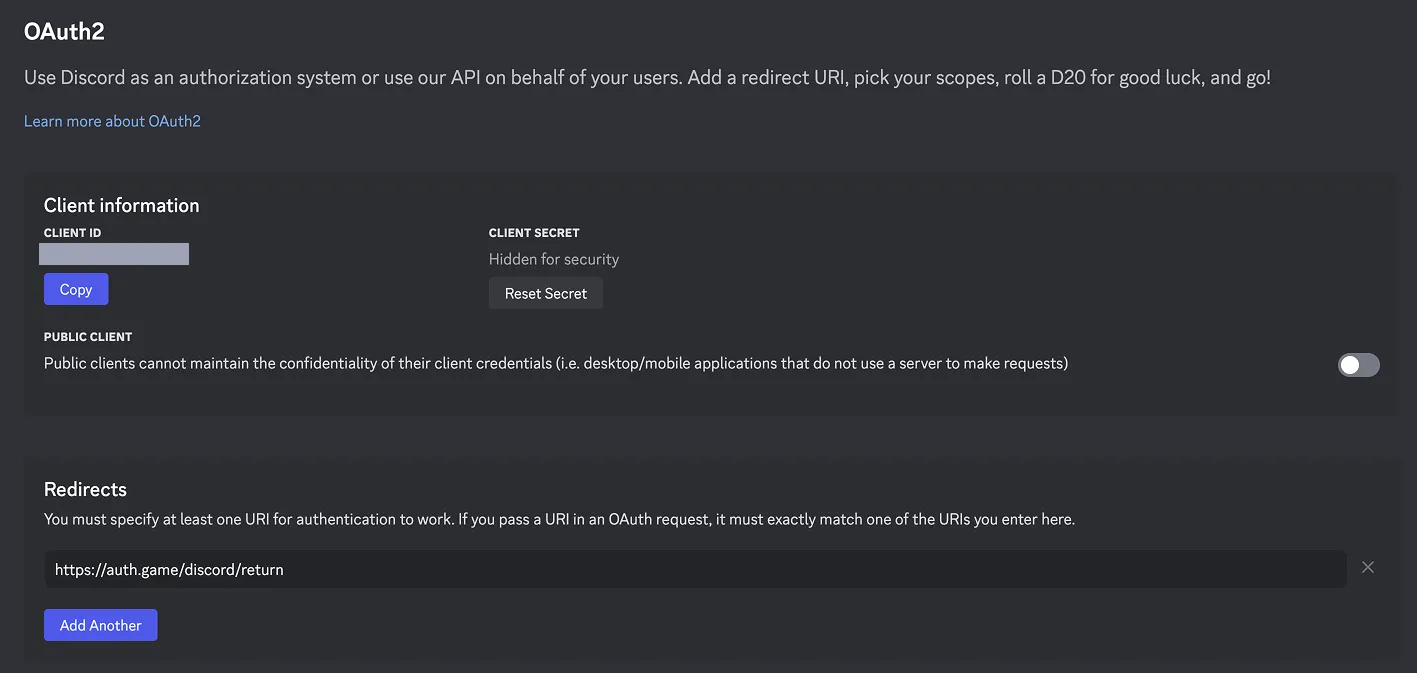
Section titled “Add a Redirect URL”After setting up Discord for your game, add a redirect URL. Go to the Discord Developer Portal and add a redirect URI of https://auth.game/discord/return in your OAuth2 settings.
Conclusion
Section titled “Conclusion”You've enabled and configured Discord for Unified Player Accounts. With Discord available in your game, you're prepared to start remote sessions with Discord, and by adding more platforms to Unified Player Accounts, you unlock the ability for players to connect all their accounts together, creating a Unified Player Account.