
This how-to opens a Loot Box Asset from your game, granting the Player one Asset randomly selected from the Loot Box's rarity groups.
Prerequisites
Section titled “Prerequisites”- Unity, Unreal, or Godot SDK installed and configured in your project (not required for REST).
- An active Player session (see Authentication).
- A Loot Box Asset created in the Web Console (see Create a Loot Box).
- The Player owns an instance of the Loot Box Asset, for example through a purchase or a Reward.
Open Loot Box
Section titled “Open Loot Box”After a Player has either purchased or been awarded a Loot Box, they can open it. Opening the Loot Box removes it from their inventory and grants them the Asset selected from its rarity groups. To see which Asset was granted, use Check Grant Notifications.
int assetInstanceID = 90;LootLockerSDKManager.OpenALootBoxForAssetInstances(assetInstanceID, (response) =>{ if (response.success) { Debug.Log("Successfully opened Loot box"); } else { Debug.Log("Error opening Loot box"); }});See the Reference Documentation for the full response.
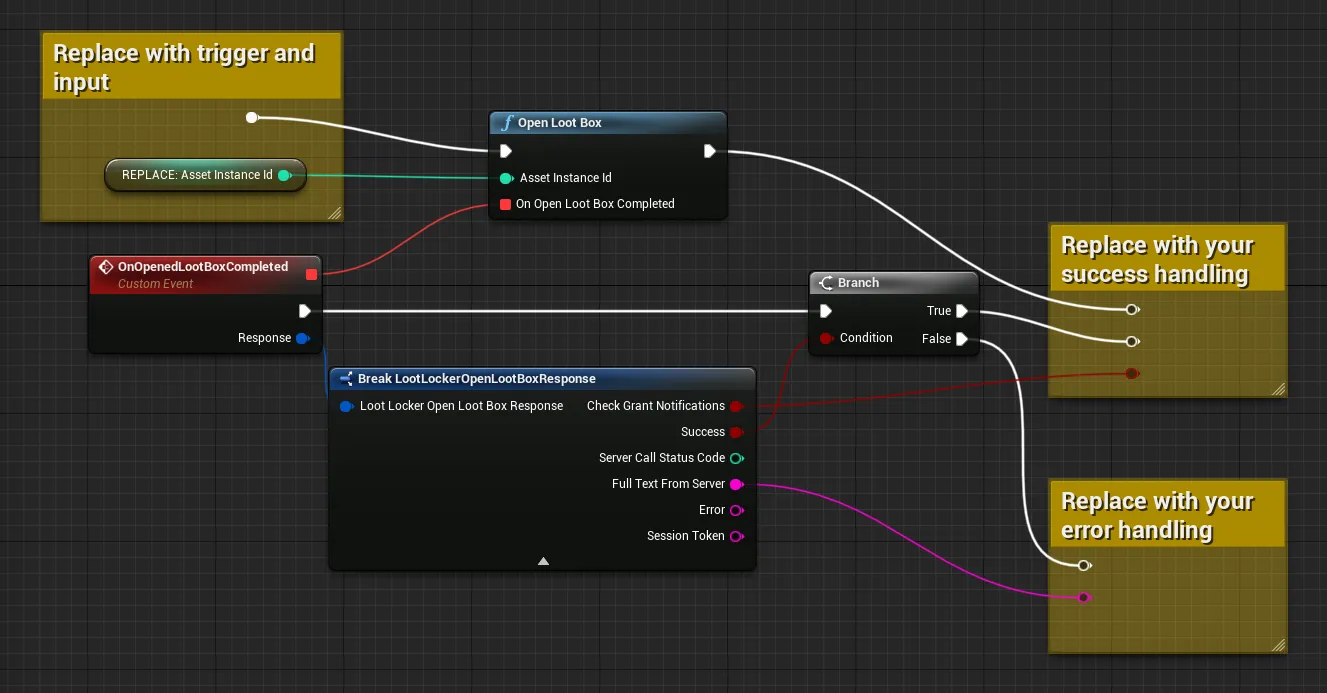
Coming soon — this sample hasn't been written yet. In the meantime, refer to the Reference Documentation for this endpoint.
Coming soon — this sample hasn't been written yet. In the meantime, refer to the Reference Documentation for this endpoint.
Inspect Loot Box
Section titled “Inspect Loot Box”Before opening a Loot Box, you can inspect it to see what the Player may get.
int assetInstanceID = 90;LootLockerSDKManager.InspectALootBoxForAssetInstances(assetInstanceID, (response) =>{ if (response.success) { Debug.Log("Successfully inspected Loot box"); } else { Debug.Log("Error inspecting Loot box"); }});See the Reference Documentation for the full response.
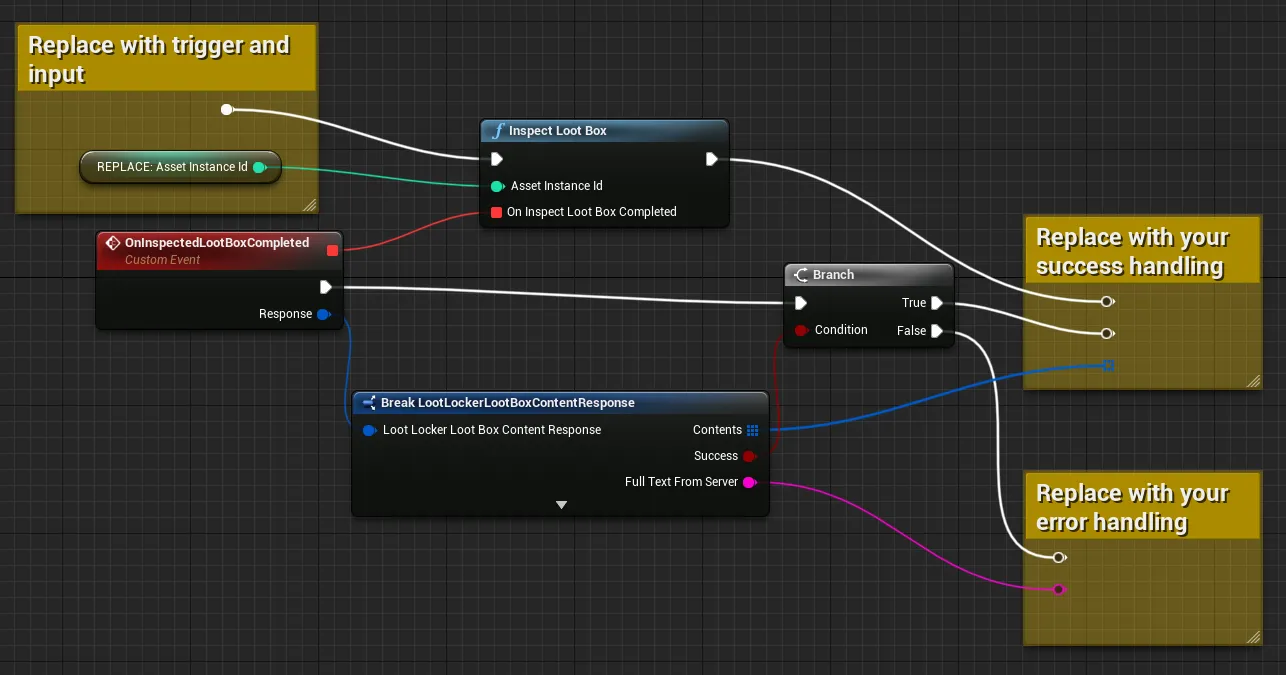
Coming soon — this sample hasn't been written yet. In the meantime, refer to the Reference Documentation for this endpoint.
Coming soon — this sample hasn't been written yet. In the meantime, refer to the Reference Documentation for this endpoint.
Conclusion
Section titled “Conclusion”You've inspected and opened a Loot Box from your game, granting the Player an Asset from its rarity groups. Next, review Check Grant Notifications to confirm what was granted.