
Enable and configure PlayStation Store in LootLocker so it can be used to handle in-app purchases.
Prerequisites
- A PlayStation Partner account
Enable PlayStation Store
In the LootLocker Web Console, select Settings > In-App Purchases, then select PlayStation Store from the list of available providers.
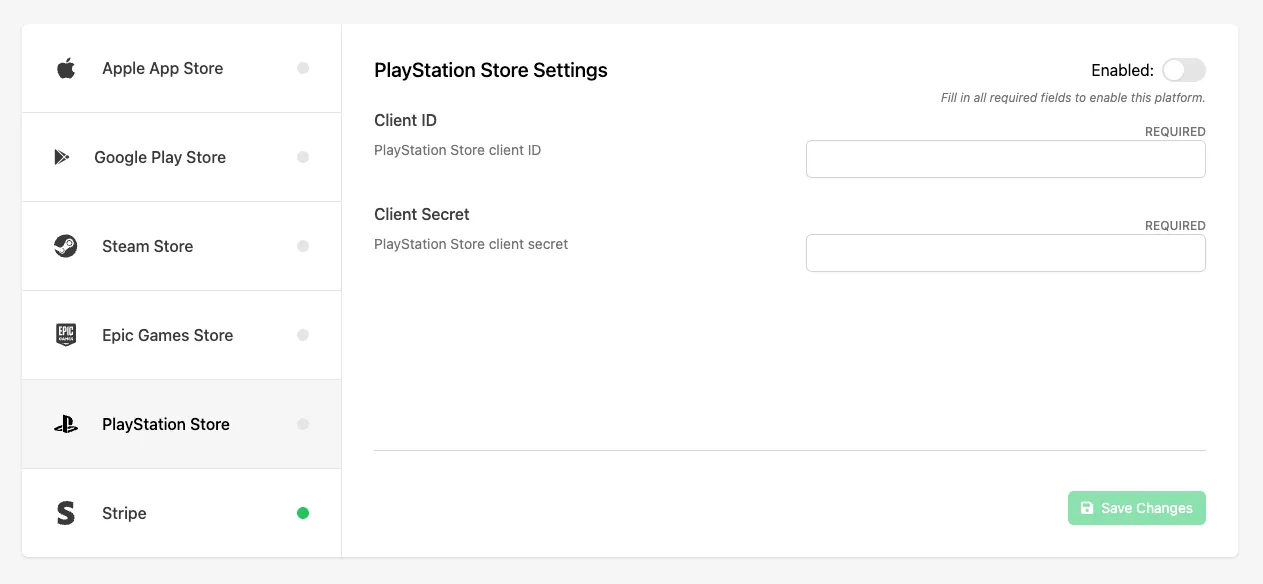
Configure PlayStation Store Settings
Fill in the following fields:
- Client ID: the PlayStation Store client ID provided by Sony for your application. This identifies your game when communicating with PlayStation's commerce and authentication services.
- Client Secret: the PlayStation Store client secret associated with your Client ID. This securely authenticates server-to-server requests when validating purchases and interacting with PlayStation APIs.
Once you've filled in the required fields, click the Enable toggle to enable PlayStation Store as a purchase provider for your game, then click Save Changes.
Conclusion
You've enabled PlayStation Store for in-app purchases and configured the required settings in LootLocker. Next, configure a Catalog Listing for it.