
This how-to lists Catalogs and their items, then makes a purchase against a Catalog listing from your game.
Prerequisites
Section titled “Prerequisites”- Unity, Unreal, or Godot SDK installed and configured in your project (not required for REST).
- At least one Catalog configured in the Web Console.
- An active Player session (see Authentication).
List Catalogs
Section titled “List Catalogs”LootLockerSDKManager.ListCatalogs((response) =>{ if(!response.success) { Debug.Log("error: " + response.errorData.message); Debug.Log("request ID: " + response.errorData.request_id); return; }
});See the Reference Documentation for the full response.
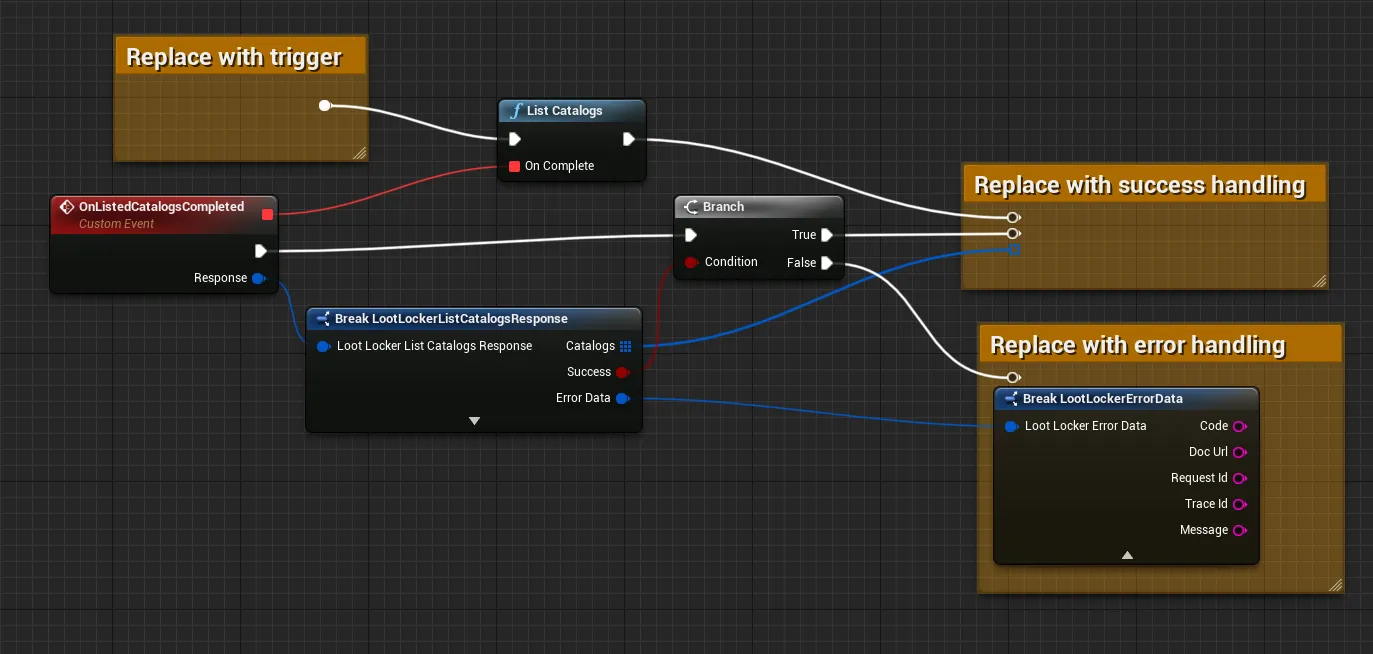
Coming soon — this sample hasn't been written yet. In the meantime, refer to the Reference Documentation for this endpoint.
Coming soon — this sample hasn't been written yet. In the meantime, refer to the Reference Documentation for this endpoint.
List Catalog Items
Section titled “List Catalog Items”LootLockerSDKManager.ListCatalogItems(catalogKey, 10, "", (response) =>{ if(!response.success) { Debug.Log("error: " + response.errorData.message); Debug.Log("request ID: " + response.errorData.request_id); return; }
});See the Reference Documentation for the full response.
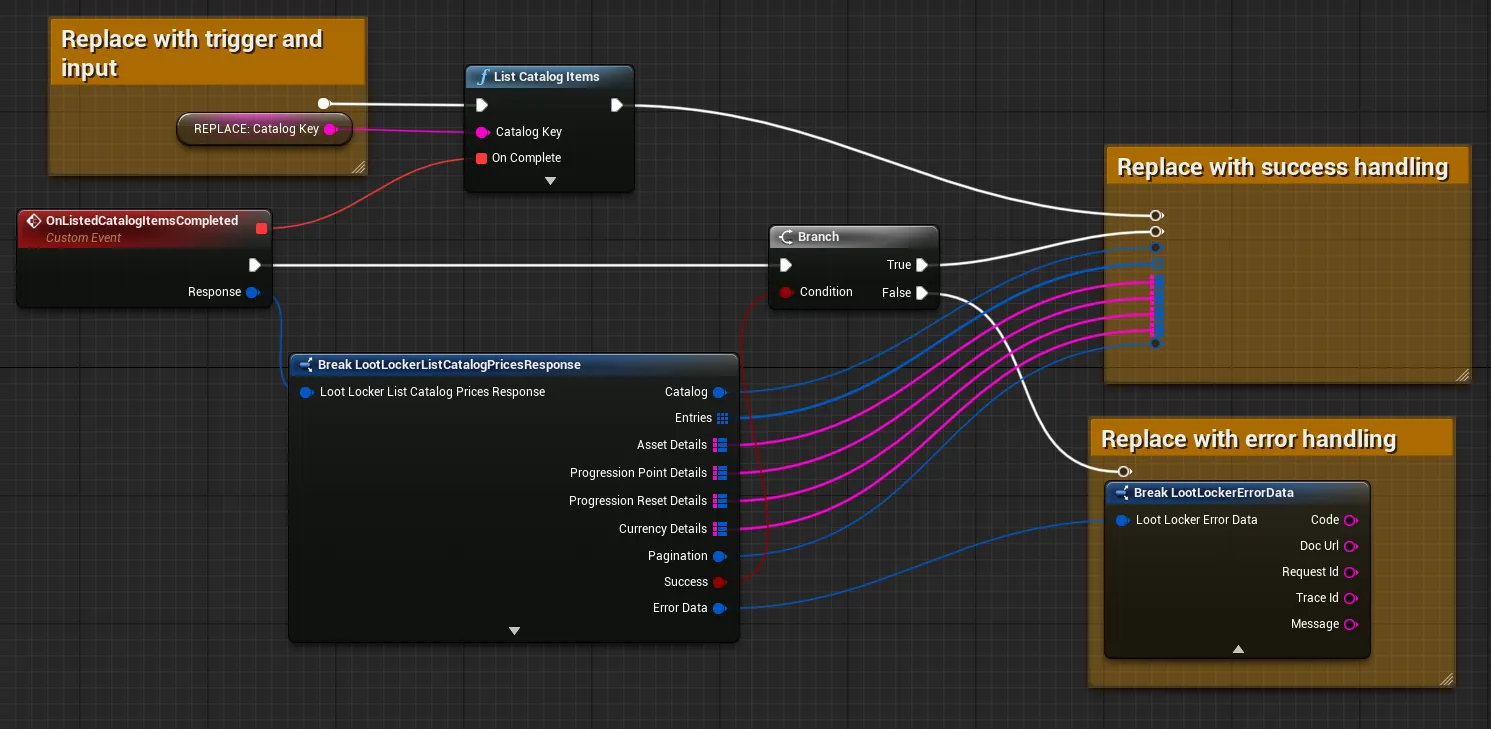
Coming soon — this sample hasn't been written yet. In the meantime, refer to the Reference Documentation for this endpoint.
Coming soon — this sample hasn't been written yet. In the meantime, refer to the Reference Documentation for this endpoint.
Buy Catalog Items
Section titled “Buy Catalog Items”string walletID = "";LootLockerCatalogItemAndQuantityPair[] items = { };
LootLockerSDKManager.LootLockerPurchaseCatalogItems(walletID, items, (response) =>{ if(!response.success) { Debug.Log("error: " + response.errorData.message); Debug.Log("request ID: " + response.errorData.request_id); return; }
});See the Reference Documentation for the full response.
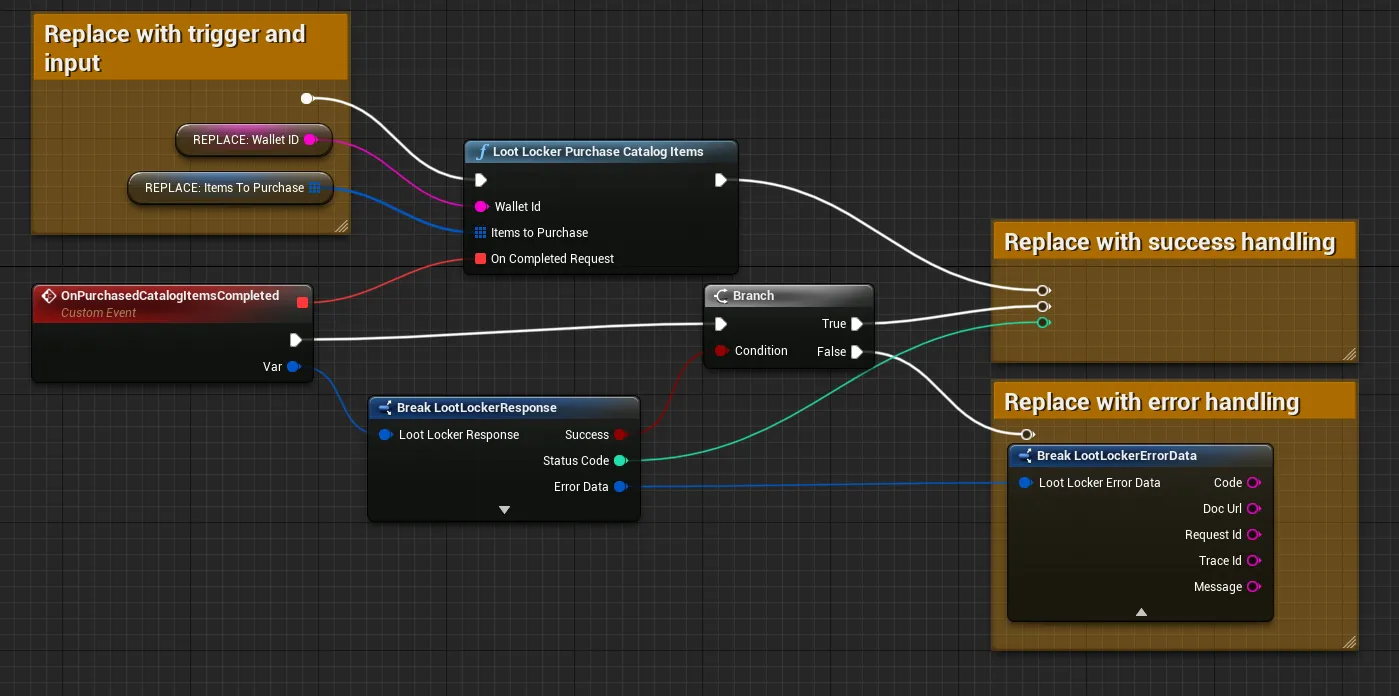
Coming soon — this sample hasn't been written yet. In the meantime, refer to the Reference Documentation for this endpoint.
Coming soon — this sample hasn't been written yet. In the meantime, refer to the Reference Documentation for this endpoint.
Conclusion
Section titled “Conclusion”You've listed Catalogs and their items, and purchased a Catalog listing from your game. Next, review LootLocker's full feature set to decide which other features to implement.