
Configure a Catalog Listing to be purchasable using PlayStation Store.
Prerequisites
- PlayStation Store IAP settings configured for your game
- At least one rewardable item, such as an Asset, Currency, or Progression
- A Catalog with at least one Catalog Listing
Create the Product in PlayStation Partner Portal
Add PlayStation Store to a Catalog Listing
In the LootLocker Web Console, go to the Economy tab (under Content), open your Catalog, and select the Catalog Listing you want to configure. In the Actions column, click View Listing.
Open the IAP tab and select PlayStation Store from the list of available providers.
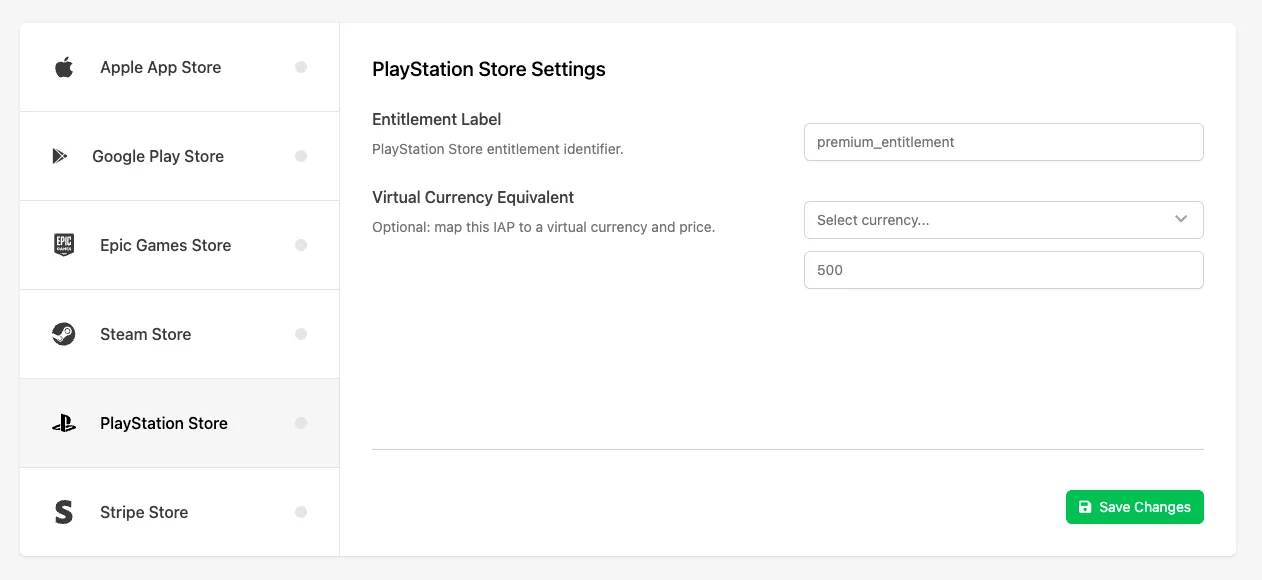
Fill in the following fields:
- Entitlement Label: the unique identifier for the entitlement configured through the PlayStation Partner Portal. This must exactly match the entitlement ID defined in your PlayStation DevNet setup and is used to validate and grant purchases.
- Virtual Currency Equivalent (optional): maps this purchase to a virtual Currency and amount, used for refund handling in cases where the purchased content has already been consumed and can't be revoked directly. Instead, the specified Currency amount is deducted from the player's Wallet.
Click Save Changes to save your PlayStation Store IAP configuration.
Enable the Listing for Purchase
Open the Settings tab for the Catalog Listing and enable the Purchasable toggle to allow the listing to be purchased.
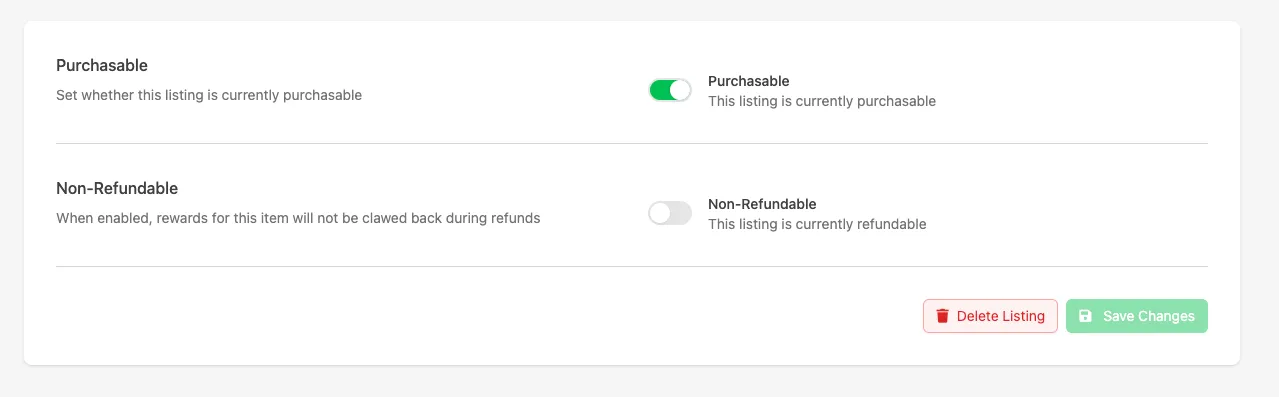
Click Save Changes again.
Conclusion
Your Catalog Listing is now configured to support purchases using PlayStation Store. Once your game is integrated with the purchase flow, players can purchase this listing through PlayStation and receive the configured rewards.