
This how-to lists Catalog items grouped by kind and converts them into the data your UI needs to build an in-game store.
Prerequisites
Section titled “Prerequisites”- Unity, Unreal, or Godot SDK installed and configured in your project (not required for REST).
- At least one Catalog configured in the Web Console.
- An active Player session (see Authentication).
Get the Catalog Items
Section titled “Get the Catalog Items”To build the store UI, first gather all the information about what you're selling.
private void CreateStoreUI(){    string CatalogKey = "<INSERT KEY>";    int count = 0;    string after = null;
    LootLockerSDKManager.ListCatalogItems(CatalogKey, count, after, (response) =>    {        if (!response.success)        {            Debug.Log("Could not List Items from Catalog");            return;        }
        LootLockerInlinedCatalogEntry[] inlinedEntryList = response.GetLootLockerInlinedCatalogEntries();
        foreach (var entry in inlinedEntryList)        {            switch (entry.entity_kind)            {                case LootLockerCatalogEntryEntityKind.asset:                    ConfigureAsset(entry.asset_details);                    break;                case LootLockerCatalogEntryEntityKind.currency:                    ConfigureCurrency(entry.currency_details);                    break;                case LootLockerCatalogEntryEntityKind.progression_points:                    ConfigureProgressionPoints(entry.progression_point_details);                    break;                case LootLockerCatalogEntryEntityKind.progression_reset:                    ConfigureProgressionReset(entry.progression_reset_details);                    break;                case LootLockerCatalogEntryEntityKind.group:                    ConfigureGroup(entry.group_details);                    break;            }        }    });}
private void ConfigureAsset(LootLockerAssetDetails asset){    Debug.Log(asset.name);    Debug.Log(asset.id);    Debug.Log(asset.thumbnail);}
private void ConfigureCurrency(LootLockerCurrencyDetails currency){    Debug.Log(currency.amount);    Debug.Log(currency.name);    Debug.Log(currency.id);    Debug.Log(currency.code);}
private void ConfigureProgressionPoints(LootLockerProgressionPointDetails progression){    Debug.Log(progression.amount);    Debug.Log(progression.name);    Debug.Log(progression.id);    Debug.Log(progression.key);}
private void ConfigureProgressionReset(LootLockerProgressionResetDetails progression){    Debug.Log(progression.name);    Debug.Log(progression.id);    Debug.Log(progression.key);}
private void ConfigureGroup(LootLockerInlinedGroupDetails group){
    Debug.Log(group.name);    Debug.Log(group.description);
    foreach (var asset in group.assetDetails)    {        ConfigureAsset(asset);    }    foreach (var currency in group.currencyDetails)    {        ConfigureCurrency(currency);    }    foreach (var progression in group.progressionPointDetails)    {        ConfigureProgressionPoints(progression);
    }    foreach (var progression in group.progressionResetDetails)    {        ConfigureProgressionReset(progression);    }}
First, get a list of all Catalog items. Then use the custom function the LootLocker SDK provides, Convert Catalog to Inline Items.
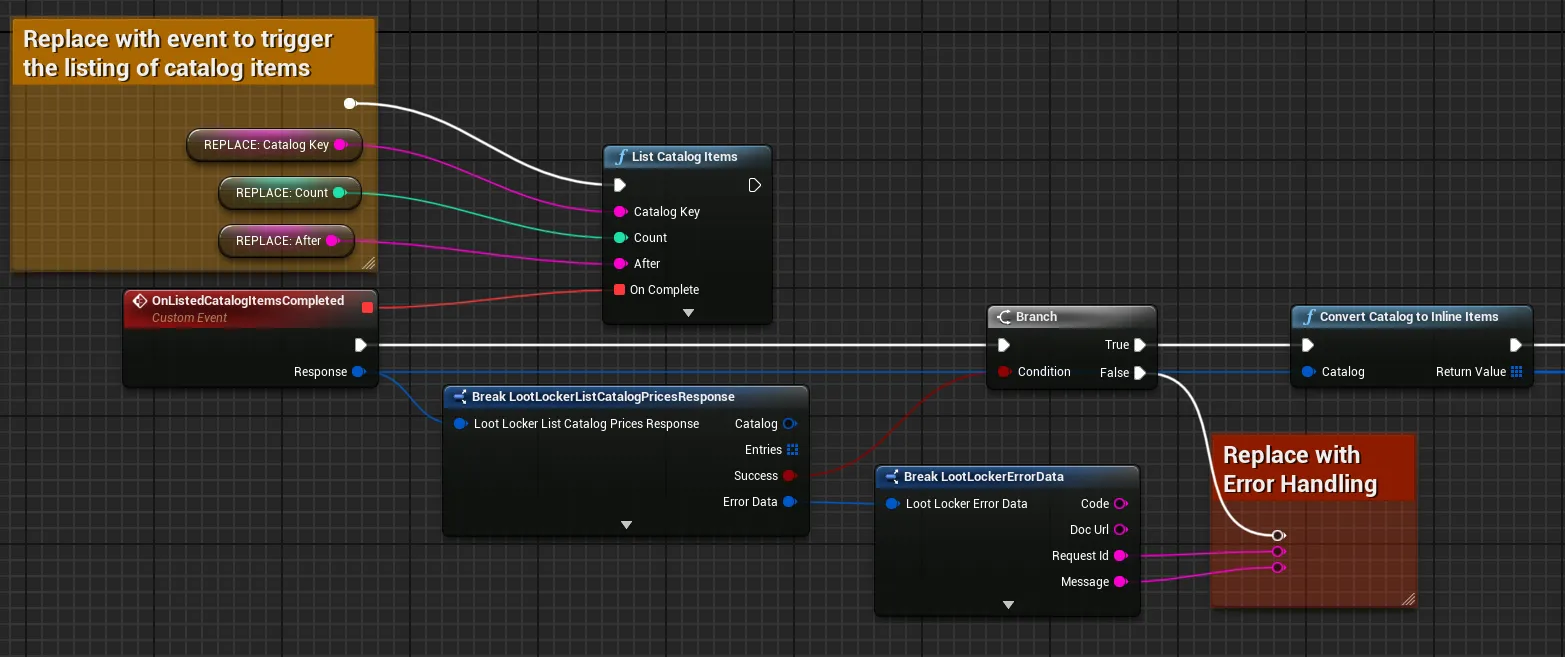
Once that's done, check which kind of item you're dealing with by switching on the kind and iterating through the data.
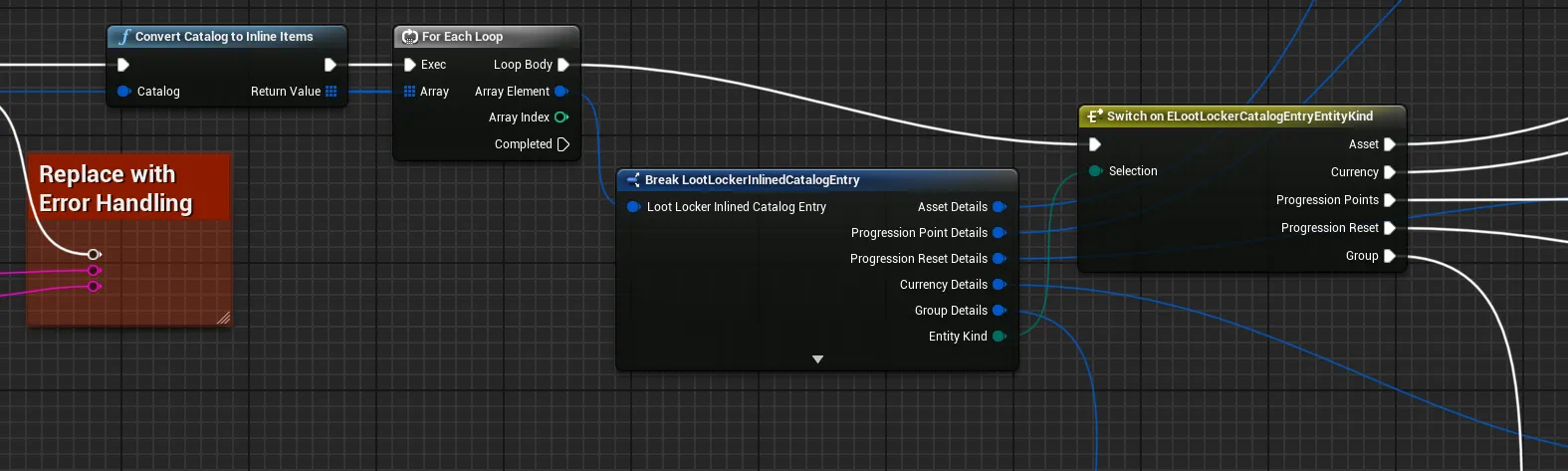
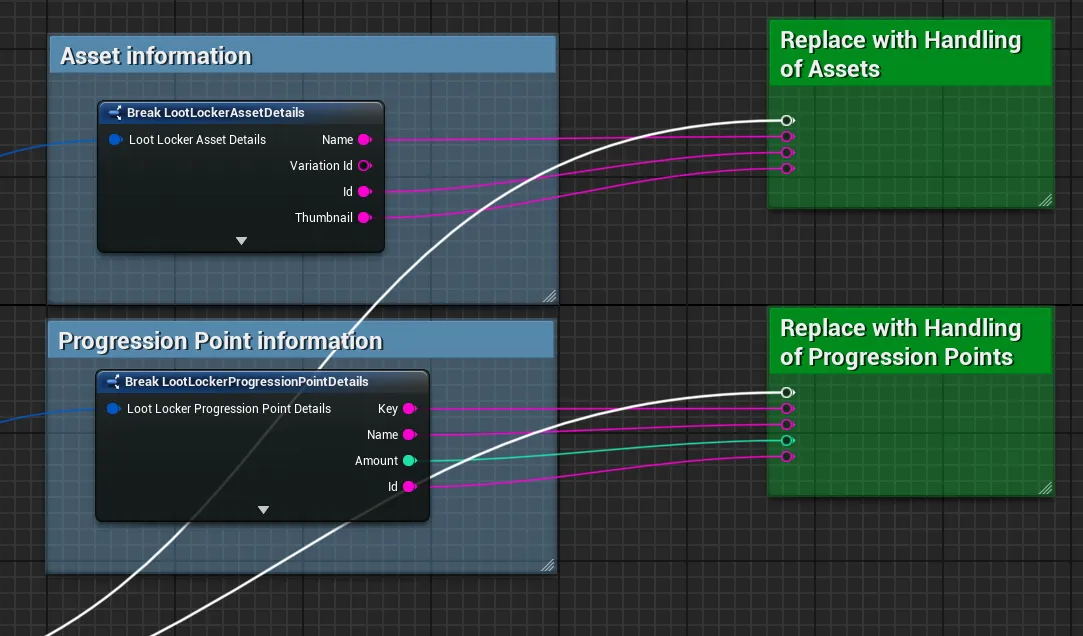
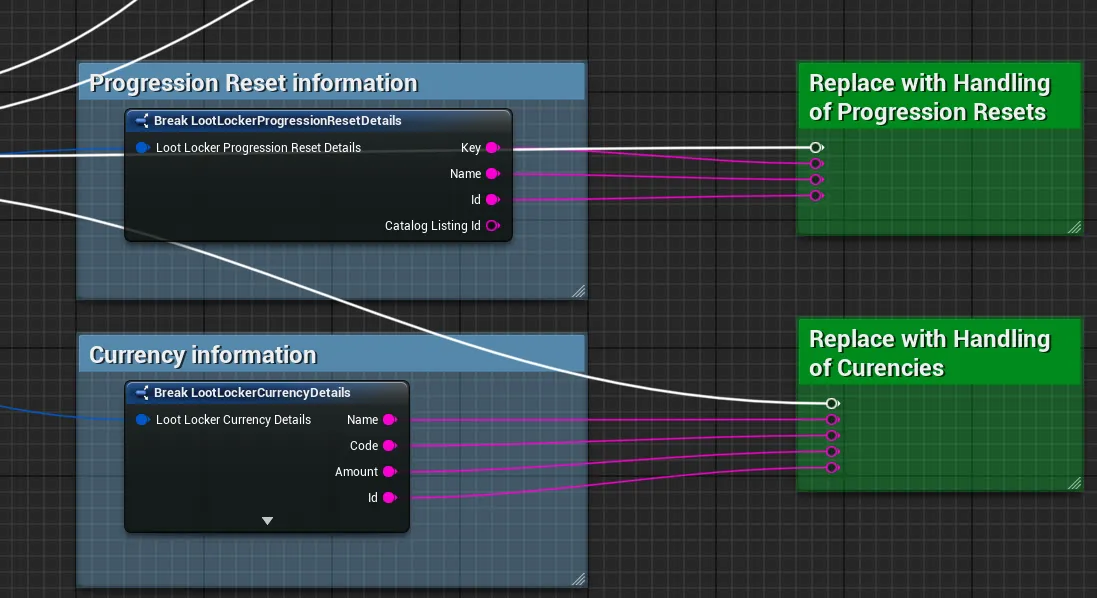
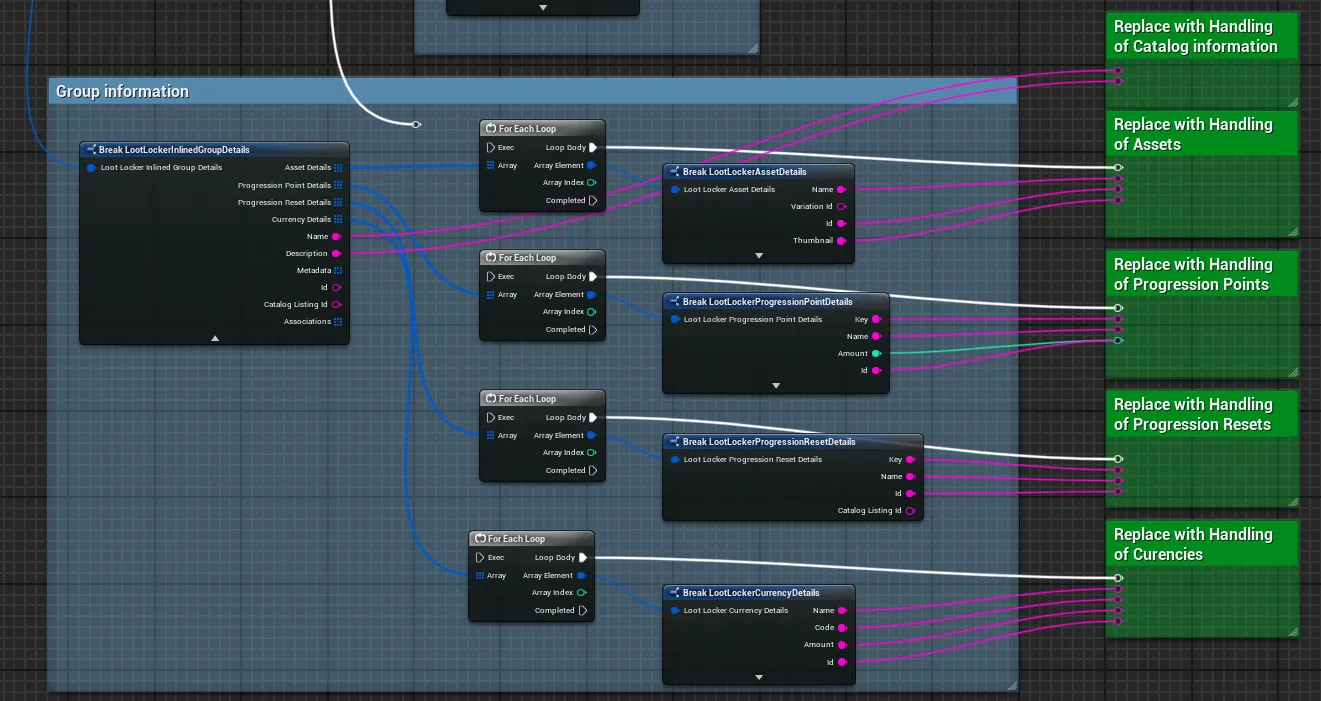
Now you can take each individual detail and attach it to your UI to display an in-game store.
Coming soon — this sample hasn't been written yet. In the meantime, refer to the Reference Documentation for this endpoint.
Coming soon — this sample hasn't been written yet. In the meantime, refer to the Reference Documentation for this endpoint.
Conclusion
Section titled “Conclusion”You've retrieved a list of Catalog items and converted it into an inline list you can use to display everything available for purchase. Learn more about Catalogs, or read up on Currencies, Wallets, and Real Money Purchases.