
Retrieve Player Storage
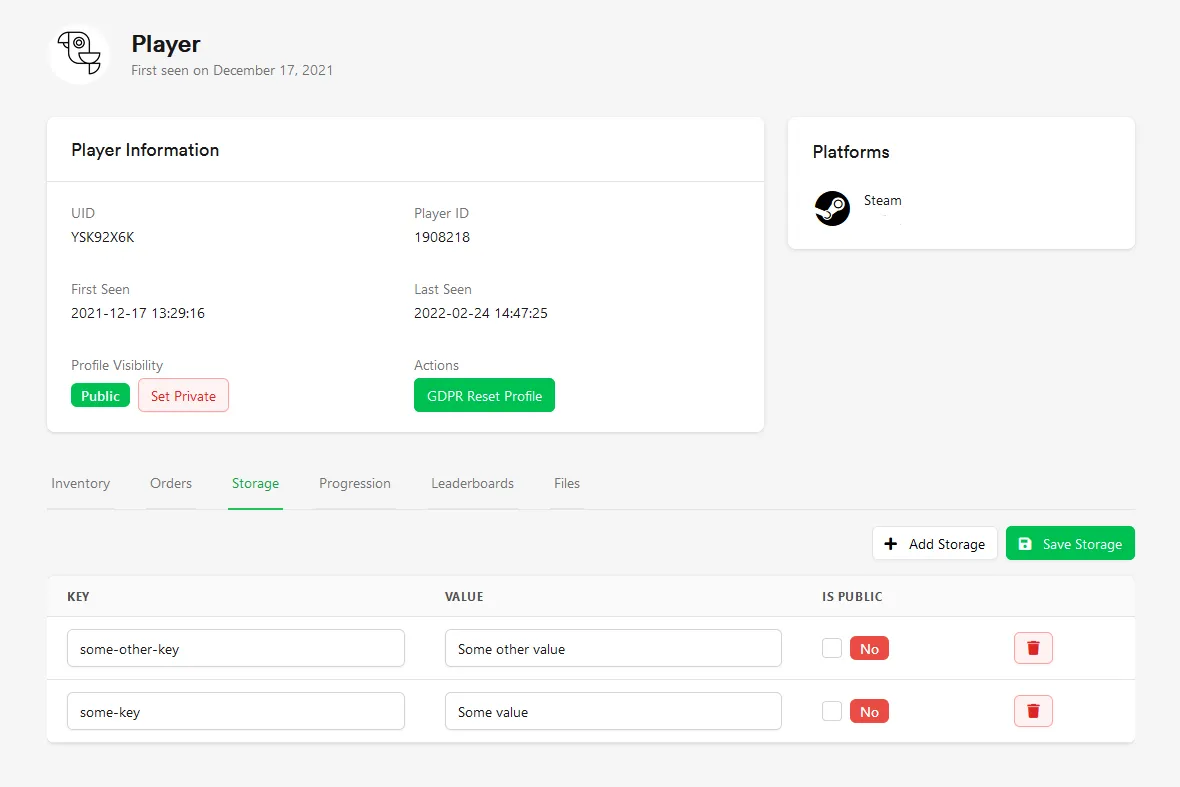
Section titled “Retrieve Player Storage”To view Player storage in the web console, go to the player and select the storage tab. From here it's possible to view and edit the data for the player.
Retrieve Entire Player Storage From Game
Section titled “Retrieve Entire Player Storage From Game”LootLockerSDKManager.GetEntirePersistentStorage((response) =>{ if (response.success) { Debug.Log("Successfully retrieved player storage: " + response.payload.Length); } else { Debug.Log("Error getting player storage"); }});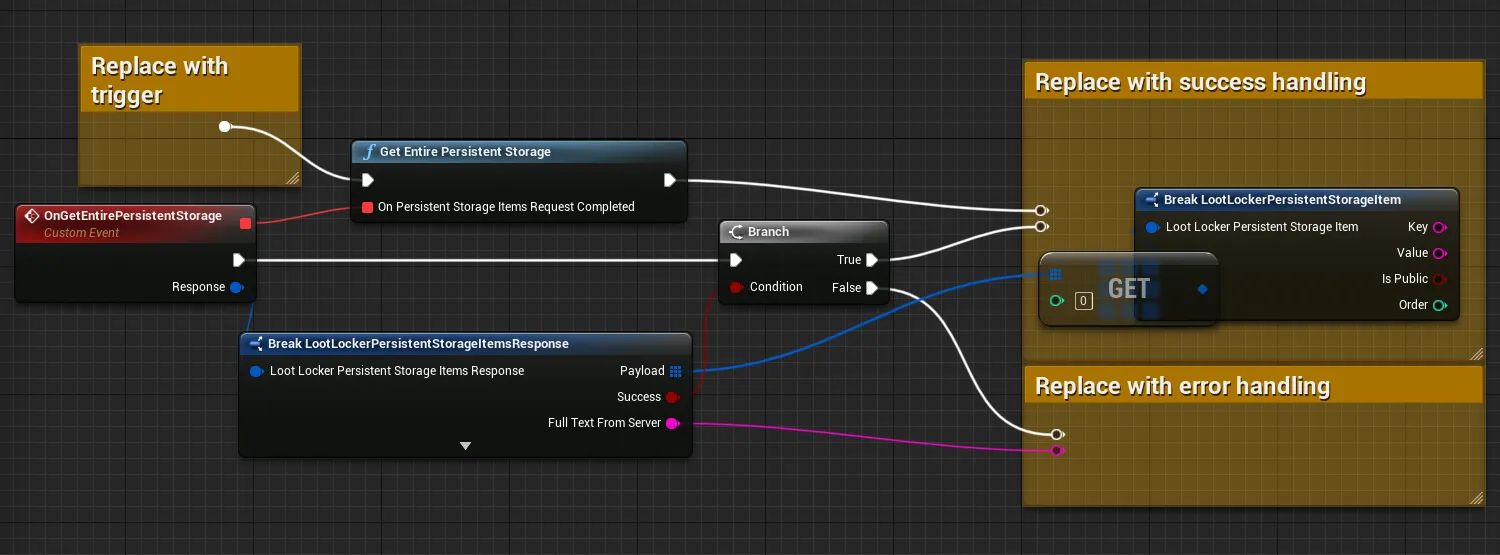
curl -X GET "https://api.lootlocker.io/game/v1/player/storage" \ -H "x-session-token: your_token_here"Example response:
{ "success": true, "payload": [ { "key": "user.answer", "value": "42", "is_public": false } ]}Retrieve Single Storage Value From Game
Section titled “Retrieve Single Storage Value From Game”string key = "some-key";LootLockerSDKManager.GetSingleKeyPersistentStorage(key, (response) =>{ if (response.success) { if (response.payload != null) { Debug.Log("Successfully retrieved player storage with value: " + response.payload.value); } else { Debug.Log("Item with key " + key + " does not exist"); } } else { Debug.Log("Error getting player storage"); }});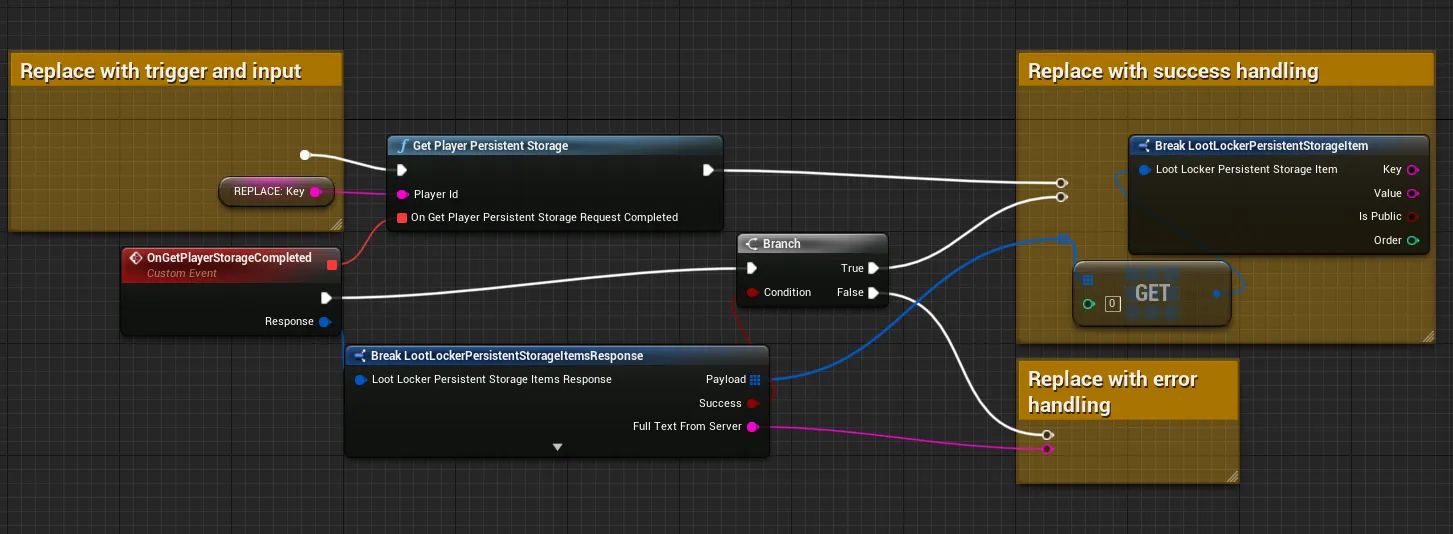
curl -X GET "https://api.lootlocker.io/game/v1/player/storage?key=user.something" \ -H "x-session-token: your_token_here"Example response:
{ "success": true, "payload": { "key": "user.answer", "value": "42", "is_public": false }}Update Player Storage
Section titled “Update Player Storage”To update a single value for a key
LootLockerSDKManager.UpdateOrCreateKeyValue("some-key", "some new value", (getPersistentStoragResponse) =>{ if (getPersistentStoragResponse.success) { Debug.Log("Successfully updated player storage"); } else { Debug.Log("Error updating player storage"); }});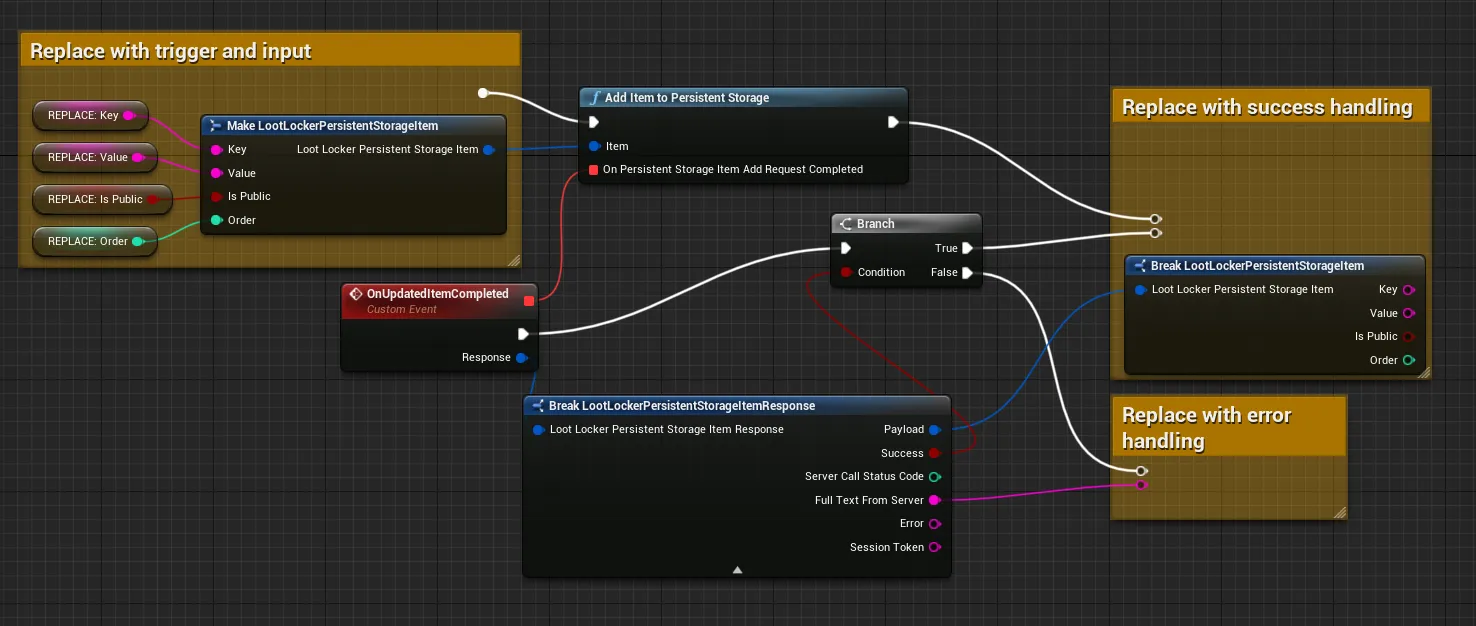
curl -X POST "https://api.lootlocker.io/game/v1/player/storage" \ -H "x-session-token: your_token_here" \ -H "Content-Type: application/json" \ -d '[ { "key": "totalDeaths", "value": "124", "is_public": true, "order": 1 }]'To update or create multiple keys at the same time
LootLockerGetPersistentStorageRequest data = new LootLockerGetPersistentStorageRequest();data.AddToPayload(new LootLockerPayload { key = "some-key", value = "Some new value" });data.AddToPayload(new LootLockerPayload { key = "some-other-key", value = "Some other new value" });
LootLockerSDKManager.UpdateOrCreateKeyValue(data, (getPersistentStoragResponse) =>{    if (getPersistentStoragResponse.success)    {        Debug.Log("Successfully updated player storage");    }    else    {        Debug.Log("Error updating player storage");    }});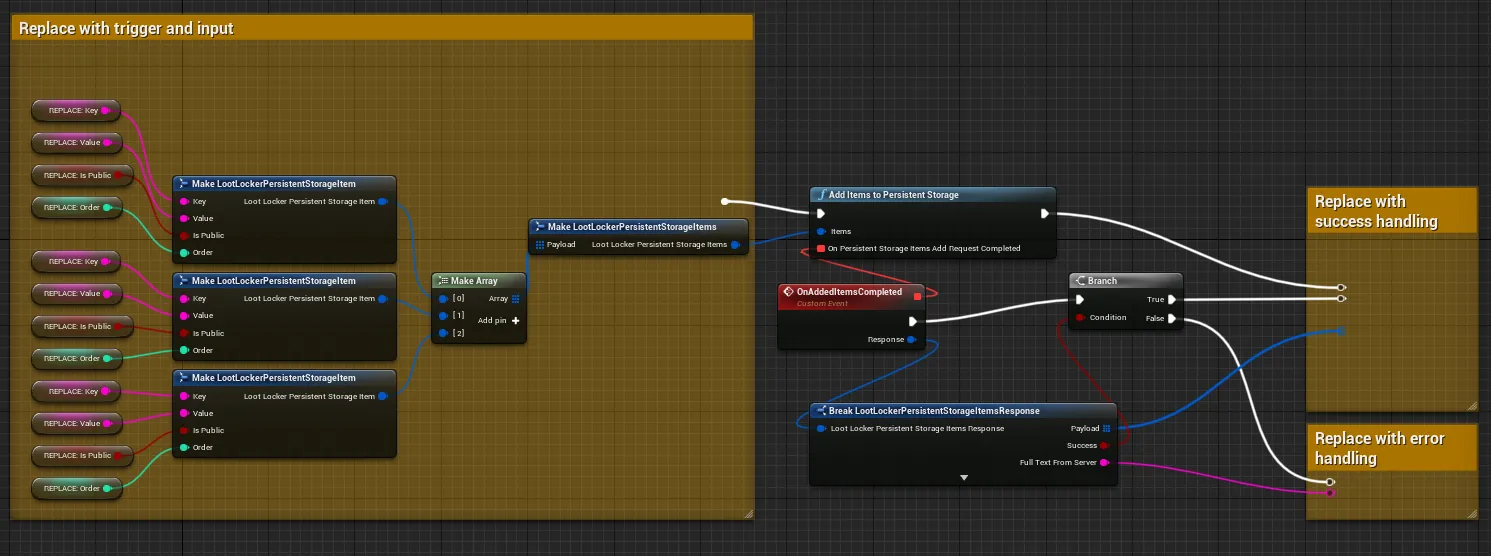
curl -X POST "https://api.lootlocker.io/game/v1/player/storage" \ -H "x-session-token: your_token_here" \ -H "Content-Type: application/json" \ -d '[ { "key": "totalDeaths", "value": "124", "is_public": true, "order": 1 }, { "key": "animal", "value": "Sheep", "order": 2 }]'Remove Player Storage Item
Section titled “Remove Player Storage Item”LootLockerSDKManager.DeleteKeyValue("some-key", (getPersistentStoragResponse) =>{ if (getPersistentStoragResponse.success) { Debug.Log("Successfully removed key from player storage"); } else { Debug.Log("Error removing key from player storage"); }});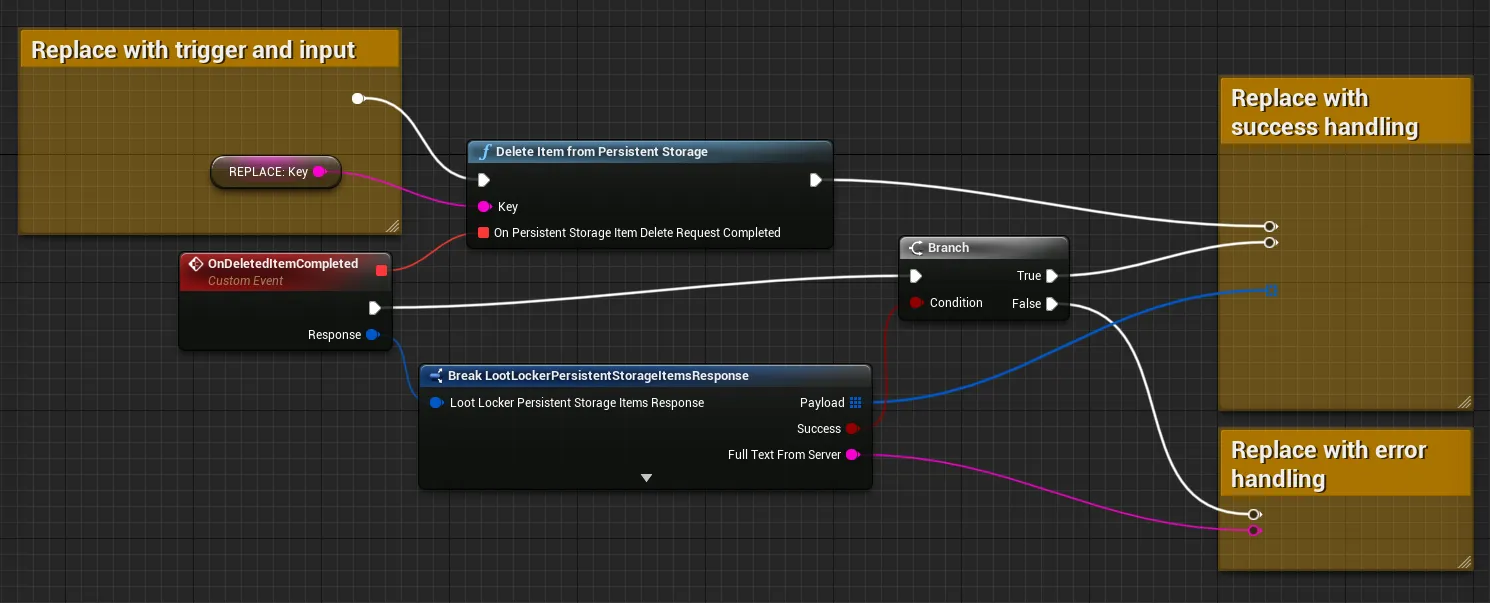
curl -X DELETE "https://api.lootlocker.io/game/v1/player/storage?key=fruit" \ -H "x-session-token: your_token_here"Get Other Players Public Storage
Section titled “Get Other Players Public Storage”For this you need the public UID of the other player.
LootLockerSDKManager.GetOtherPlayersPublicKeyValuePairs("92AR9254", (response) =>{ if (response.success) { Debug.Log("Successfully retrieved storage for other player " + response.payload.Length); } else { Debug.Log("Error retrieving storage for other player"); }});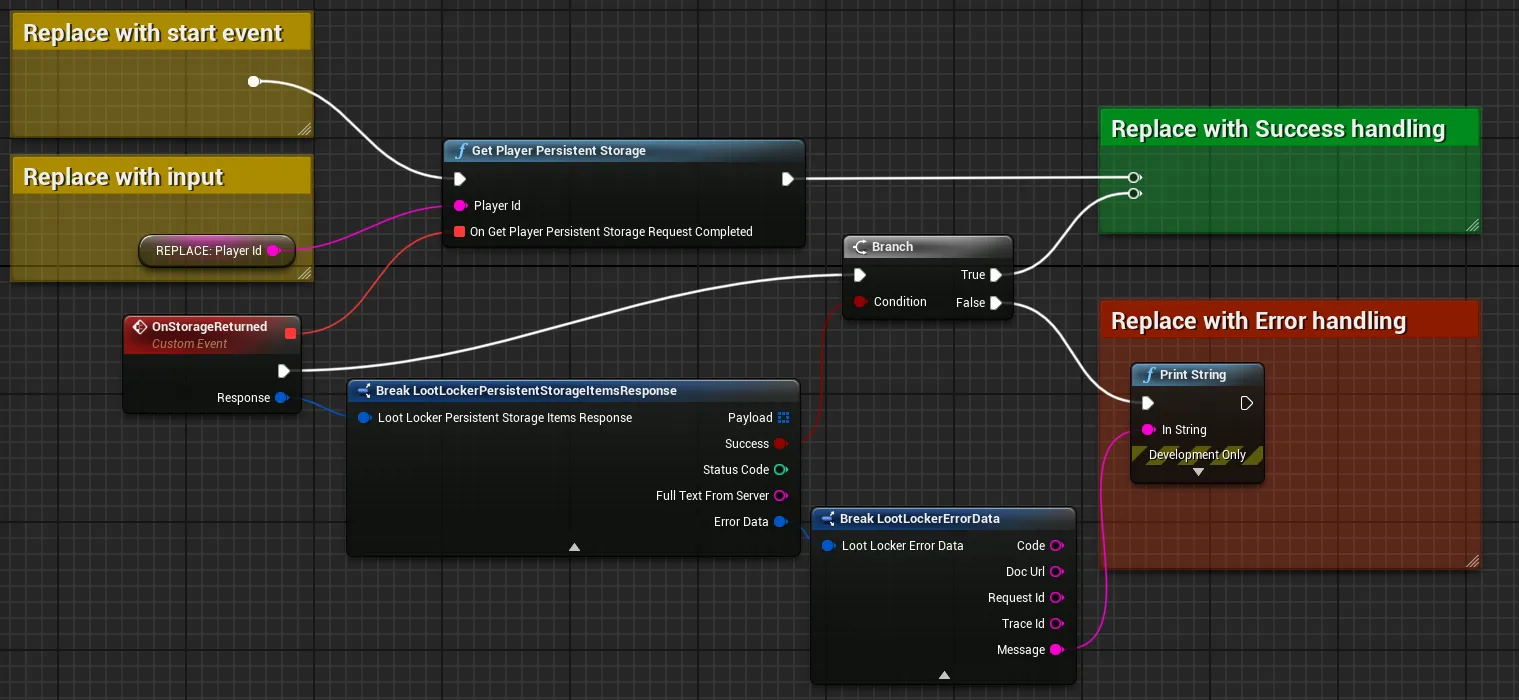
Get by Player ID
Section titled “Get by Player ID”curl -X GET "https://api.lootlocker.io/game/v1/player/1234/storage" \ -H "x-session-token: your_token_here"Get by Player Public UID
Section titled “Get by Player Public UID”curl -X GET "https://api.lootlocker.io/game/v1/player/A1B2C3D4/storage" \ -H "x-session-token: your_token_here"Example response:
{ "success": true, "payload": [ { "key": "user.answer", "value": "42", "is_public": true } ]}