
This how-to manages a player's relationships with other players: manually adding and removing a player's Friends and Followers, and adding players to their Blocked list.
Prerequisites
Section titled “Prerequisites”- Multiple player profiles (either by starting separate player sessions in-game, or by selecting Create Player in the Player Manager).
Manage Player Relationships
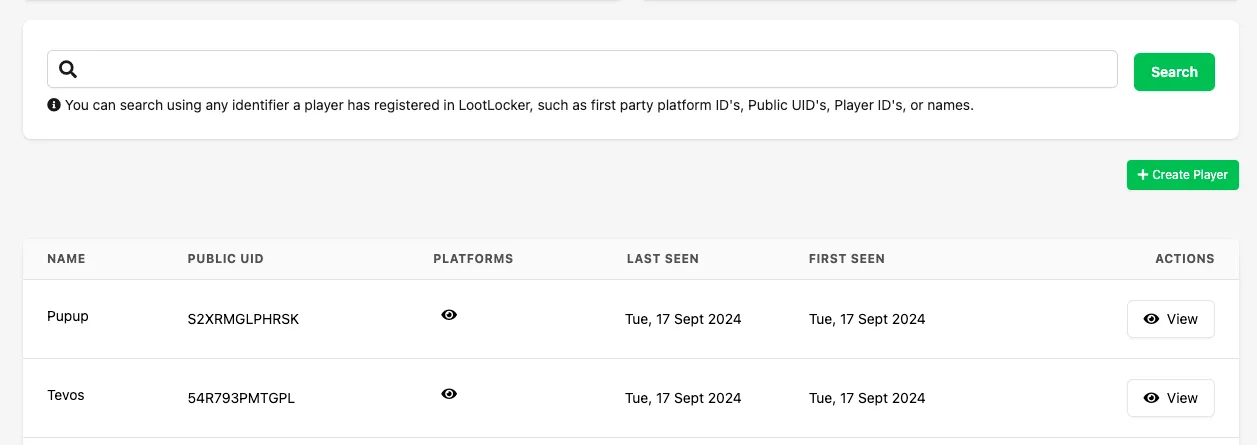
Section titled “Manage Player Relationships”Navigate to the Player Manager in the Web Console. Search for a player or select one from the list of recent players.
Once viewing a player's profile, select the Relationships tab. Use the dropdown menu to choose the relationship type to manage, and the Add New Relationship button to add a player to that relationship type.
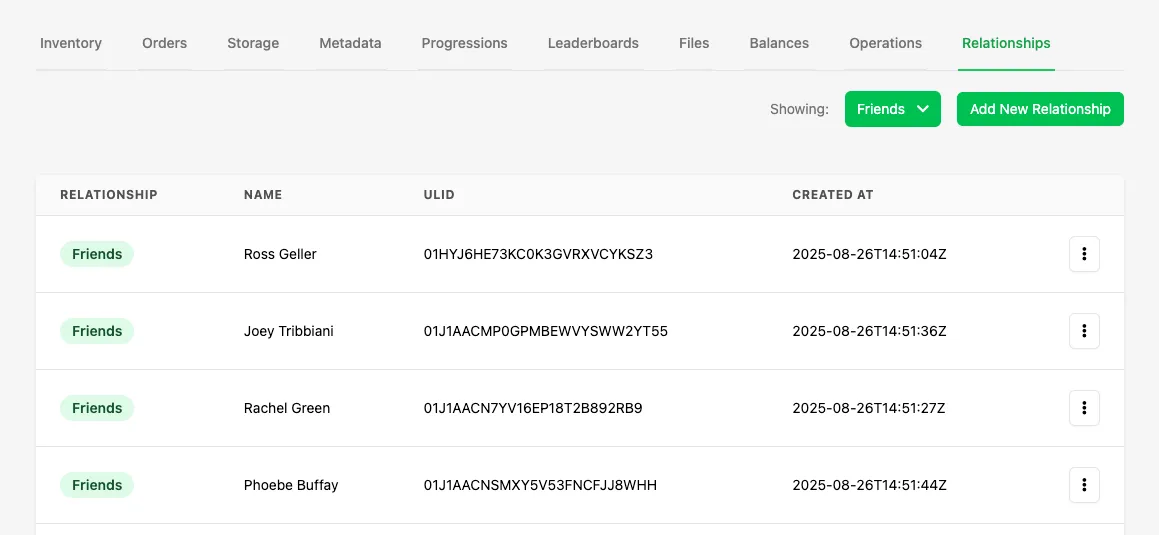
Below is a description of each relationship type:
- A Friend is a relationship that requires opt-in by both players. One player adds the other as a Friend, and the other player must accept the request for them to become Friends. Until accepted, the status remains Pending and is viewable as Incoming or Outgoing in the Player Manager Relationships view.
- The Blocked relationship means a player can't be Friends with or Follow the player who has blocked them.
- Followers lists players who are following the player in question.
- Following lists the players the player in question is following.
Add New Relationship
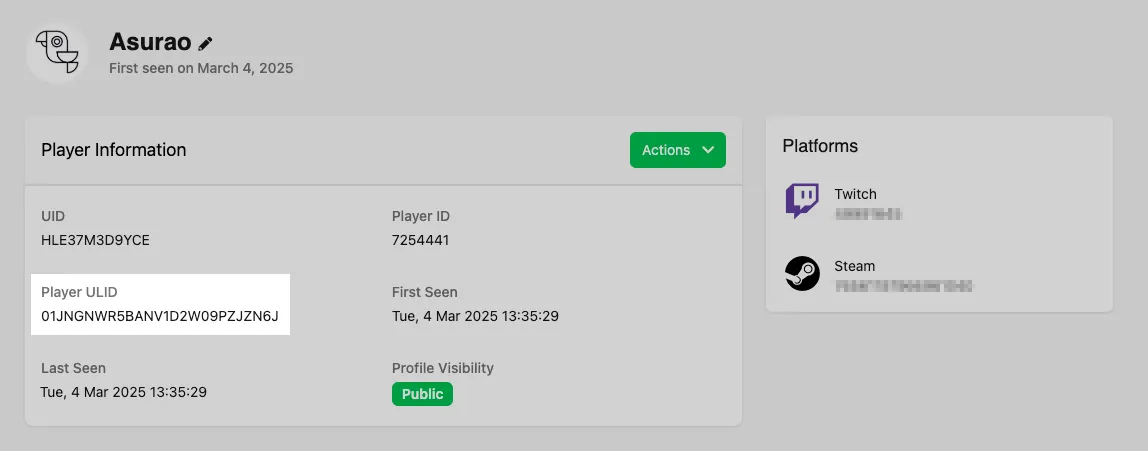
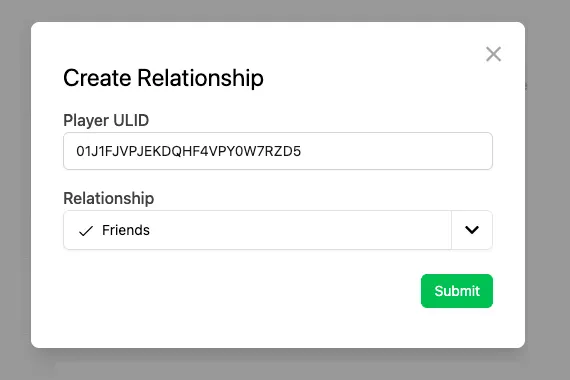
Section titled “Add New Relationship”Click Add New Relationship, then enter the ULID of the player you want to add to the original player's Friend, Blocked, Follower, or Following list.
Select the relationship type, then click Submit to confirm.
Delete an Existing Relationship
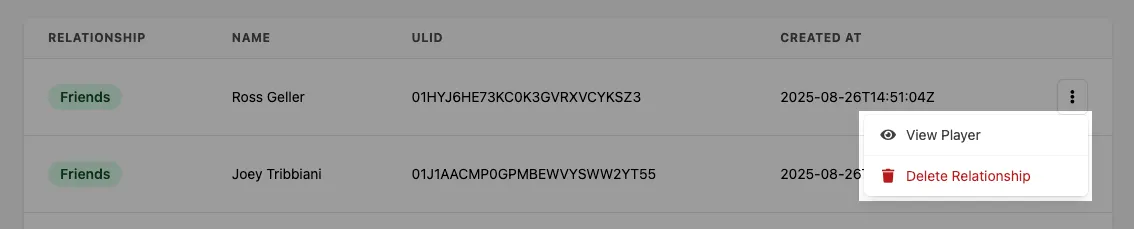
Section titled “Delete an Existing Relationship”Remove a player from another player's relationship list by selecting More Options in the relationship list and choosing Delete Relationship. You can also select View Player to open that player's profile in LootLocker.
Conclusion
Section titled “Conclusion”You've managed a player's relationships by adding and removing friends and followers. Next, implement friends or followers in your game.