
This how-to transitions a player from a guest account to another provider.
A common flow in games is to get the player started playing as quickly as possible, then later transition them to a more permanent authentication type that also lets them easily authenticate on other devices. This is achieved by starting the player on a guest account, which requires no input from them, then later nudging them to link their account with a different provider, like Apple or Google.
Prerequisites
Section titled “Prerequisites”- Unity, Unreal, or Godot SDK installed and configured in your project (not required for REST).
- UPA configured in the LootLocker Web Console.
- A player with a guest account.
Transitioning a Player
Section titled “Transitioning a Player”To transition the player from guest to another provider, first authenticate the player with the new provider — this gives you the token needed to connect the accounts.
This example uses Apple Sign In, but you can substitute another provider. For more detail on authenticating with different providers, see Authentication.
Note that this doesn't actually start a LootLocker game session using the new provider — it only performs the local authentication with Apple to get the required token.
// The token retrieved from authenticating with Apple in the game clientstring token = "xxxxxxxxxxxxxxxxxxxxxxxxxxxxxxxxx.0.xxxxx.xxxxxxxx-xxxxxxxxxxxxx";LootLockerSDKManager.ConnectAppleAccount(token, (response) =>{    if(!response.success)    {        Debug.Log("Error connecting Apple");        return;    }
    Debug.Log("Successfully connected Apple");});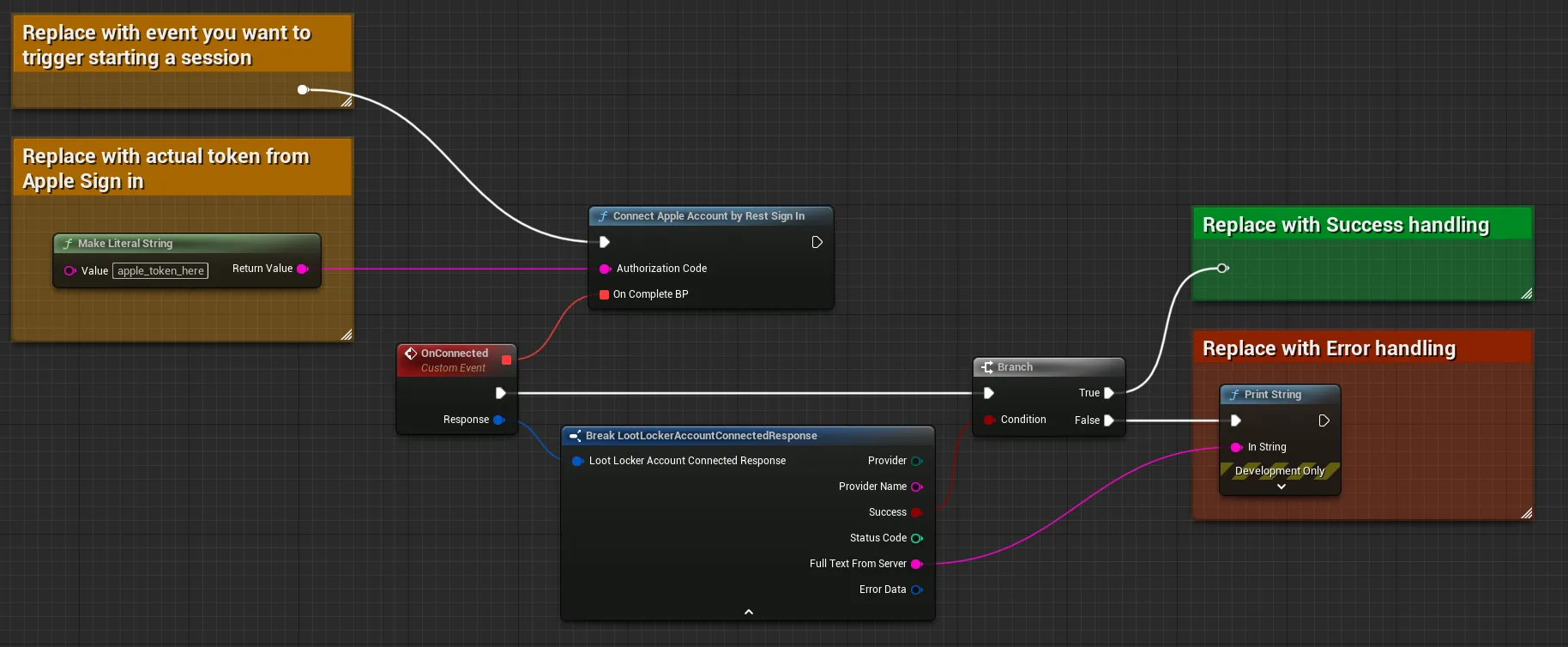
Coming soon — this sample hasn't been written yet.
Specific references for providers:
Example for Apple:
curl -X PUT "https://api.lootlocker.io/game/v1/connected-accounts" \ -H "x-session-token: your_token_here" \ -H "Content-Type: application/json" \ -d '{"authorization_code": "xxxxxxxxxxxxxxxxxxxxxxxxxxxxxxxxx.0.xxxxx.xxxxxxxx-xxxxxxxxxxxxx"}'After connecting the account, disconnect the guest account. If you don't, the player will still be able to log in as a guest, which may not be what you want.
// The following providers are supported:// LootLocker.LootLockerEnums.LootLockerAccountProvider.guest;// LootLocker.LootLockerEnums.LootLockerAccountProvider.google;// LootLocker.LootLockerEnums.LootLockerAccountProvider.apple;
var account = LootLocker.LootLockerEnums.LootLockerAccountProvider.guest;
LootLockerSDKManager.DisconnectAccount(account, (response) =>{    if(!response.success)    {        Debug.Log("Could not disconnect account");        return;    }
    Debug.Log("Successfully disconnected account");});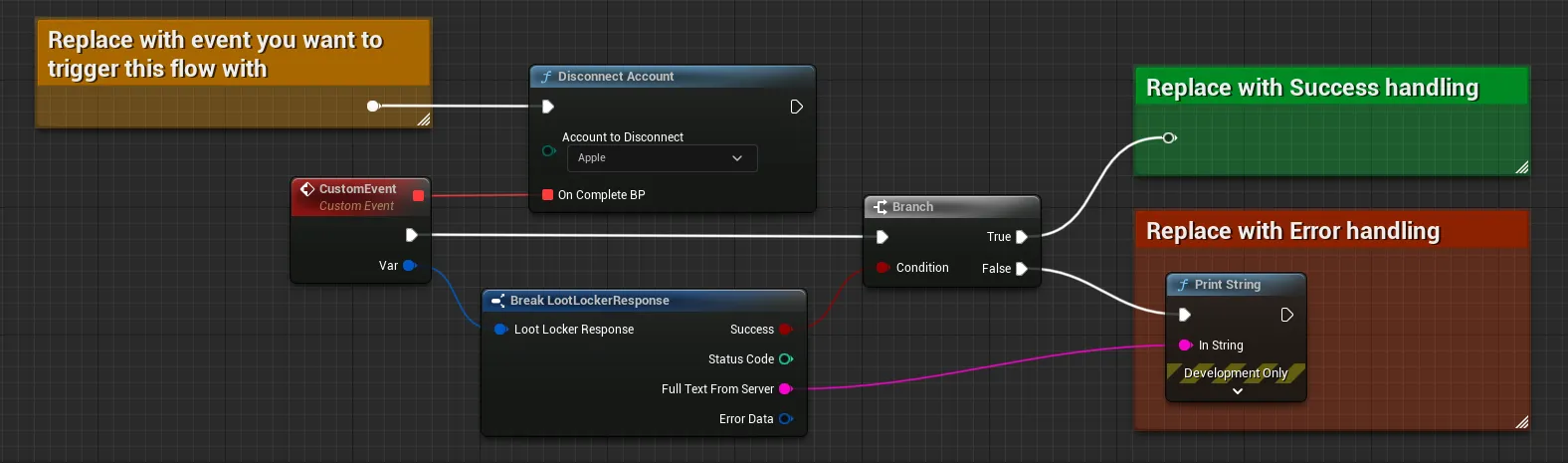
Coming soon — this sample hasn't been written yet.
See the reference documentation for this call.
curl -X DELETE "https://api.lootlocker.io/game/v1/connected-accounts/apple" \ -H "x-session-token: your_token_here"See the dedicated how-to for disconnecting an account for more detail.
Conclusion
Section titled “Conclusion”You've transitioned a player from a guest account to another provider. To learn more about account linking, read Connect Identity Provider to Player.