
This how-to creates a Claimable Link that lets players redeem Rewards outside of your game through a shareable link or QR code.
Prerequisites
Section titled “Prerequisites”- A Trigger configured with at least one Reward.
- At least one Unified Player Account provider enabled.
Create a Claimable Link
Section titled “Create a Claimable Link”In the Web Console, select Triggers from the Game Systems menu, then select the Trigger you want the link to invoke. Open the External Triggers tab and click Add Claimable Link.
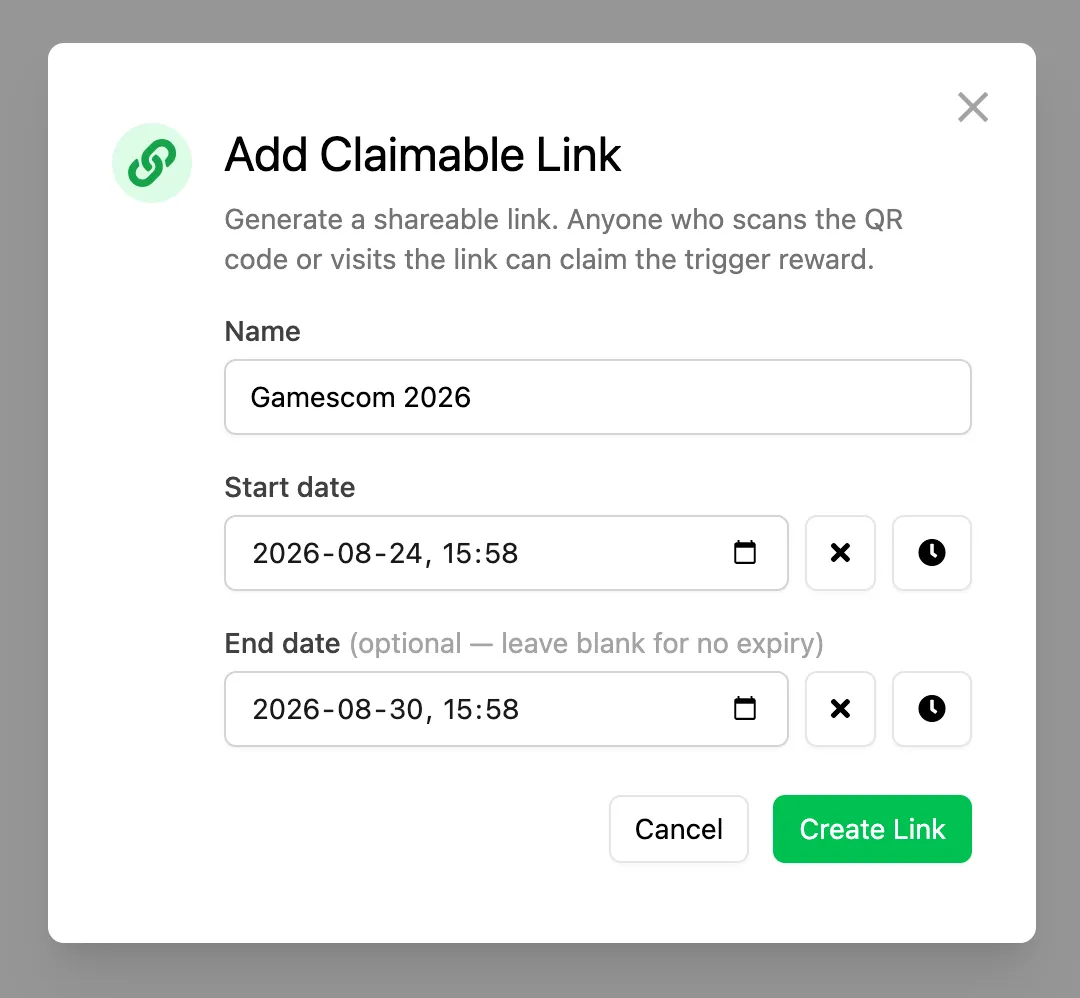
In the modal that appears, complete the following information:
- Name: A descriptive name for the link (only used internally).
- Start Date: The date when the link becomes active.
- End Date (Optional): The date when the link stops working.
Click Create Link when you're ready. Once created, the link appears in the list.
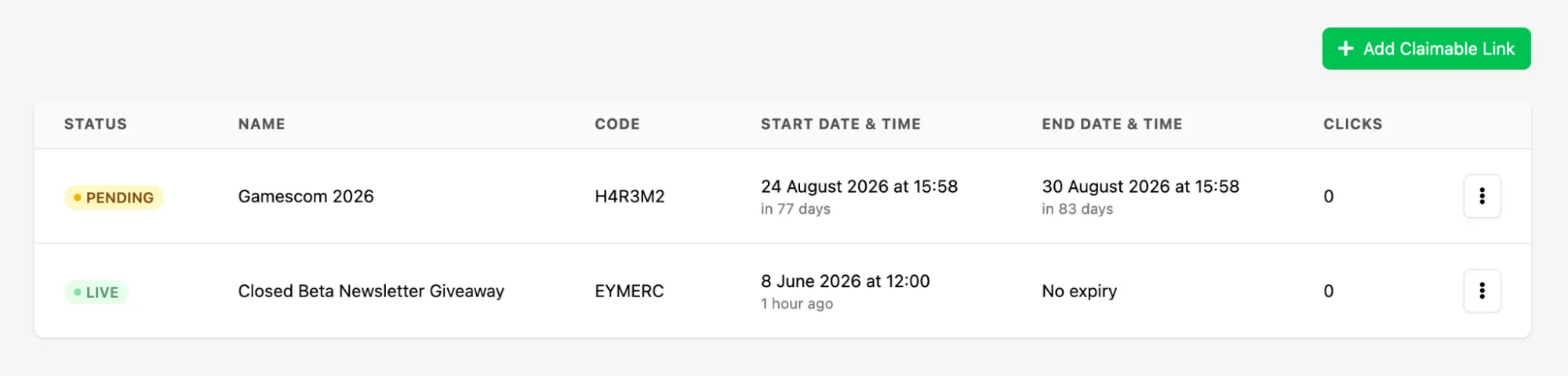
Click the kebab menu for the link to access the available actions:
- Copy Link: Copies the URL to your clipboard.
- Open Link: Opens the URL directly, useful for testing.
- Download QR: Downloads the QR code as a PNG file.
To remove a Claimable Link, open the kebab menu and select Delete Link.
How Players Claim Rewards
Section titled “How Players Claim Rewards”When a player opens the Claimable Link or scans the QR code, they're taken to a hosted claim page where they must authenticate before claiming the Reward. The available authentication options depend on which platforms you've enabled through Unified Player Accounts.
Once authenticated, the Trigger is invoked and its Rewards are granted to the player.
Conclusion
Section titled “Conclusion”You've created a Claimable Link for a Trigger. To ensure players can use their Rewards in-game, make sure the LootLocker SDK is integrated and reward handling is implemented in your game.