
Configure a Catalog Listing to be purchasable using Stripe as a one-time purchase or a recurring subscription.
Prerequisites
Section titled “Prerequisites”- Stripe IAP settings configured for your game
- At least one rewardable item, such as an Asset, Currency, or Progression
- A Catalog with at least one Catalog Listing
Open a Catalog Listing
Section titled “Open a Catalog Listing”In the LootLocker Web Console, go to the Economy tab (under Content), open your Catalog, and select the Catalog Listing you want to configure. In the Actions column, click View Listing.
Configure Stripe IAP as a One-Time Purchase
Section titled “Configure Stripe IAP as a One-Time Purchase”Open the IAP tab and select Stripe from the list of available providers.
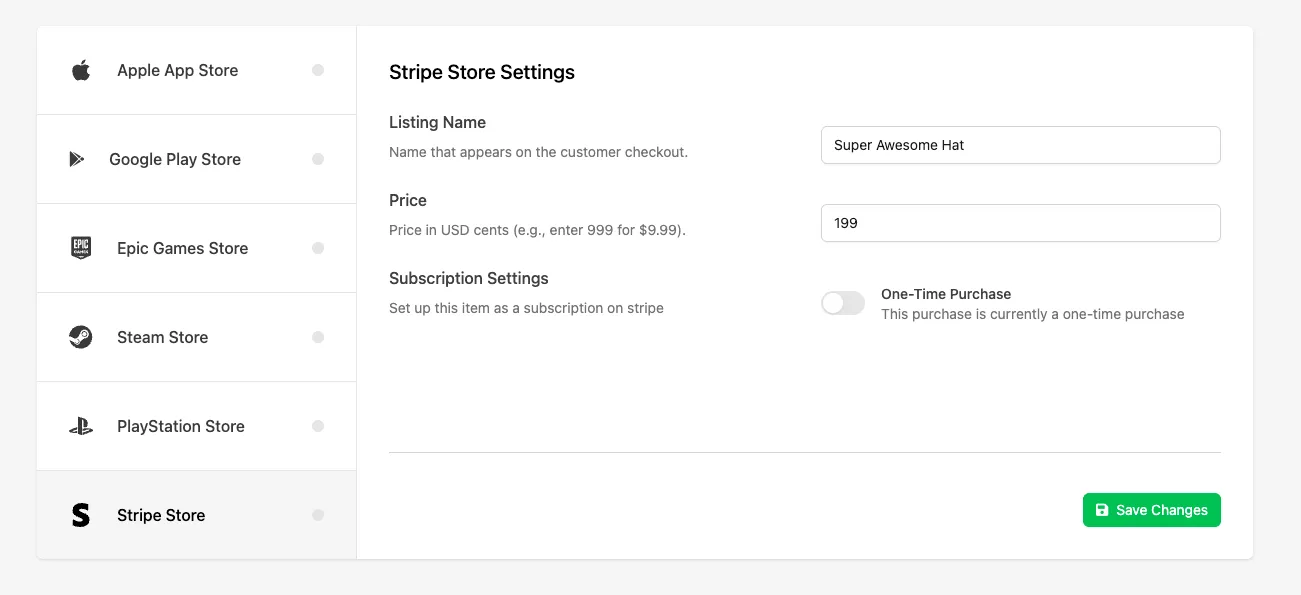
Fill in the following fields:
- Listing Name: the name that appears in Stripe, including on the Stripe Dashboard and customer receipts. If left blank, LootLocker uses the Catalog Listing name instead.
- Price: the price of the listing in USD, entered in cents — for example, enter 999 for $9.99 USD.
- Subscription Settings: disabled
Click Save Changes to save your Stripe IAP configuration.
Configure Stripe IAP as a Subscription
Section titled “Configure Stripe IAP as a Subscription”Open the IAP tab and select Stripe from the list of available providers.
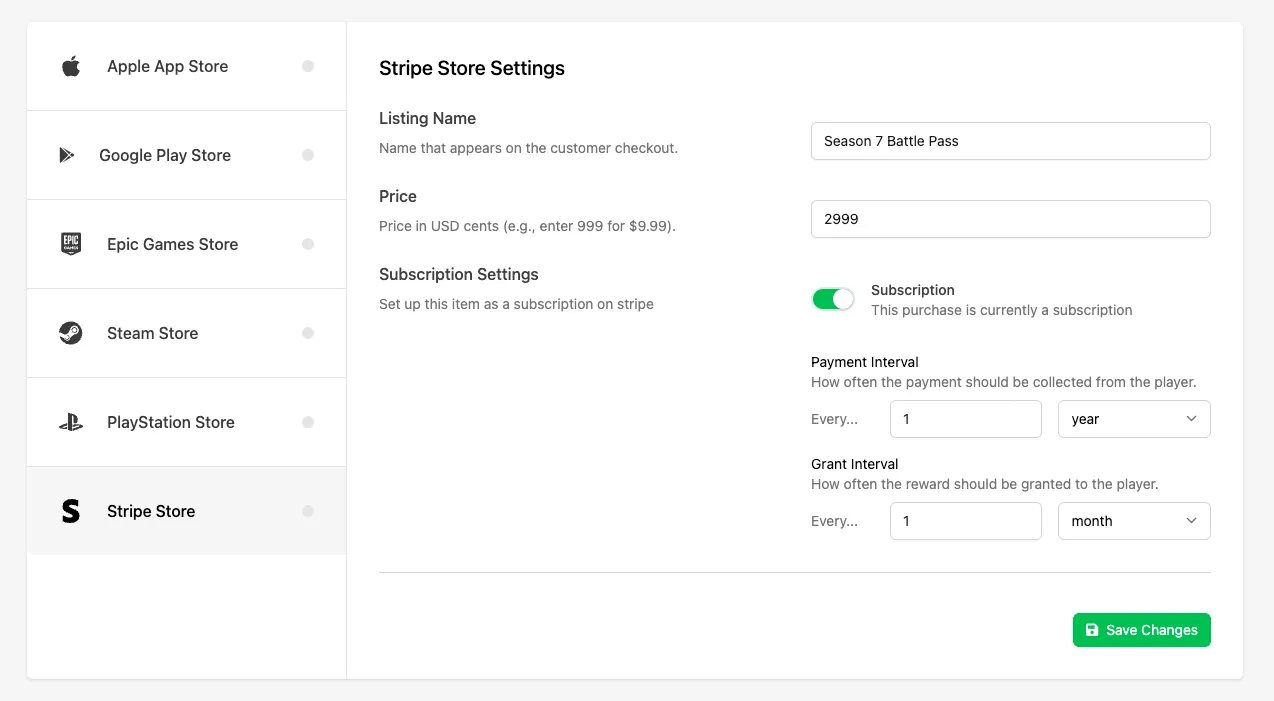
Fill in the following fields:
- Listing Name: the name that appears in Stripe, including on the Stripe Dashboard and customer receipts. If left blank, LootLocker uses the Catalog Listing name instead.
- Price: the price of the listing in USD, entered in cents — for example, enter 999 for $9.99 USD.
- Subscription Settings: enabled
- Payment Interval: use the value and dropdown to select how often the subscription charges the player.
- Grant Interval: use the value and dropdown to select how often the Catalog Listing is granted to the player.
Click Save Changes to save your Stripe IAP configuration.
Enable the Listing for Purchase
Section titled “Enable the Listing for Purchase”Open the Settings tab for the Catalog Listing and enable the Purchasable toggle to allow the listing to be purchased.
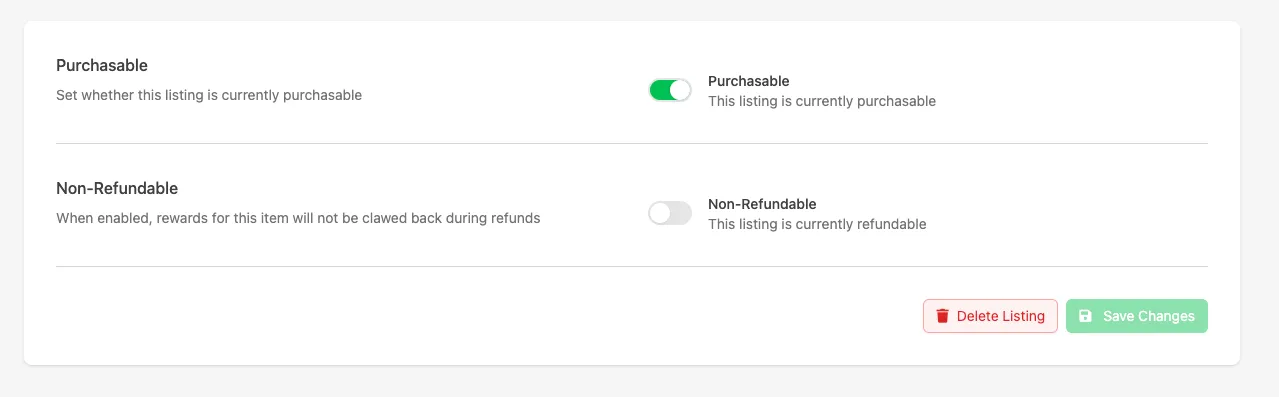
Click Save Changes again.
Conclusion
Section titled “Conclusion”Your Catalog Listing is now configured to support one-time purchases or subscriptions using Stripe. Once your game is integrated with the purchase flow, players can purchase this listing using Stripe and receive the configured rewards.