
This how-to shows who has received a Magic Trigger's Reward and lists Magic Trigger deliveries that failed.
Prerequisites
Section titled “Prerequisites”- A Magic Trigger in your game.
View Activity
Section titled “View Activity”In the Web Console, open Triggers in the Game Systems menu and select Magic Triggers. In the Campaigns tab, click a Magic Trigger, or click its kebab menu and select Edit. The Activity section below the configuration shows who has received the Reward and when.
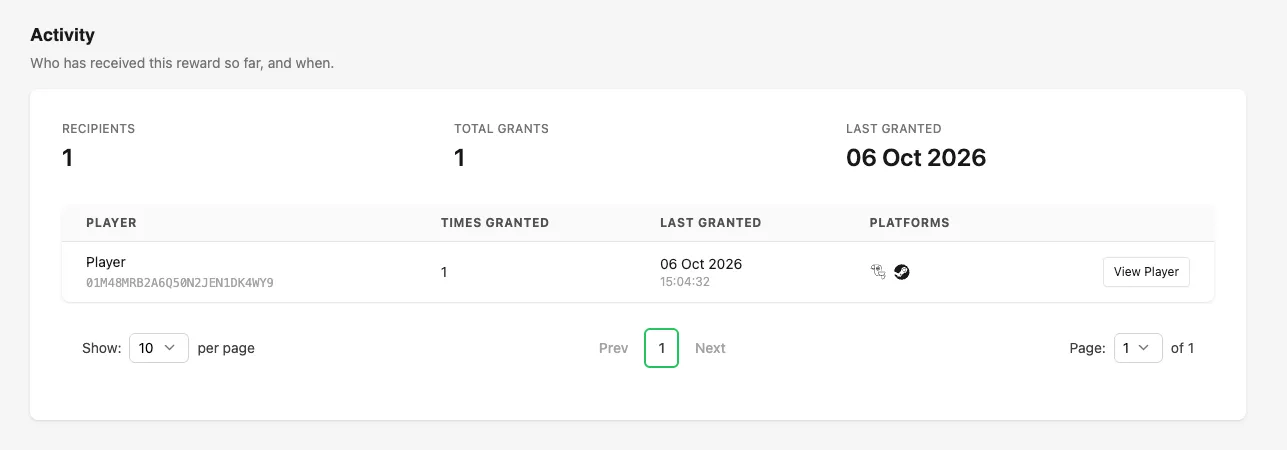
The summary at the top shows:
- Recipients: the number of players who have received the Reward.
- Total Grants: the number of times the Reward has been granted across all players.
- Last Granted: the date the Reward was most recently granted.
The table lists each recipient with the number of times they received the Reward, when they last received it, and the platforms connected to their Player. Click View Player to open the Player in the Player Manager.
Review Delivery Issues
Section titled “Review Delivery Issues”Magic Triggers run without a call from your game, so a failed delivery never returns an error to your game. The Delivery issues tab lists these failures instead.
Open the Delivery issues tab on the Magic Triggers page.
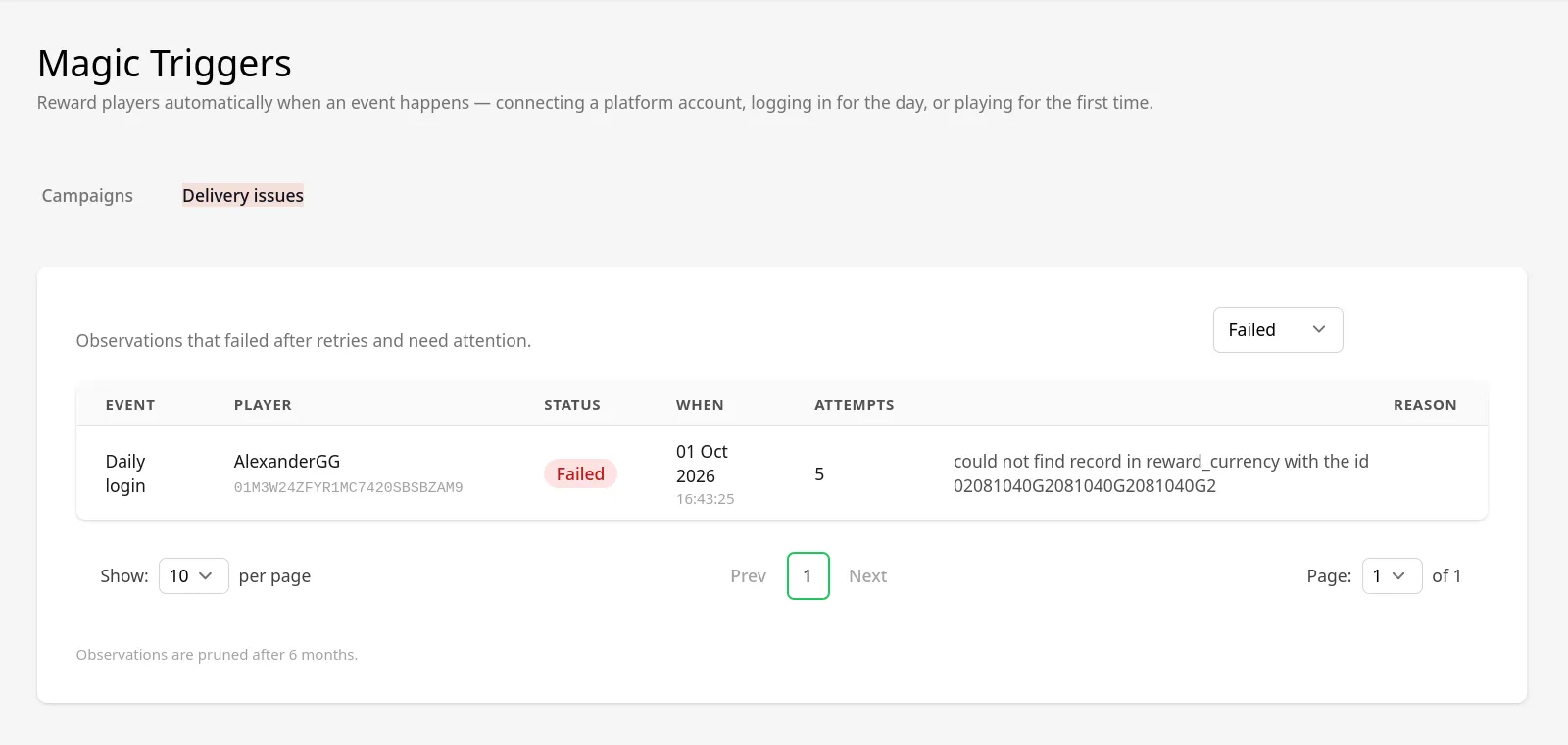
Each row is an event that failed after LootLocker retried it, with the following details:
- Event: the event that happened.
- Player: the player who should have received the Reward.
- Status: always Failed.
- When: when the event happened.
- Attempts: how many times LootLocker tried to deliver the Reward.
- Reason: why the delivery failed, such as a Reward that references a Currency that no longer exists.
Delivery issues are removed after 6 months.
Conclusion
Section titled “Conclusion”You can now confirm which players have received a Magic Trigger's Reward and find deliveries that failed.