
This how-to creates a Magic Trigger in the Web Console that grants a Reward automatically when a player connects a platform account, logs in for the day, or plays your game for the first time.
Prerequisites
Section titled “Prerequisites”- Something to reward players with, of any Reward Type.
Create a Magic Trigger
Section titled “Create a Magic Trigger”In the Web Console, open Triggers in the Game Systems menu and select Magic Triggers. The Campaigns tab lists every Magic Trigger in your game with its event, platform, Reward, limit, and status.
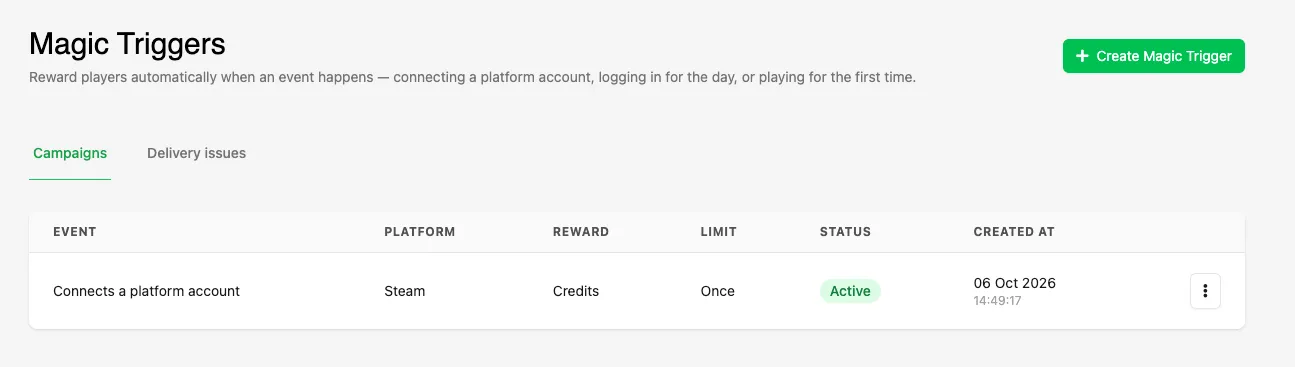
Click Create Magic Trigger.
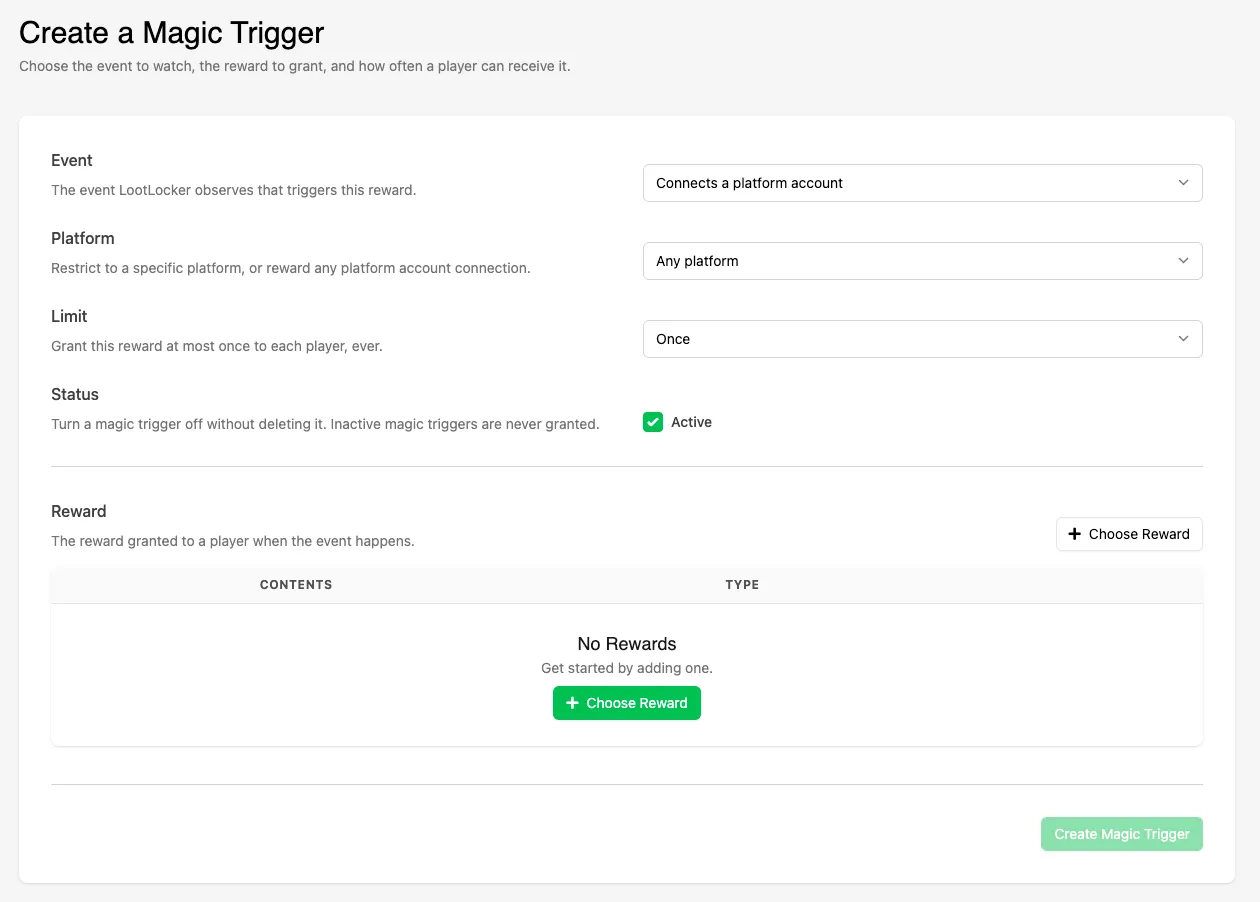
Choose the Event
Section titled “Choose the Event”Select the event LootLocker watches for in the Event dropdown:
- Connects a platform account: the player connects a platform account to their LootLocker Player. Use the Platform dropdown to reward a specific platform, or select Any platform to reward any platform account connection.
- Daily login: the player starts a session on a new day.
- First-time player: the player starts a session in your game for the first time.
Set the Limit
Section titled “Set the Limit”The Limit dropdown sets how often a single player can receive the Reward. The options depend on the event:
- Connects a platform account with a specific platform: Once.
- Connects a platform account with Any platform: Once, Once per day, or Once per platform.
- Daily login: Once per day or Once.
- First-time player: Once.
The limits work as follows:
- Once: the player receives the Reward at most one time, ever.
- Once per day: the player receives the Reward at most one time per day.
- Once per platform: the player receives the Reward one time for each platform account they connect.
Set the Status
Section titled “Set the Status”Leave Active checked to start granting the Reward as soon as the Magic Trigger is created. Uncheck it to create the Magic Trigger switched off. Inactive Magic Triggers are never granted.
Choose a Reward
Section titled “Choose a Reward”Click Choose Reward to open the Rewards modal and select the Reward to grant. To learn more about the Rewards modal, see Add a Reward.
Click Create Magic Trigger to save it.
Conclusion
Section titled “Conclusion”Your Magic Trigger now grants its Reward whenever a player meets its event. To check who has received it and whether any deliveries failed, see Monitor Magic Triggers.