> For the complete documentation index, see [llms.txt](https://docs.lootlocker.com/llms.txt). Markdown versions of documentation pages are available by appending `.md` to page URLs; this page is available as [Markdown](https://docs.lootlocker.com/game-systems/triggers/how-to/create-external-reward-campaign.md).

# Create External Reward Campaign

In this how-to, we will create an External Reward Campaign that allows players to redeem claimable rewards outside of your game through a shareable link or QR code.

### Prerequisites

* [A LootLocker account and a created game](https://lootlocker.com/sign-up)
* At least one created game in the [Web Console](https://console.lootlocker.com)
* A [Trigger configured](/game-systems/triggers/how-to/setting-up-triggers-in-console.md) with at least one reward
* At least one [Unified Player Account](/players/unified-player-accounts.md) provider enabled

### Create an External Reward Campaign

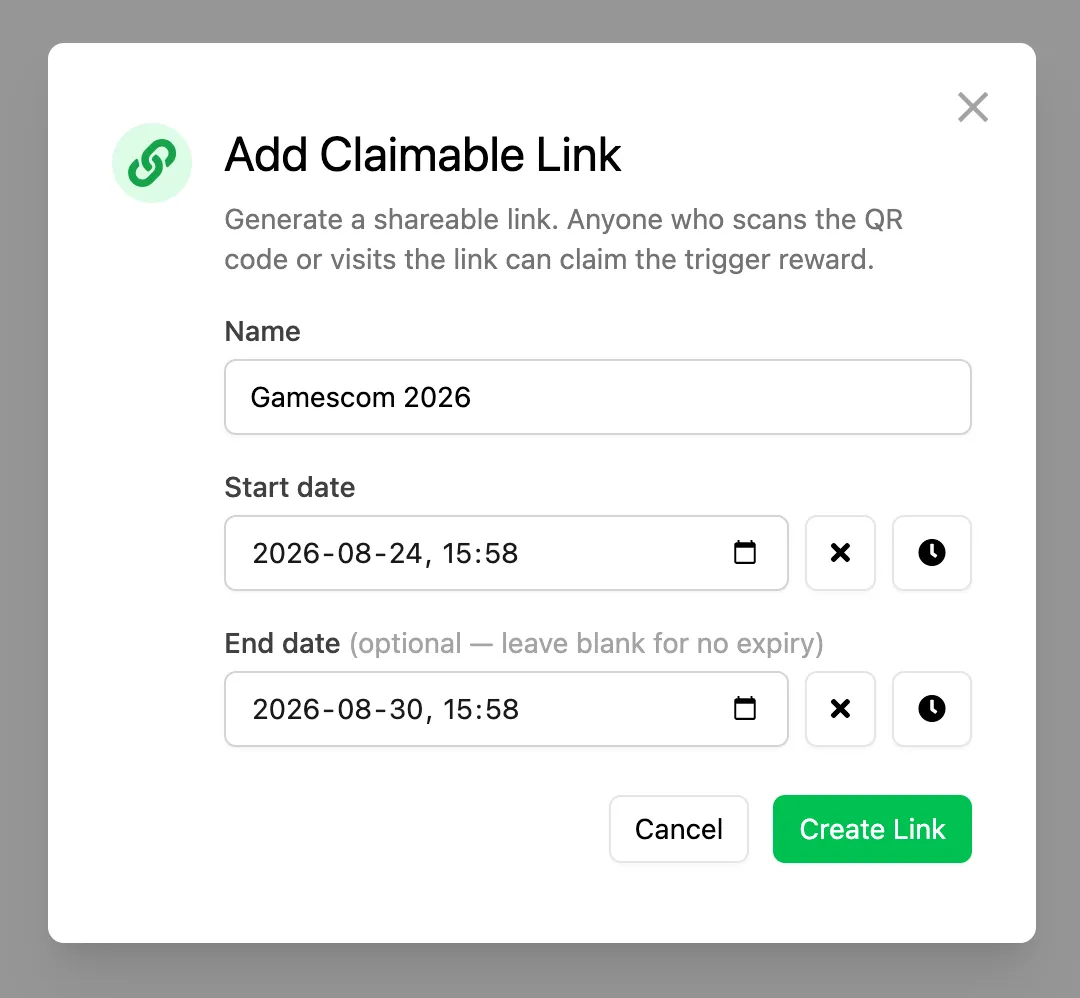
Navigate to Game Systems, select Triggers and select the Trigger you want to use for your External Reward Campaign. Open the External Triggers tab and click Add Claimable Link.
![](/files/EKLPztemTmztd4ChcCQD)

In the modal that appears complete the following information:

* **Name:** A descriptive name for the campagin (only used internally)
* **Start Date:** The date when the link will become active
* **End Date (Optional):** The date when the link will stop working

Click Create Link when you are ready.

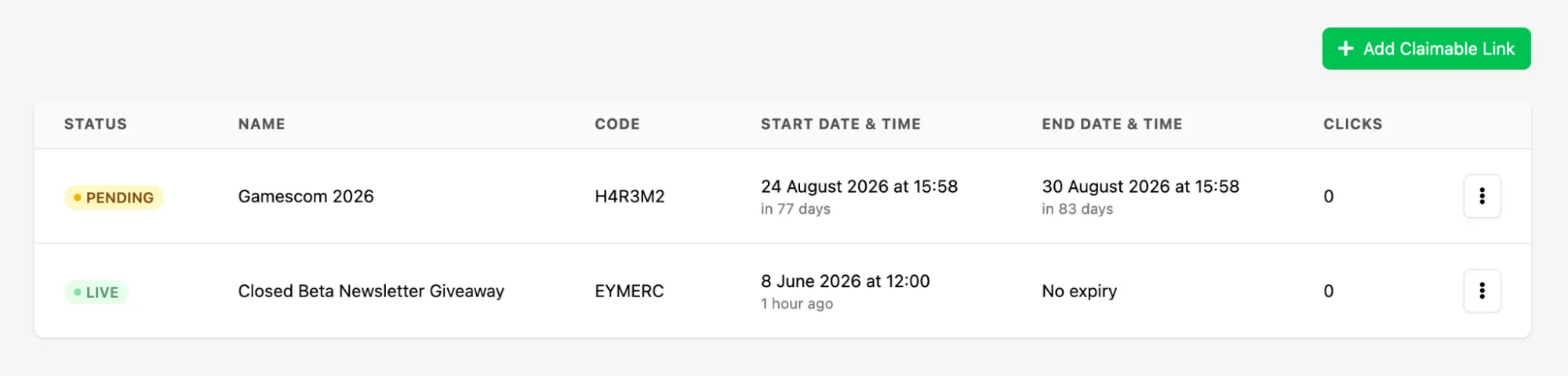
Once created, the campaign will appear in the list.

![](/files/sKbgLLtNe8m07wLRhvPF)

Click on the the kebab menu for the campaign to access the available actions:

* **Copy Link:** Copies the campaign URL to your clipboard
* **Open Link:** Opens the campaign URL directly, useful for testing
* **Download QR:** Downloads the campaign QR code as a PNG file

To remove a campaign, open the kebab menu and select Delete Link.

### Claiming an External Reward

When a player opens the campaign link or scans the QR code, they are taken to a hosted claim page where they must authenticate before claiming the reward.

The available authentication options depend on which platforms you have enabled through [Unified Player Accounts](/players/unified-player-accounts.md).

Once authenticated, the Trigger is invoked and the rewards associated with it are granted to the player.

### Conclusion

In this guide, we created an External Reward Campaign using a Trigger. To ensure players receive and can use their rewards in-game, make sure you have integrated the LootLocker SDK and implemented the necessary reward handling systems in your game.


---

# Agent Instructions
This documentation is published with GitBook. GitBook is the documentation platform designed so that both humans and AI agents can read, navigate, and reason over technical content effectively. Learn more at gitbook.com.

## Querying This Documentation
If you need additional information that is not directly available in this page, you can query the documentation dynamically by asking a question.

Perform an HTTP GET request on the current page URL with the `ask` query parameter:

```
GET https://docs.lootlocker.com/game-systems/triggers/how-to/create-external-reward-campaign.md?ask=<question>
```

The question should be specific, self-contained, and written in natural language.
The response will contain a direct answer to the question and relevant excerpts and sources from the documentation.

Use this mechanism when the answer is not explicitly present in the current page, you need clarification or additional context, or you want to retrieve related documentation sections.